Thermal imaging cameras
A thermal camera, also called a thermal imaging camera or infrared camera, turns surface temperature into a picture so you can spot warm and cool patterns your eyes miss. It does not see moisture directly and it does not see through walls; it shows temperature differences on the surfaces in front of it. That makes it a practical tool for homeowners chasing drafts, DIYers checking their own work, and new home inspectors building a kit. Every product button on this page goes to Amazon, where you can check the live price and current availability.
What a thermal camera can and can't show
In a home, a thermal imager is a fast way to find places worth a closer look. Common finds include:
- Missing or settled insulation: wall and ceiling bays that read colder in winter (or hotter in summer) than the bays around them.
- Air leaks: streaks of cold air around window frames, outlets, attic hatches and rim joists, most visible when the indoor and outdoor temperatures differ.
- Possible wet areas: damp drywall or ceiling stains often read cooler than dry material because evaporation pulls heat away.
- Overheating electrical: a breaker, connection or outlet running noticeably warmer than its neighbors.
- Radiant floor loops and hidden pipes: hot-water tubing shows up as warm lines, which helps locate a loop before drilling or cutting.
The limits matter just as much. A thermal camera reads surface temperature only, so a pattern on drywall is a clue about what is behind it, not a view of it. It needs a temperature difference (often written ΔT) to show anything; on a mild day with the heat off, a missing-insulation bay can be invisible. Shiny surfaces such as metal ducts, glass and glossy tile reflect heat from other objects, including you, which produces false hot or cold spots. And a cool patch is not proof of moisture: it could be a draft, a cold pipe or evaporative cooling from a recent spill. Confirm any suspected wet area with a moisture meter before drawing conclusions or opening a wall.
Temperature readings also depend on emissivity, a measure of how well a surface gives off heat. Painted drywall, wood and most building materials read accurately at the default setting, while bare metal reads far too low. For electrical panels, treat the image as a comparison between similar parts rather than an exact number, and leave opening live panels to a licensed electrician or inspector.
Specs that matter
Spec sheets for thermal cameras can look intimidating, but a handful of numbers do most of the work.
- Thermal resolution: the number of real temperature-sensing pixels in the detector, such as 80×60, 160×120 or 256×192. This is the single most important spec. At 80×60 you can see a cold window frame from across a room; at 160×120 you can pick out individual studs and smaller leaks; at 256×192 and up, small details such as a single warm breaker lug or a narrow leak line read clearly from a comfortable distance. Watch for marketing figures that quote an upscaled or visible-camera resolution instead of the thermal sensor.
- Thermal sensitivity (NETD): the smallest temperature difference the camera can separate, listed in millikelvin (mK). A lower number is better; under 70 mK is a reasonable target for building work, and many current models list around 40–50 mK. Better sensitivity helps on mild days when ΔT is small.
- Temperature range: the span the camera can measure. Home use rarely needs more than roughly −4°F to 750°F, but a wider upper range helps with furnaces, flues and electrical panels.
- Refresh rate (Hz): how many thermal frames per second the camera displays. Around 9 Hz looks slightly choppy when you pan; 25 Hz or higher feels smooth, which makes scanning a whole wall quicker.
- Field of view: how wide the lens sees. A wide view suits rooms and walls at close range; a narrower view puts more pixels on a distant target such as a roofline or soffit.
- Image blending: many cameras add a regular visible-light camera and overlay its edges onto the thermal image (FLIR calls this MSX). The blend makes it much easier to tell which outlet or which ceiling joist a hot or cold spot belongs to.
- App and report features: saving radiometric images (with temperature data in every pixel), adding spot readings later, and exporting PDF reports. These matter most to inspectors who hand photos to clients.
Phone attachments vs handheld cameras vs pro inspection cameras
Thermal cameras fall into three broad groups. The right one depends on how often you will use it and whether the images end up in a report.
| Type | Typical resolution | Best for | Trade-offs |
|---|---|---|---|
| Phone attachment | 80×60 to 256×192 | Homeowners and DIYers who want an infrared camera for iPhone or Android at the lowest entry point; easy sharing of images | Uses your phone's battery and screen; connector must match your phone; slower to pull out and plug in |
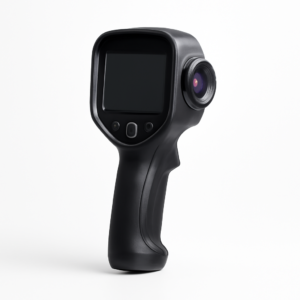
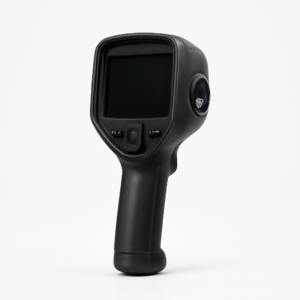
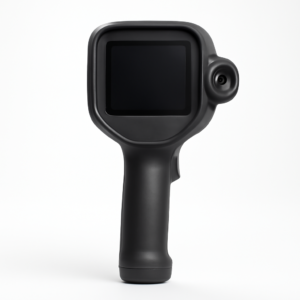
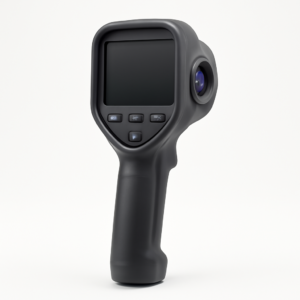
| Handheld compact camera | About 120×90 to 256×192 | Regular DIY use, trades work, and new inspectors who want a dedicated tool that is always ready | Smaller built-in screen; fewer analysis tools than pro models; reports may need a desktop or app |
| Pro inspection camera | 320×240 and higher | Full-time inspectors and energy auditors producing client reports | Higher cost and larger size; more features than most homeowners will use |
A simple way to choose: if the camera will come out a few times a year for drafts, a leaky window or a warm outlet, a phone attachment with a 160×120 or 256×192 sensor covers most needs. If you expect to use it every week, work in attics and crawlspaces, or wear gloves, a standalone handheld is easier to live with. If images will go into paid inspection reports, look first at radiometric image saving, reporting software and sensor resolution, then at size and battery life. Whichever type you pick, plan scans for days when indoor and outdoor temperatures are far apart, such as a cold winter morning with the heat running, so problem areas stand out clearly.
Our picks in this category
The InfiRay P2 Pro is a very small phone-attachment thermal camera with a 256×192 sensor, a strong choice for anyone who wants high resolution without carrying a separate device.
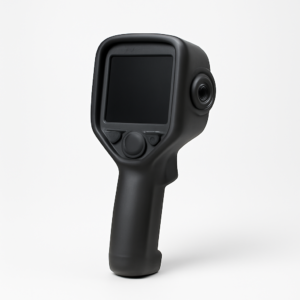
The HTI-Xintai HT-19 is a standalone handheld thermal imaging camera with its own screen, aimed at budget-minded DIYers who would rather not tie up a phone.
The Seek Thermal CompactPRO is a long-running phone attachment from Seek Thermal with a 320×240 sensor, well suited to spotting smaller leaks and insulation gaps from across a room.
The FLIR C5 Compact is a pocket-size handheld FLIR thermal camera with MSX image blending and cloud upload, a popular step up for new inspectors who want a dedicated, report-ready tool.
The Topdon TC001 is an Android phone attachment from Topdon with a 256×192 sensor and a capable app, a good fit for DIYers who want detail at an entry-level footprint.
The FLIR ONE Pro clips onto a phone and pairs a thermal sensor with a visible camera for MSX blending, a familiar pick for anyone searching for a FLIR One thermal imaging camera.
Related guides
Before buying, it helps to understand the tool itself: the FLIR infrared camera guide walks through how these cameras work, and the infrared scan home inspection guide explains what a professional thermal scan covers and when it is worth adding to an inspection.
If you only need single spot readings rather than a full image, an infrared thermometer may be enough. Start with how to use an infrared thermometer, then compare options in the digital infrared thermometer guide, the infrared thermometer gun guide and the Fluke infrared thermometer guide.
For Colorado homeowners who would rather hire a professional, local guides cover what to expect from a thermal imaging inspection in Golden, a thermal imaging inspection in Evergreen, a thermal imaging inspection in Broomfield, a thermal imaging inspection in Pueblo and a thermal imaging inspection in Larimer County, where cold winters create the large temperature differences that make thermal scans most useful.
References
- EPA: A Brief Guide to Mold, Moisture and Your Home
- EPA Mold Course, Chapter 2: Investigating, Evaluating, and Remediating Moisture and Mold Problems
- ASHI Standard of Practice for Home Inspections
Frequently asked questions
Can a thermal camera see through walls?
No. A thermal camera reads only the surface temperature of whatever is in front of it. It can reveal patterns on a wall that point to missing insulation, air leaks, hot pipes or damp areas behind it, but it cannot show the objects inside the wall cavity.
Can a thermal camera detect moisture or mold?
Not directly. Wet materials often read cooler than dry ones because evaporation removes heat, so a thermal camera is good at showing where to look. It cannot confirm moisture or identify mold; use a moisture meter to confirm a suspected wet area, and follow EPA guidance if mold is visible or suspected.
What thermal resolution do I need for a home?
For occasional homeowner use, 160×120 or higher is a sensible target, and 256×192 makes small details such as individual studs, narrow air leaks and warm breaker connections much easier to see. 80×60 works for large, obvious problems. Professional inspectors producing client reports usually choose 320×240 or higher.
Is a phone attachment or a standalone thermal camera better?
A phone attachment offers high resolution for the size and makes sharing images simple, but it uses the phone's battery and must match its connector. A standalone handheld camera is always ready, survives jobsite use better and keeps your phone free, which is why many new inspectors prefer one.
When do thermal cameras work best in a house?
They work best when there is a clear temperature difference between inside and outside, such as on a cold winter morning with the heat running or a hot summer afternoon with the air conditioning on. On mild days, many insulation and air-leak problems will not show up.
6 products

Guides on thermal imaging cameras
- How Firefighters Actually Use Thermal Imaging Cameras
- Fluke Thermal Imaging Cameras: Models, Specs, and Value
- Best Thermal Imaging Cameras for Home Inspection in 2026
- Wired vs Wireless Security Cameras: Reliability, Cost, Cold
- Best Outdoor Security Cameras (2026): 7 Picks by Power Type
- Best Home Security Cameras (2026): 7 Picks Compared by Use
Gear picks you can trust
Tied to our guides
Each product maps to a topic we cover in depth — radon, mold, lead, moisture, electrical and thermal inspection — so you know what the tool is for before you buy.
Short list on purpose
No endless catalog. We list the kinds of kits and meters we’d point a homeowner or new inspector to, not every model on the market.
No extra cost
Buttons open Amazon, where you check the live price and buy. As an Amazon Associate we earn from qualifying purchases, at no cost to you.
Frequently asked
- Do you sell these products?
- No. We’re a guide-first site — every button takes you to Amazon to complete the purchase there.
- Why don’t you show prices?
- Amazon prices change constantly, so we send you to the live listing rather than show a number that may be out of date.
- Is a DIY kit a substitute for a professional inspection?
- For screening, often yes. For real-estate transactions, remediation clearance or anything health-critical, use a certified professional — our guides explain when.