FLIR ONE Pro for Android: Setup and Workflow Guide
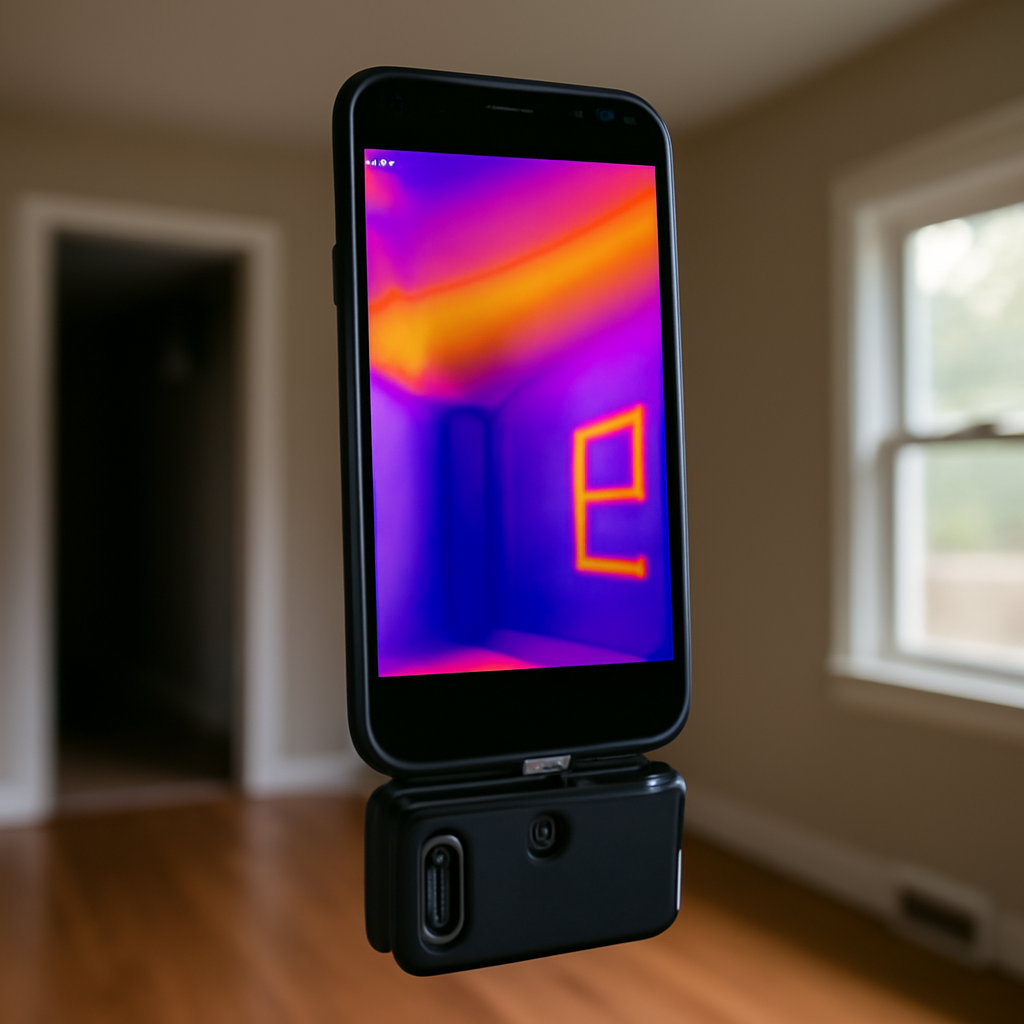
The FLIR ONE Pro for Android is the Android-compatible version of the phone-attached thermal camera that has become the entry point for most homeowner thermal-imaging workflows. While the hardware is similar to the iOS variant, the Android experience involves a different app, different permissions handling, and several Android-specific workflow considerations — Samsung DeX large-screen support, foldable phone compatibility, Android version requirements — that affect day-to-day use. This guide walks through the Android-specific setup and workflow for homeowners and working inspectors using the FLIR ONE Pro on Android phones.
Part of our Thermal Imaging for Homes guide — start there for the full picture →
Hardware overview of the Android variant
The FLIR ONE Pro for Android uses a USB-C connector that plugs into the bottom of the phone. Earlier-generation versions supported micro-USB and have been largely discontinued; the current product line is USB-C only. The thermal sensor specifications are identical to the iOS variant: 160×120 thermal resolution, 8-14 micron LWIR sensing, and the company’s MSX (Multi-Spectral Dynamic Imaging) feature that overlays visible-light edge detail onto the thermal image for improved interpretation.
The unit attaches to the phone, the app launches automatically (after first-run setup), and the phone screen becomes the thermal viewfinder. The device has its own small battery, charged through a separate USB-C port on the unit itself rather than drawing power from the phone. Battery life runs roughly an hour of continuous use; intermittent use can stretch the battery across multiple days of casual inspections.
For the broader phone-attached thermal-imager category, see our coverage of the infrared camera on iPhone and the related FLIR ONE Pro LT product line.
Android version compatibility and requirements
The FLIR ONE Pro app requires Android 8.0 (Oreo) or higher according to current Google Play listings. Most Android phones manufactured after 2017 meet this requirement, but older devices on Android 7 or earlier will not run the app. Updating Android (where possible) or using a newer phone is required.
USB-C OTG (On-The-Go) support is required. Most current Android phones support OTG, but a small number of budget-tier or older devices do not. If the FLIR ONE Pro is recognized as a generic USB device but not by the FLIR app, OTG support may be the issue. The phone manufacturer’s specifications typically list OTG support; if not listed, checking with a USB-C-to-A adapter and a USB drive confirms whether OTG works.
The app requests several permissions at first launch: camera (to combine the visible-light feed with the thermal feed for MSX), storage (to save thermal images and videos), and sometimes location (for geotagging captures). Granting these permissions during first setup is required for full functionality. Camera permission specifically is what enables the MSX overlay feature; without it, the thermal image displays but without the visible-light edge enhancement that makes it easier to interpret.
Samsung DeX workflow for large-screen use
Samsung Galaxy phones with DeX support let the user run the FLIR ONE Pro thermal-imaging session on an external monitor. Plugging the phone into a DeX dock, USB-C-to-HDMI adapter, or compatible monitor extends the workflow to a desktop-style display.
The advantage on inspection work is that DeX lets the user run the thermal app on a larger screen alongside report-writing software, web reference materials, or floor-plan documents. For home inspectors who write reports in real time during inspections, the DeX workflow shortens the post-inspection report-writing phase substantially.
Practical setup: phone plugged into DeX dock, dock plugged into HDMI monitor and external keyboard/mouse, FLIR ONE Pro plugged into the phone’s USB-C passthrough on the dock. The thermal feed displays on the monitor; the user navigates with mouse and keyboard while keeping the camera in hand for scanning.
Limitations: DeX is Samsung-specific. Other Android phone manufacturers offer similar desktop modes on some current models (Motorola Ready For, Huawei Easy Projection in some regions), but DeX is the most mature and most widely supported. The FLIR app generally works in DeX mode, but some specific features (camera switching, image annotation) may behave slightly differently than in standard phone mode.
Foldable phone considerations
The Android foldable phone category — Samsung Galaxy Z Fold, Z Flip, and equivalent products from other manufacturers — has reached enough market penetration to be worth specific consideration. Several aspects affect the FLIR ONE Pro experience on foldables.
Connector orientation. The FLIR ONE Pro plugs into the bottom of the phone in a fixed orientation. On a foldable, the connector position may make scanning awkward when the phone is folded or unfolded depending on the design. Z Fold devices generally accommodate the connector well; Z Flip devices vary depending on the specific generation.
Display switching between covers. Some foldables have multiple displays — a cover display and a main inner display. The FLIR app handles the switching reasonably on most current models, but the experience varies. The main inner display is preferred for thermal imaging because the larger screen real estate makes the image easier to interpret.
Battery life. Foldable phones often have smaller batteries than flagship slab phones, and running the FLIR ONE Pro alongside the app drains both the phone and the thermal unit. Carrying a USB-C power bank for extended inspection sessions is reasonable.
The FLIR ONE app: Android-specific features
The FLIR ONE app on Android shares most features with the iOS version but has some Android-specific elements worth noting.
Storage location. Images and videos save to the phone’s storage in a FLIR-specific folder structure. Android’s storage access framework requires the app to request permission for the storage location; once granted, files are accessible through any Android file manager or photo viewer. The folder structure organizes captures by date.
Sharing integration. Android’s share menu lets the user push thermal images or videos to email, cloud storage, messaging apps, or any installed app that accepts media. The integration is direct and usually fast.
Image annotation. The app offers temperature spot meters, area boxes, and text annotation overlays that can be added before saving. The annotation tools work the same way as on iOS but with Android UI conventions.
Cloud sync. The app can sync captures to FLIR’s cloud storage service for backup and cross-device access. The sync requires an account and is optional. Many homeowners and working inspectors use the local storage path and skip cloud sync entirely.
Calibration. The thermal sensor includes a periodic shutter-based calibration (“non-uniformity correction”) that briefly pauses imaging while the internal shutter blocks the sensor. The Android app handles this automatically, with a brief visible interruption every couple of minutes.
Common Android-specific issues and troubleshooting
A few issues come up specifically on the Android variant that the iOS variant does not face.
App recognition delay on connect. The Android app sometimes takes 2-5 seconds to recognize the FLIR ONE Pro after plug-in. This is usually a USB-C handshake delay rather than an app bug. Waiting a few seconds before tapping anything resolves it on most current phones.
USB-C connection orientation. The FLIR ONE Pro plugs in to the phone with a specific orientation. Some users find that reversing the connector and trying again resolves recognition issues on certain phones. The USB-C standard supports either orientation, but the FLIR unit prefers one direction on some phone models.
Permission re-requests after Android updates. Major Android version updates sometimes reset permission grants for the FLIR app. After an OS update, opening the app and granting camera, storage, and location permissions again may be required.
Background-process restrictions. Aggressive battery-optimization settings on some Android phones (Xiaomi, OnePlus, and others with heavy OEM customization) may interfere with the FLIR app’s background process. Whitelisting the app in the phone’s battery optimization settings resolves the issue on affected devices.
For broader phone-attached thermal imaging guidance, see our home inspection tools buyer’s guide.
Integration with Android-specific inspection software
Several inspection-report software products run on Android tablets and phones and integrate with the FLIR ONE Pro workflow. The integration usually works through Android’s standard image-sharing mechanism: thermal images are captured in the FLIR app, then shared into the inspection-report app where they attach to specific report findings.
Working home inspectors who do their reports on Android tablets benefit from this workflow because everything stays on a single device. The thermal scan happens in the FLIR app, the image transfers to the report app with a tap, and the inspector can annotate findings without switching to a computer. The integration is similar to what iOS users get through Apple’s share sheet.
Android-specific inspection apps in 2026 include several mainstream products that all work reliably with the FLIR share mechanism. The choice of inspection software depends more on the inspector’s preferred report style and pricing than on FLIR-specific compatibility.
How the FLIR ONE Pro for Android compares to other Android options
The FLIR ONE Pro is one of several phone-attached thermal cameras for Android. Brief comparison to the major alternatives.
Seek Thermal CompactPRO. Slightly higher thermal resolution (320×240 versus FLIR’s 160×120) at comparable pricing. Different app interface and slightly different MSX-equivalent visible-light overlay. Many Android users prefer Seek’s image quality at distance; others prefer FLIR’s interface and broader feature set.
InfiRay P2 Pro. Resolution of 256×192 with strong thermal sensitivity. Compact form factor, USB-C connector, Android compatibility. Pricing typically slightly below the FLIR ONE Pro at the time of writing. Aggressive competitor in the Android phone-attached thermal market.
Hikmicro Mini2 Plus. Resolution of 256×192 with competitive pricing. Hikmicro has been building stronger Android app support over recent firmware updates. Worth considering for cost-conscious buyers.
For most homeowners and casual inspection users, the differences among these products are smaller than the differences among the four tiers in the broader thermal-imaging market. Selecting any quality phone-attached thermal imager around the $300-$500 price point produces a usable tool for typical residential thermal scanning.
Workflow recommendations for home inspection use
Homeowners and working inspectors using the FLIR ONE Pro on Android benefit from a few workflow habits.
Charge before each session. The FLIR ONE Pro battery is the limiting factor on extended sessions. Topping it off the night before an inspection avoids mid-inspection battery failure.
Set the temperature range manually. The app auto-ranges by default, which adjusts the temperature scale to whatever the current scene shows. For comparing readings across different rooms or different inspection points, locking the temperature range manually produces consistent imagery.
Capture both thermal and visible side-by-side where possible. The MSX overlay helps interpretation, but separate visible-light photos of the same scene provide a clean reference for report writing.
Document the spot temperature. The app shows a center-spot temperature by default. Adding additional spot meters or area boxes during capture provides quantitative data for the report.
Annotate before saving. Adding text notes to thermal images at capture time saves substantial time later compared to trying to remember what each image documented after the inspection.
References
- ENERGY STAR: Seal and Insulate — U.S. Environmental Protection Agency (ENERGY STAR)
- Infrared Thermography for Home Inspectors — InterNACHI
- Building Performance Technical Resources — ASHRAE
- Home Inspection Standards Resources — American Society of Home Inspectors
Frequently asked questions
What Android version do I need for the FLIR ONE Pro?
Android 8.0 (Oreo) or higher is required for the current FLIR ONE app. Most Android phones manufactured after 2017 meet this requirement, but older devices on Android 7 or earlier will not run the app. USB-C OTG support is also required, which most current Android phones include.
Does the FLIR ONE Pro work with Samsung DeX?
Yes. Samsung Galaxy phones with DeX support let the user run the FLIR ONE Pro thermal-imaging session on an external monitor through a DeX dock. The setup is useful for home inspectors who write reports during inspections because it provides a desktop-style display alongside the camera workflow.
Why does my Android phone not recognize the FLIR ONE Pro?
Common causes include USB-C OTG not supported on the phone, app needs storage and camera permissions granted, background-process restrictions blocking the app, or USB-C connector orientation issues. Checking each in sequence usually identifies the cause within a few minutes.
How long does the FLIR ONE Pro battery last?
Battery life runs roughly an hour of continuous use on a full charge. Intermittent use during a typical home inspection can stretch the battery across multiple inspection sessions. The unit charges through its own USB-C port separately from the phone.
Thermal imaging cameras
Infrared cameras reveal hidden moisture, missing insulation, and air leaks. Phone-attachment models are the budget entry point; standalone units have higher resolution.
| Product | Why | Buy |
|---|---|---|
 FLIR ONE Pro (phone) FLIR ONE Pro (phone) | Plugs into iPhone/Android; inspector favorite. | Amazon — $349.00 |
 Topdon TC001 Topdon TC001 | High-res phone module at a low price. | Amazon — $262.99 |
 FLIR C5 Compact FLIR C5 Compact | Standalone pocket camera with Wi-Fi. | Amazon — $649.00 |