FLIR One Edge Pro: What Homeowners Need to Know
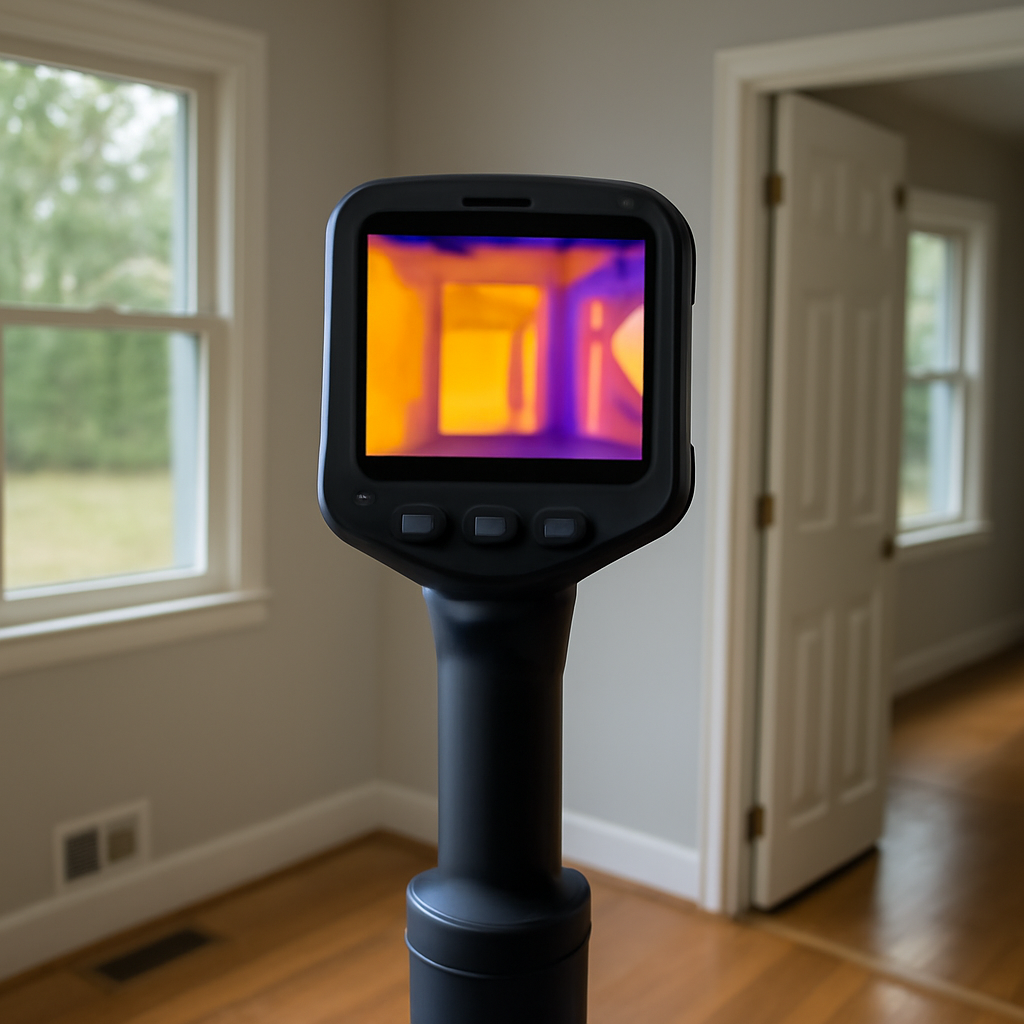
Clip-on thermal cameras turned the smartphone into a credible building-diagnostic tool, and the FLIR One Edge Pro represents a step in that lineage: a wireless thermal accessory that pairs with a phone over a connection rather than plugging into the charging port. For homeowners chasing drafts, missing insulation, or a warm electrical connection, this class of device offers real thermal imaging at a fraction of a standalone camera’s cost. The shift to wireless is more than a convenience — it changes which inspections are practical, letting the sensor reach places the phone itself cannot comfortably go while you watch the screen from a safe, comfortable spot. This guide describes what the device class does, its limits, and how to use it well. Specifications are described generally; confirm current details with the seller before buying.
Part of our Thermal Imaging for Homes guide — start there for the full picture →
What a wireless clip-on thermal camera is
A clip-on thermal camera is a small module containing a thermal sensor — usually a microbolometer that needs no cooling — that sends its data to a phone or tablet running a companion app. Earlier generations plugged directly into the phone. A wireless version, like this one, connects over a link instead, which means the camera can be positioned separately from the screen — clamped to a tripod, held at arm’s length into a tight space, or aimed around a corner while you watch the display from a comfortable distance.
That separation is the headline feature. Being able to put the sensor where the problem is while keeping the screen where your eyes are makes awkward inspections — under a sink, behind a panel, up in a soffit — far easier. The thermal sensor does the real work; the phone is the display and processing layer. Without the module, the phone cannot read heat, because a normal camera detects only visible light. This is the same principle behind any genuine infrared camera app: the hardware measures, the app shows.
The wireless connection changes how a person can use the device in tight spaces. With a plug-in module, the phone and sensor are locked together, so to image inside a cramped cabinet you have to fit the whole phone in there too and somehow see the screen. A wireless module can be held at the end of your reach, slipped behind an appliance, or set on a tripod aimed at an electrical panel while you stand back and watch the display from a comfortable, safe distance. For electrical work in particular, the ability to keep your body away from a live panel while still seeing the thermal image is a genuine practical and safety benefit.
What it can find around the home
Paired with a phone, a clip-on thermal camera is a capable screening tool for problems that appear as temperature differences. Because so many building issues create a temperature contrast, one small device touches the envelope, the electrical system, the HVAC, and the plumbing at once. Common household uses include:
- Drafts and air leaks at doors, windows, outlets, and rim joists, showing clearly as cool streaks on a cold day
- Missing or settled insulation, visible as patches warmer or cooler than the surrounding wall or ceiling
- Overheating electrical connections, breakers, or outlets running noticeably hotter than their neighbors under load
- Possible moisture intrusion, since wet material holds a different temperature than dry material around it
- HVAC issues such as blocked registers and ducts leaking conditioned air into unheated spaces
- Radiant-floor heating loops and where coverage thins
- Gaps where pipes and wiring penetrate exterior walls and let air through
The Department of Energy recognizes thermal scanning as a standard way to find insulation gaps and air leaks during an energy assessment, and a clip-on brings a slice of that capability to a homeowner. The EPA notes thermal patterns as one clue when investigating hidden moisture behind finishes.
The everyday energy use
For most homeowners the strongest reason to own a clip-on is energy. Air leaks and missing insulation are among the largest sources of wasted heating and cooling in a typical house, and a thermal scan is the fastest way to find them. Walking the home on a cold morning, a homeowner can see the cold streaks where air leaks in around windows and outlets and the patches where insulation thinned in a wall or ceiling. Those findings convert directly into a punch list of cheap fixes — weatherstripping, outlet gaskets, caulk, and added insulation — that often pay back the cost of the sensor in a single heating season.
Spotting electrical heat safely
A loose or overloaded electrical connection runs hotter than its neighbors under load, and a clip-on can reveal that warm spot on a panel or outlet. The wireless form is especially suited to this, since you can aim the sensor at the panel from a safe distance and read the screen without putting your hands or face near live components. The firm rule applies: the device finds the symptom, and a licensed electrician makes the repair. A hot breaker is a reason to call a professional, not to start working in the panel.
Resolution and image blending
Clip-on thermal cameras carry smaller sensors than dedicated handheld inspection units, so their thermal resolution is more modest. Fewer thermal pixels means each one covers more of the scene, and small details can blur. For broad building problems — a whole drafty window, a wall section missing insulation — this is rarely a handicap. For isolating one faulty terminal in a crowded panel, a higher-resolution camera does better.
Thermal sensitivity, the smallest temperature difference the sensor can distinguish, is the spec that quietly determines whether a subtle problem appears at all. A faintly damp patch or a barely-warm connection only shows up if the sensor can resolve a small difference. Many clip-on modules have respectable sensitivity even with modest resolution, which means they can flag a real problem clearly while drawing its edges roughly. For the homeowner’s purpose — finding the obvious energy losses and warm spots that matter most — that combination is usually plenty, and the resolution gap matters less than spec sheets imply.
To make the picture easier to read, these devices blend the thermal image with the phone’s regular camera view, sharpening edges so a doorway or outlet is recognizable. This blending is a display enhancement, not extra thermal data; the measurement underneath is still the sensor’s native resolution. Keeping that in mind prevents over-trusting a sharp-looking but coarsely measured image. The mechanics are covered in our guide on how thermal cameras work.
Reading the results correctly
A thermal image shows surface temperature differences and nothing more. It will not label a cool patch as water versus a cold pipe versus a draft. Interpretation is the skill that turns a colorful screen into a useful finding.
Beware reflective surfaces
Shiny metal, glass, and foil-faced insulation reflect the heat of nearby objects rather than reporting their own temperature, so they can read wildly wrong. A hot spot on a stainless appliance is often a reflection of something warm across the room. Distrust surprising readings on glossy surfaces and verify them. A quick test settles most of these: shift your position slightly and watch the spot. A reflection slides across the surface as your angle changes, while a real temperature feature stays put. If the bright patch follows you, it is a reflection — frequently of your own body heat — and not a problem in the wall.
Scan with strong contrast
Thermal devices reveal problems through temperature contrast. A draft barely registers on a mild day but glows on a cold winter morning when indoor and outdoor temperatures differ sharply. Timing a scan for that contrast is a big part of getting clear results.
Where a clip-on fits versus a standalone camera
For a homeowner who wants to find drafts, check insulation, and spot an overheating circuit a few times a year, a clip-on is excellent value. It rides along on a phone you already carry, costs far less than a standalone inspection camera, and — in a wireless form — handles awkward angles a fixed unit cannot. The modest resolution covers most household tasks.
Professional inspectors usually choose higher-resolution standalone cameras for the detail and the ruggedness, and they verify every anomaly before reporting it. A cold patch gets checked with a moisture meter; a hot connection gets a closer look; nothing colored on a screen becomes a conclusion alone. The camera narrows the search and the verification writes the finding. Homeowners deciding between a phone-paired option and a dedicated unit can compare both in our home inspection tools guide.
The decision often comes down to frequency and documentation needs. A homeowner who wants occasional capability — a draft hunt each fall, a check on a warm outlet, a look at a damp spot — gets excellent value from a clip-on that rides on a phone already in their pocket. Someone inspecting rental properties, doing frequent energy work, or producing reports for clients will want the larger sensor, sturdier body, and dedicated controls of a standalone thermal imaging camera. Neither is universally better; the right pick follows the work. Buying a professional-grade standalone for two scans a year wastes money, and stretching a clip-on across daily professional use invites frustration.
Getting the most from a clip-on thermal camera
Charge the module, confirm the companion app is updated, and scan when there is a meaningful temperature difference between inside and outside. Running the heating or cooling for a while beforehand deepens that contrast and makes insulation gaps stand out more sharply. Use the wireless separation to your advantage — set the sensor into the tight space and read the screen comfortably. Move slowly, let the image settle, and adjust emissivity if the app allows when measuring metal.
Above all, treat every anomaly as a question. A cool wall section is a reason to check for moisture, not proof of a leak. An overheating outlet is a reason to call an electrician, not a green light to start taking things apart. Used as a screening tool with that discipline, a wireless clip-on thermal camera earns its place in a homeowner’s kit and leaves the structural, electrical, and wet conclusions to a verifying instrument or a professional.
Battery, range, and practical quirks
A wireless module carries its own battery and its own small set of trade-offs. The battery means one more thing to charge, and a depleted module is useless even with a fully charged phone, so it pays to top it off before a planned scan. The wireless link has a working range and can occasionally drop or lag, particularly in spaces crowded with metal or other signals; keeping the phone reasonably close avoids most hiccups. The companion app must stay compatible with phone updates, which is generally a non-issue but worth a quick check after a major operating-system upgrade.
None of these quirks is serious, and for many users the freedom of separating sensor from screen outweighs them easily. In practice the wireless link works smoothly as long as the phone stays within a reasonable distance and the space is not saturated with competing signals or heavy metal that can interfere. The honest framing is that a wireless clip-on trades a little added fuss — a second battery, a wireless link to manage — for a lot of flexibility in awkward and unsafe spots. For a homeowner doing periodic energy scans and occasional electrical checks, that trade usually lands in favor of the wireless design, while someone who only ever images easy, open surfaces might find a simpler plug-in module perfectly sufficient. Matching the form to your real tasks, as always, beats buying on features alone.
References
- ENERGY STAR: Seal and Insulate — U.S. Environmental Protection Agency (ENERGY STAR)
- Infrared Thermal Imaging in Inspections — International Association of Certified Home Inspectors
- A Brief Guide to Mold, Moisture and Your Home — U.S. Environmental Protection Agency
Frequently asked questions
What is a wireless clip-on thermal camera?
It is a small thermal sensor module that sends its data to a phone or tablet over a wireless connection rather than plugging in. That lets you position the sensor in a tight or awkward spot while watching the screen comfortably. The phone runs a companion app that displays the heat image.
Does a clip-on thermal camera need an app?
Yes. The module measures infrared heat, but the phone's companion app handles the display, color palettes, temperature readouts, and image capture. Without the module, the app cannot read heat at all, since a phone's normal camera detects only visible light.
How good is clip-on thermal camera resolution?
It is lower than a dedicated handheld inspection camera, so fine detail can blur. For broad problems like drafty windows or missing insulation, that resolution is fine. For isolating one small fault among many, a higher-resolution standalone camera performs better.
Can a clip-on thermal camera detect moisture?
It can flag possible moisture because wet material holds a different temperature than the dry material around it, creating a visible patch. The image shows a temperature difference, not water itself. Confirm any suspicious area with a moisture meter before concluding there is a leak.
Thermal imaging cameras
Infrared cameras reveal hidden moisture, missing insulation, and air leaks. Phone-attachment models are the budget entry point; standalone units have higher resolution.
| Product | Why | Buy |
|---|---|---|
 FLIR ONE Pro (phone) FLIR ONE Pro (phone) | Plugs into iPhone/Android; inspector favorite. | Amazon — $349.00 |
 Topdon TC001 Topdon TC001 | High-res phone module at a low price. | Amazon — $262.99 |
 FLIR C5 Compact FLIR C5 Compact | Standalone pocket camera with Wi-Fi. | Amazon — $649.00 |