FLIR E5 Pro: What Homeowners Need to Know
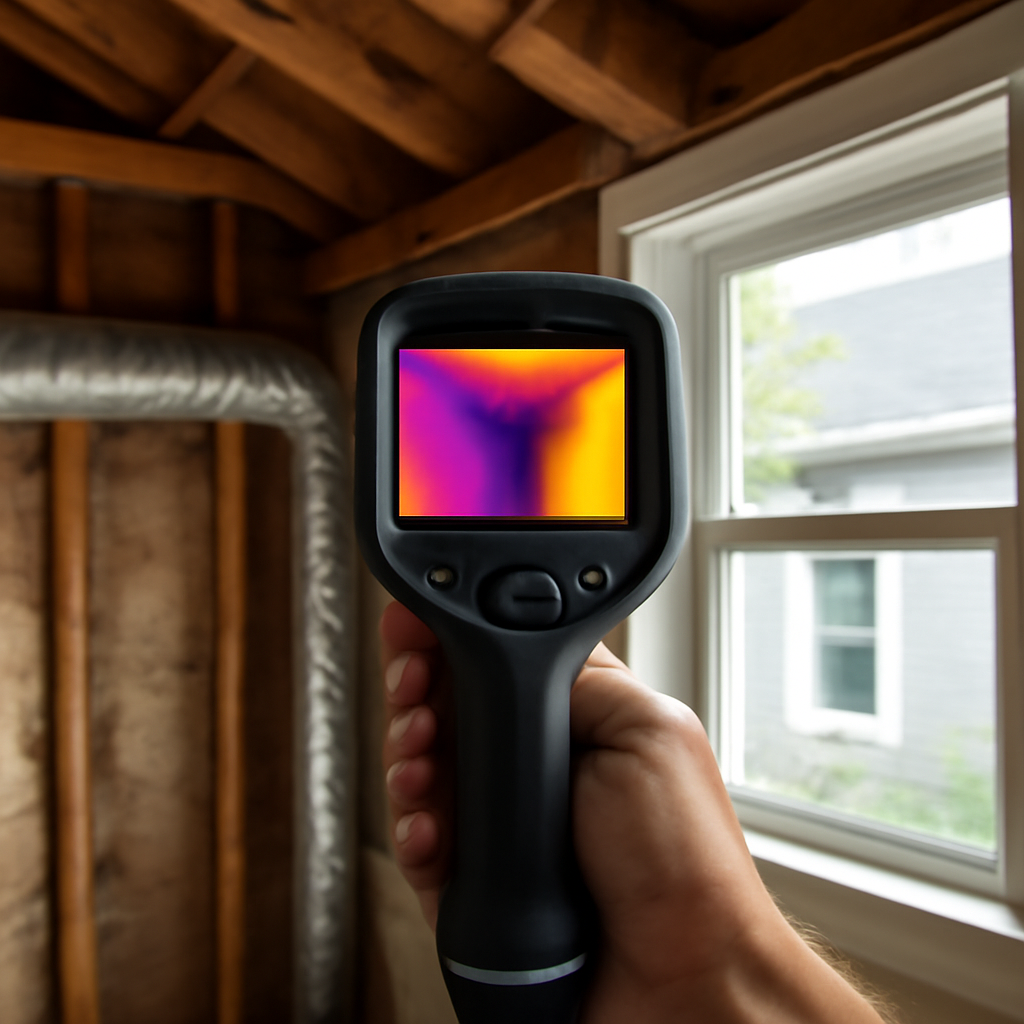
The FLIR E5 Pro sits in the practical middle of the thermal-imaging market, aimed at tradespeople and inspectors who need more capability than a smartphone clip-on but do not require a high-end thermographer’s instrument. As part of FLIR’s Exx-series Pro line, it pairs a fixed-lens infrared detector with image-fusion features that make heat patterns easier to interpret on building surfaces. This article summarizes published manufacturer specifications and general inspection practice; it does not claim hands-on testing, and any thermal finding requires confirmation with a contact instrument such as a moisture meter before a conclusion is drawn. Knowing where the E5 Pro fits helps homeowners and pros judge whether it matches their work.
Part of our Thermal Imaging for Homes guide — start there for the full picture →
What the FLIR E5 Pro Is
The FLIR E5 Pro is a handheld, point-and-shoot thermal camera built for field building diagnostics, electrical surveys, and HVAC work. It belongs to FLIR’s professional ergonomic series, with a fixed focus, an integrated display, on-board image storage, and FLIR’s MSX feature, which overlays visible-light edge detail onto the thermal image so structural lines, labels, and outlines remain readable. The result is a tool that produces interpretable images without the user needing to manually focus.
Its purpose is to reveal surface temperature patterns that flag hidden issues, then guide a follow-up with a contact tool. As a fixed-focus camera, it favors speed and simplicity over the manual control of higher-end models. The E5 Pro is one option among many thermal cameras, and the broader context of where it fits among inspection instruments is laid out in the home inspection tools buyer’s guide, while the underlying technology is explained in the primer on what thermal imaging is.
Key Specifications
The headline spec on Exx-series Pro cameras is the infrared resolution. The E5 Pro is positioned as the entry point of FLIR’s professional Exx Pro line, with a true detector resolution in the lower portion of that family’s range, commonly cited around 160 by 120 thermal pixels, which MSX visually sharpens for readability. That resolution is well suited to building-envelope and electrical work where the goal is locating an anomaly rather than precise thermographic mapping.
Thermal sensitivity (NETD) on the Exx Pro class is rated to detect small temperature differences, with figures in the tens of millikelvin that let subtle building anomalies stand out from their surroundings. The temperature measurement range on these cameras typically spans well below freezing to several hundred degrees Celsius, far more than building work requires, and accuracy is generally stated as plus or minus 2 degrees Celsius or plus or minus 2 percent of the reading, whichever is greater. A built-in visible camera enables MSX and stores a reference photo, on-screen measurement tools report spot temperatures, and connectivity allows transfer to FLIR’s reporting software. Always confirm the exact resolution, NETD, and field of view against the current FLIR spec sheet for the specific E5 Pro configuration before purchase, since model details are periodically revised.
Home-Inspection Use Cases
The E5 Pro earns its place on the same recurring tasks as other building-grade thermal cameras. For moisture, it highlights the cool, evaporative signature of water behind drywall or beneath flooring, pointing the inspector to the exact spot to verify with a moisture meter. For insulation and air leakage, it reveals cold or warm patches where insulation has settled or gaps let conditioned air escape, a common driver of energy loss the Department of Energy identifies in building envelopes.
For electrical work, it spots overheating breakers, loose lugs, and overloaded circuits as hot spots before they fail. For HVAC, it finds duct leaks, registers not delivering air, and radiant-heat tubing. In each case MSX keeps the scene legible so the inspector can describe the finding clearly in a report. As with all thermal imaging, the camera identifies where to look, and a contact tool confirms the cause. The companion guidance on choosing among imaging tools in the overview of the best inspection camera shows how a thermal unit pairs with visual and borescope tools on the same job.
FLIR E5 Pro Versus Two Alternatives
Against a smartphone-attached thermal core, the E5 Pro offers a dedicated build with an integrated display unaffected by sunlight glare, MSX image fusion, longer battery life, on-screen measurement tools, and the reporting workflow professionals rely on. The smartphone core’s advantage is a much lower entry price and pocket portability, which suits occasional homeowner checks; for repeated inspection work the dedicated camera is steadier and faster. The overview of Android thermal camera attachments details that phone-based approach feature by feature.
Against a higher-resolution model further up the Exx Pro line, the E5 Pro trades detector resolution and, on some higher models, manual or laser-assisted focus for a lower price. The higher-resolution camera resolves smaller anomalies at greater distance and supports more detailed thermographic analysis, which matters for commercial building science; the E5 Pro is sufficient for residential inspection, electrical, and HVAC triage where locating the anomaly is the goal. The decision is whether your work needs survey-and-flag capability, where the E5 Pro fits, or detailed measurement, which justifies stepping up. The broader thermal-camera landscape is surveyed in the explainer on what thermal imaging is.
Limitations, Calibration, and Buying Criteria
The E5 Pro shares thermal imaging’s inherent limits. It cannot see through walls; it reads surface temperature only. Glass and shiny low-emissivity surfaces reflect infrared and produce misleading readings unless emissivity is set correctly. Meaningful results often depend on a temperature difference between indoors and outdoors or recent system operation, so a survey on a mild day with the HVAC off may reveal nothing. The fixed focus simplifies use but offers less control than manual-focus models for precise close work, and operator interpretation remains decisive, which is why trade bodies treat thermography as a trained skill rather than a point-and-shoot answer.
Like most uncooled microbolometer cameras, the E5 Pro is factory-calibrated and not field-adjustable; FLIR recommends periodic factory recalibration for instruments used in formal reporting, commonly on a multi-year interval. When buying, weigh whether 160-by-120-class resolution with MSX meets your typical jobs, confirm the NETD and accuracy suit your work, and value the integrated display and reporting workflow if you produce client reports. Match the choice to the use: residential inspection and electrical or HVAC triage are a good fit, while detailed commercial thermography points toward a higher model. Whatever the camera, confirming an anomaly with a moisture meter is essential, which is why understanding how a moisture meter works belongs in the same toolkit.
Understanding MSX and Image Fusion on the E5 Pro
FLIR’s MSX feature is central to how the E5 Pro is used, and it is worth understanding what it does and does not do. MSX, short for Multi-Spectral Dynamic Imaging, uses the camera’s built-in visible-light camera to extract edge and detail information, then overlays that detail onto the thermal image. The result is a thermal picture where structural lines, text on a breaker panel, the outline of a register, or the edge of a stud remain readable, which makes an anomaly far easier to locate and describe in a report.
The important caveat is that MSX does not increase the true thermal resolution of the detector. The temperature data still comes from the underlying infrared sensor; MSX only adds visual context for the human reading the image. A 160-by-120-class detector with MSX produces an image that looks sharper and is easier to interpret, but the thermal measurement precision is set by the detector, not by the overlay. For building inspection, electrical work, and HVAC triage, that combination of adequate thermal data plus highly readable images is exactly the point: the goal is to locate and clearly document an anomaly, then confirm it with a contact tool. The broader explanation of how thermal images are formed and interpreted lives in the primer on what thermal imaging is.
Setting Up the E5 Pro for Accurate Building Readings
Like any thermal camera, the E5 Pro gives accurate temperatures only when set up for the surface and conditions at hand. Emissivity is the first setting: most building materials such as painted drywall, wood, and brick have high emissivity around 0.90 to 0.95 and read accurately at the camera’s typical default, but shiny metals, glass, and glossy surfaces have low emissivity and will report misleading temperatures unless the value is adjusted. The camera’s spot measurement and span controls let the operator center the temperature scale on the range of interest so a subtle anomaly stands out rather than being lost in a wide auto-scaled image.
Conditions matter as much as settings. A meaningful temperature difference is usually needed to reveal building anomalies, a 15-to-20-degree gap between indoor and outdoor air for envelope and moisture work, or recent operation of the electrical or HVAC system being inspected. Surveying a closed-up house on a mild day often shows nothing useful despite real defects, so timing the inspection to create or exploit a temperature gradient is part of the technique. These are the same interpretive demands that lead trade bodies to treat thermography as a trained skill rather than a point-and-shoot task, and they apply to the E5 Pro exactly as they do to higher-end models. The way a thermal camera works alongside visual and borescope tools on a single job is covered in the guide to the best inspection camera.
Where the E5 Pro Sits in FLIR’s Lineup
FLIR offers thermal cameras across a wide range, and placing the E5 Pro among them clarifies who it suits. Below it sit the pocket and smartphone-attached options and the basic compact cameras aimed at occasional users, which trade resolution, measurement tools, and reporting workflow for a much lower price. Above it sit higher-resolution Exx Pro models and dedicated building-science and industrial cameras with larger detectors, manual or laser-assisted focus, wider temperature ranges, and advanced analysis features, aimed at thermographers doing detailed quantitative work.
The E5 Pro occupies the practical professional entry point: enough resolution and sensitivity, plus MSX, an integrated display, measurement spots, and a reporting workflow, to serve home inspectors and tradespeople who need reliable, documentable results without paying for capabilities they will not use. The decision to step up the line is justified when work requires resolving smaller anomalies at greater distance or producing detailed thermographic analysis, while stepping down to a smartphone core makes sense only for genuinely occasional use. For most residential inspection, electrical, and HVAC triage, the E5 Pro’s tier is the sensible match, a positioning that mirrors how thermal tools generally fit among inspection instruments in the home inspection tools buyer’s guide.
Maintaining and Getting the Most From the E5 Pro
Like any precision instrument, the E5 Pro rewards basic care and disciplined use. The lens should be kept clean and protected, since smudges and scratches degrade both the thermal and visible images that MSX combines. As an uncooled microbolometer camera, it is factory-calibrated and not field-adjustable, so for work that goes into formal reports, periodic factory recalibration on FLIR’s recommended interval provides documented accuracy that field use cannot guarantee. Battery care and storing the camera in a stable, dry environment preserve both the electronics and reading reliability.
Getting the most from it is largely about technique: setting emissivity for the surface, adjusting the temperature span so subtle anomalies stand out, timing surveys to exploit a temperature gradient, and always confirming a thermal finding with a contact tool such as a moisture meter before drawing a conclusion. The camera locates and documents; the confirming instrument proves. An inspector who treats the E5 Pro as a screening and documentation tool within a larger kit, rather than a standalone answer, produces stronger, more defensible findings. The measurement side of that pairing is explained in the primer on how a moisture meter works.
References
- Infrared Thermography for Inspectors — International Association of Certified Home Inspectors
- ENERGY STAR: Seal and Insulate — U.S. Environmental Protection Agency (ENERGY STAR)
- Standard of Practice — American Society of Home Inspectors
Thermal imaging cameras
Infrared cameras reveal hidden moisture, missing insulation, and air leaks. Phone-attachment models are the budget entry point; standalone units have higher resolution.
| Product | Why | Buy |
|---|---|---|
 FLIR ONE Pro (phone) FLIR ONE Pro (phone) | Plugs into iPhone/Android; inspector favorite. | Amazon — $349.00 |
 Topdon TC001 Topdon TC001 | High-res phone module at a low price. | Amazon — $199.99 |
 FLIR C5 Compact FLIR C5 Compact | Standalone pocket camera with Wi-Fi. | Amazon — $611.50 |