Android FLIR Camera: Gen 3 and Pro USB-C Support Guide
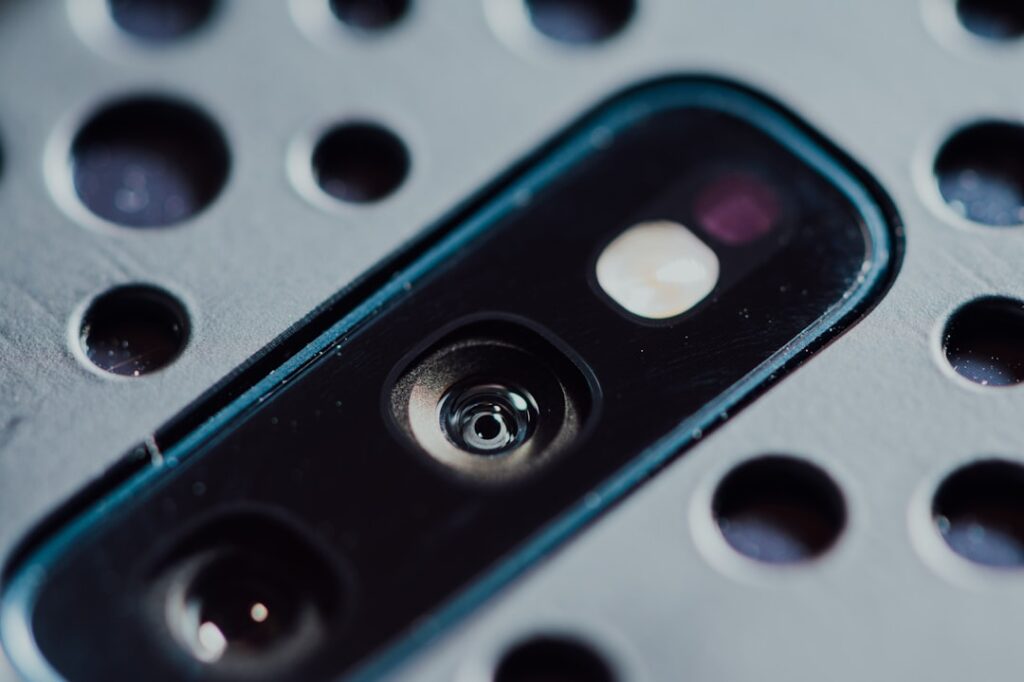
FLIR’s commitment to the Android ecosystem has been consistent since the original FLIR One launched in 2014. The current FLIR One Gen 3 and FLIR One Pro both ship in USB-C variants designed for Android phones, supported by the same FLIR One app that runs on iOS. For Android users specifically, this means access to the most mature thermal companion app in the consumer market, decade-plus product line stability, and broad compatibility across Android phones. This guide walks Android users through what FLIR offers, how the Android variants differ from iOS variants (they barely do at the hardware level), and what specific Android workflow features matter. Information is current as of 2026 and reflects manufacturer specifications and trade-association resources.
Part of our Thermal Imaging for Homes guide — start there for the full picture →
What “Android FLIR camera” actually means
FLIR sells two consumer-tier products that connect to Android phones: the FLIR One Gen 3 and the FLIR One Pro. Both attach via USB-C to the phone’s port. The hardware sensor and the companion app are essentially identical to the iOS variants of the same products. The only meaningful difference is the physical connector, which on the Android variants is fixed USB-C rather than the Lightning option offered for older iPhones.
Both products have shipped in stable form for several years with periodic firmware updates and ongoing companion app development. The FLIR brand and the maturity of the FLIR One app are the primary reasons many Android users choose FLIR over newer competitors, even at higher price points than the competitor offerings. For users who value brand reliability and long-term support, FLIR is the conservative choice.
FLIR One Gen 3 for Android
The FLIR One Gen 3 with USB-C connects to most Android phones from Android 8 forward. Sensor resolution is 80×60 pixels with MSX overlay from the auxiliary visible-light camera. Temperature measurement range is approximately minus 20 to 120 degrees Celsius. The unit’s built-in battery offers about 1 hour of continuous use and recharges via the USB-C dock.
The Gen 3 outputs flattened thermal images with MSX edge overlay baked in. Spot temperature is available at a single user-selected point. Image and video files export to the Android Photos app or directly to share-sheet recipients. The unit is targeted at homeowners doing energy audits, hobbyists, and contractors adding occasional thermal to a primary trade where deliverables are mostly informal rather than radiometric reports.
FLIR One Pro for Android
The FLIR One Pro with USB-C steps up to 160×120 thermal resolution, a temperature range from minus 20 to 400 degrees Celsius, and full radiometric data capture. The price step over the Gen 3 is roughly $200 to $300 (Pro typically $450 to $650 versus Gen 3 at $250 to $350).
The defining Pro feature, as on iOS, is the radiometric workflow. Each pixel’s temperature is stored in the saved file. Post-capture in the FLIR One app, you can change the palette (iron, rainbow, grayscale, white-hot, black-hot, lava, arctic), adjust the temperature range, add or move spot temperature markers, and correct emissivity for specific surfaces. The desktop FLIR Tools+ software (Windows and macOS) extends these capabilities with template-based reporting and side-by-side image comparison. Detailed Gen 3 specifications and use cases are covered in the sibling guide.
Android-native app behavior
The FLIR One app for Android (available on Google Play) auto-launches when the FLIR One unit is connected to the USB-C port, similar to the iOS behavior. The auto-launch depends on USB Host (OTG) configuration on the phone and on the FLIR app being installed and granted USB accessory permissions. Some Android phones with aggressive battery management may close the FLIR app process when the screen turns off; whitelist the app from battery optimization to avoid this.
The app provides a live thermal feed on the Android phone’s screen, capture controls for stills and video, palette and temperature range adjustment, spot temperature placement, and export options for both flattened JPEGs (universally viewable) and radiometric files (readable in the FLIR app or Tools+). Sharing to messaging apps, email, and cloud storage uses standard Android share-sheet integration.
Background and foreground behavior
Android’s background-app handling is more variable than iOS. If the FLIR app goes to background (you switch to another app, take a phone call), the thermal connection may or may not be retained depending on phone manufacturer’s policies. Returning to the FLIR app usually restores the connection within a few seconds. For long inspection sessions, keep the FLIR app in the foreground to avoid reconnection delays.
Compatibility considerations across Android phones
FLIR publishes a compatibility list of officially supported Android phones, but the list is not exhaustive. Phones not on the list often work fine if they meet the basic requirements: USB-C connector, USB OTG support, Android 8 or later, sufficient power output through USB-C. Phones that meet these requirements but are not on the official list usually still work; FLIR’s support coverage may be more limited.
The handful of Android phones that have given users trouble are budget devices with reduced USB-C power output, phones with aggressive thermal throttling that slows the FLIR app under sustained use, and phones running heavily customized Android skins with non-standard USB accessory handling. Pixel, Samsung Galaxy flagship, and OnePlus flagship phones tend to have the cleanest compatibility experience.
Pricing in the 2026 Android market
The FLIR One Gen 3 USB-C retails $250 to $350 on Amazon and retail channels. The FLIR One Pro USB-C retails $450 to $650. FLIR’s pricing has been relatively stable over multiple years, with occasional sales bringing units 20 to 30 percent below MSRP.
At the Gen 3 price point, FLIR competes directly with Seek Compact and budget options from Topdon and Hti. At the Pro price point, FLIR competes with Seek CompactPro and Seek ShotPro, as well as InfiRay and HikMicro mid-tier offerings. FLIR’s price premium over the newer competitors (typically 20 to 40 percent at similar resolution) reflects the brand maturity and app polish. Direct comparisons with competitor brands help homeowners decide whether the FLIR premium is justified.
What FLIR’s app maturity actually buys you
The FLIR One app has been in continuous development since 2014 and has accumulated incremental refinements that newer competitor apps still lack. Better palette selection. Smoother live-view performance. More reliable USB connection handling across diverse Android devices. Tighter integration with desktop Tools+ for the radiometric workflow on the Pro variant. More comprehensive in-app help and tutorial content.
None of these features are individually decisive, but the cumulative polish matters in long-term use. Newer competitor apps often have a “clearly version 1.x” feel where edge cases produce odd behavior or where the UI requires unfamiliar workflows. The FLIR app feels mature and predictable. For users who plan to use the camera over many years, the app maturity reduces ongoing friction.
Working distance and resolution matching for Android FLIR users
FLIR One Gen 3 at 80×60 resolution is adequate for close-range residential inspection where the target is within 1 to 2 meters. Examples: bathroom corners for moisture screening, individual rooms for insulation gaps, kitchen and laundry plumbing for hidden leaks. The image is enough to identify problems but not enough to characterize them in detail at greater distances.
FLIR One Pro at 160×120 expands the practical working distance to 3 to 5 meters and improves feature detail at any distance. Whole-room insulation surveys, exterior wall thermal-bridging analysis, and electrical panel scanning all benefit from the Pro resolution. The Pro’s radiometric data also supports comparison work where the same target is imaged before and after an intervention.
HVAC and electrical inspection specifics
FLIR cameras are widely used in HVAC contractor and electrician workflows. Common Android-attached FLIR use cases include: scanning HVAC supply registers to verify temperature distribution, identifying leaks in ductwork that show as cold or warm streaks depending on season, scanning electrical panels for hot connections under load, identifying overheated motors and transformers, and pre-inspection refrigerant flow analysis on heat pumps and AC condensers.
For electrical work, the FLIR One Pro is preferred over Gen 3 because the higher resolution distinguishes individual circuit breaker connections and the radiometric data supports trending across multiple inspections. For HVAC residential work, Gen 3 is often adequate because the targets are larger and the temperature differentials are larger. A complete review of inspection tool categories includes FLIR and competitor cameras in context with other diagnostic tools.
Companion accessories and case considerations
The FLIR One unit protrudes from the bottom of the Android phone when connected, which affects how the phone fits in standard cases and pockets. Some phone cases include cutouts for thermal accessories; most do not. The FLIR One’s USB-C connector is relatively short, so cases with thick port openings may prevent a solid connection. Slim cases or cases with removable port covers tend to work best.
FLIR sells an official protective case for the FLIR One unit itself, which protects the thermal sensor and the visible-light auxiliary camera when not in use. Third-party silicone covers and pouches are also available. For inspectors carrying the unit in a tool bag, some protection is recommended; the thermal sensor’s germanium lens is more fragile than the iPhone’s glass lens and a drop can crack it.
The dock that ships with the FLIR One is the charging base. It connects to USB-C power and provides a stable platform for charging between uses. Inspectors who carry the unit in the field often leave the dock at home and recharge between jobs with a generic USB-C cable, since the unit accepts standard USB-C charging.
Calibration intervals and accuracy verification
FLIR One consumer units do not come with factory calibration certificates and do not have recommended formal recalibration intervals. The automatic non-uniformity correction (NUC) running internally maintains pixel-to-pixel consistency without external intervention. For most consumer and contractor uses, the unit’s accuracy specification is maintained throughout its service life.
For users who need verified accuracy (industrial applications, legal documentation, scientific work), a workaround is to compare the FLIR One’s readings against a known reference temperature periodically. A simple bench setup with a calibrated thermocouple and a target of known emissivity (matte black paint on aluminum, for example) lets you verify the camera reads within its specified accuracy. If readings drift outside spec, the unit needs replacement rather than recalibration.
Multi-user and team workflows
The FLIR One pairs with a specific Android phone through the FLIR One app. Switching phones requires re-pairing and may require re-installing the app. For teams that share thermal cameras across multiple inspectors, each inspector typically uses their own FLIR One unit and their own phone rather than sharing a unit across multiple phones.
Cloud-based file sharing (Google Drive, Dropbox, FLIR Ignite where supported) lets team members share radiometric files and reports across phones. For small inspection businesses, this enables collaborative review of inspection findings without requiring physical handoff of the camera. The cloud workflow works equally well on Android and iOS.
Frame rate and live-view smoothness
The FLIR One operates at 8.7 frames per second (under the US export-restriction threshold for higher-frame-rate cameras). This is adequate for static-target inspection but produces visible motion blur when panning quickly. Live view on the Android phone screen feels slightly choppy compared to a 60-fps regular camera but acceptable for thermal work.
Video recording at 8.7 fps preserves the temperature data per frame. Playback at the original frame rate looks slow; some users speed up the playback in post-processing for clearer motion observation. For applications requiring smooth thermal video, higher-end FLIR cameras (T-series, EXX-series) operate at 30 fps or above and are the appropriate choice.
When to look beyond FLIR for Android thermal
FLIR is the conservative choice for Android thermal accessories. The cases where looking beyond FLIR makes sense include: budget tight enough that the 30 to 40 percent FLIR premium is hard to justify (consider Topdon TC001 or Hti at the entry tier, InfiRay or HikMicro at mid-tier); resolution requirements above 320×240 where FLIR’s consumer line ends and competitors like InfiRay offer 384×288 options at lower prices than equivalent FLIR professional handhelds; specific feature requirements that FLIR does not prioritize (some competitors offer better video frame rates or unique annotation features).
For most Android users looking for a reliable thermal accessory with long-term support, FLIR remains the default recommendation despite the price premium. The combination of hardware quality, app maturity, and product longevity justifies the premium for buyers who value those attributes over headline price.
References
- ENERGY STAR: Seal and Insulate — U.S. Environmental Protection Agency (ENERGY STAR)
- InterNACHI Infrared Thermography — International Association of Certified Home Inspectors
- ASHRAE Technical Resources — American Society of Heating, Refrigerating and Air-Conditioning Engineers
- ASHI Standards of Practice — American Society of Home Inspectors
Frequently asked questions
Does FLIR make a thermal camera for Android?
Yes, FLIR ships the FLIR One Gen 3 and FLIR One Pro with USB-C connectors for Android phones. Both run on the same FLIR One app available in Google Play. The hardware is essentially identical to the iOS variants of the same products, differing only in the physical connector.
Will FLIR One work on my Android phone?
Most Android phones from Android 8 forward with USB-C and USB OTG support will work. Pixel, Samsung Galaxy flagship, and OnePlus flagship phones have the cleanest compatibility. Budget Android phones with reduced USB power output sometimes fail. Verify USB OTG support with a free checker app before buying.
Is FLIR worth the higher price over Topdon or InfiRay on Android?
For users who value brand maturity, app polish, and long-term support, yes. FLIR's 30 to 40 percent premium reflects accumulated app refinements and a decade-plus product line stability. For budget-tight users or those buying for short-term use, newer competitor brands offer comparable hardware at lower prices.
What is the difference between FLIR One Gen 3 and FLIR One Pro for Android?
Gen 3 offers 80x60 thermal resolution, 120 degree C upper temperature limit, and flattened JPEG output. Pro offers 160x120 resolution, 400 degree C upper limit, and radiometric data capture for post-processing palette and range adjustment in the app or desktop Tools+ software.
Thermal imaging cameras
Infrared cameras reveal hidden moisture, missing insulation, and air leaks. Phone-attachment models are the budget entry point; standalone units have higher resolution.
| Product | Why | Buy |
|---|---|---|
 FLIR ONE Pro (phone) FLIR ONE Pro (phone) | Plugs into iPhone/Android; inspector favorite. | Amazon — $349.00 |
 Topdon TC001 Topdon TC001 | High-res phone module at a low price. | Amazon — $199.99 |
 FLIR C5 Compact FLIR C5 Compact | Standalone pocket camera with Wi-Fi. | Amazon — $611.50 |