FLIR Thermal Camera for Android: 2026 USB-C Buyer Guide
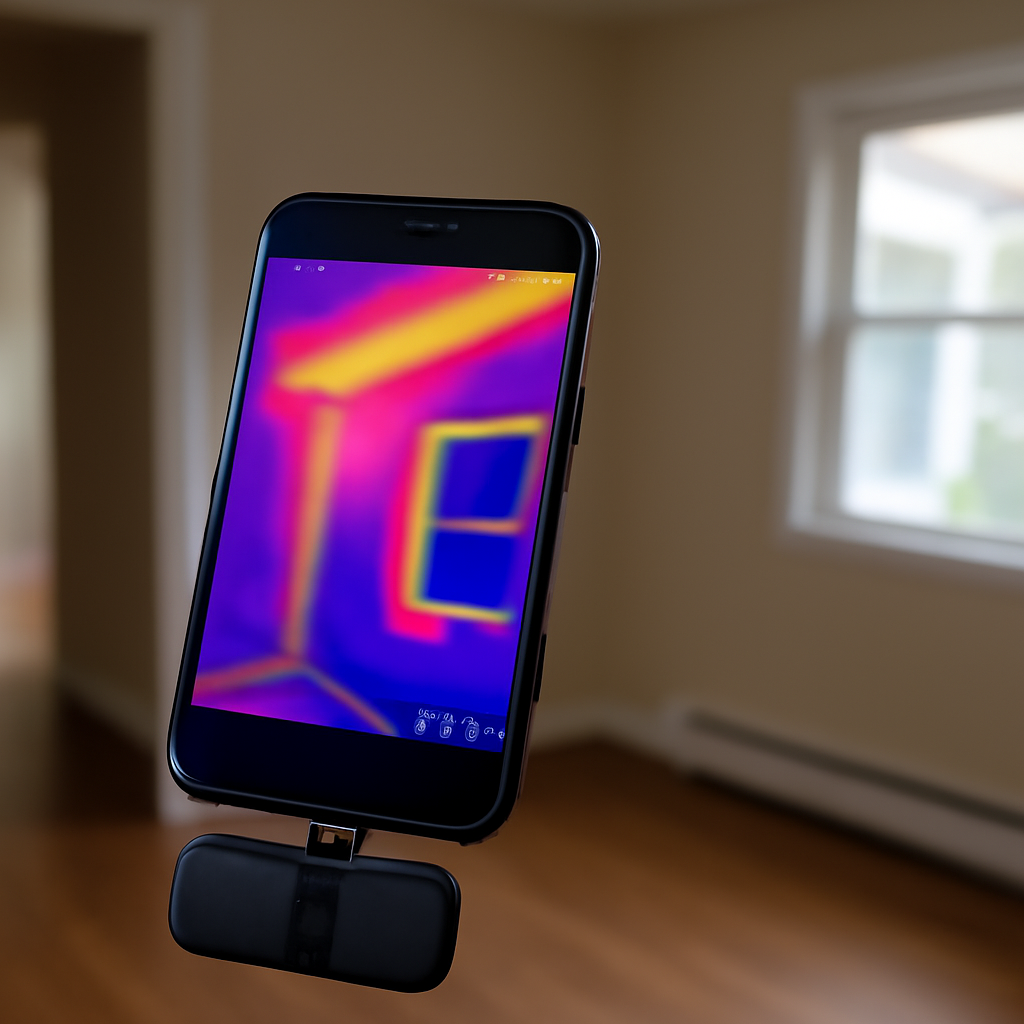
A FLIR thermal camera for Android is a clip-on microbolometer attachment from Teledyne FLIR that plugs into a USB-C port and gives the phone long-wave infrared imaging. Android’s broad USB-C adoption means the same FLIR ONE Pro or Edge Pro works across most current Pixel, Galaxy, OnePlus, Xiaomi, and Sony handsets without a connector swap. This guide covers the active 2026 lineup, what each model resolves, how the Android app workflow differs from iOS, and the OTG and permission gotchas that occasionally trip up first-time users.
What the FLIR Android lineup looks like in 2026
FLIR’s consumer family for Android centers on two models — the FLIR ONE Pro (USB-C wired) and the FLIR ONE Edge Pro (Wi-Fi wireless). The older FLIR ONE Gen 3 (USB-C variant) is still available refurbished but has been phased out of new production in favor of the Pro line. All current models use 160×120 native thermal resolution with MSX edge enhancement layered on top from a visible-light camera in the same housing.
FLIR ONE Pro USB-C
The mainstream choice. 160×120 thermal, MSX, internal battery, USB-C plug into the phone. Street price between $400 and $550. Spot temperature measurement, palette swap, photo and short-form video capture through the FLIR ONE Android app.
FLIR ONE Edge Pro
The wireless variant. Same 160×120 sensor, MSX, but pairs over Wi-Fi instead of USB-C. Onboard battery means no Android phone-battery drain. Around $700 street price. Works equally well on any Android, iPhone, or iPad — useful if the household uses mixed devices.
Which Android phones are compatible
Any Android phone with USB-C OTG support and Android 8.0 or later runs the FLIR ONE Pro app. That covers essentially every Pixel from 6 onward, every Galaxy S from S9 onward, every OnePlus from OnePlus 5T onward, Xiaomi flagships from Mi 8 onward, and most current Sony Xperia and Motorola devices. The FLIR ONE Edge Pro pairs over Wi-Fi and works on a broader device set including budget Android phones that have weaker USB OTG behavior.
USB-C OTG and permission setup
OTG is enabled by default on most current Android devices. A few quirks: some Samsung One UI builds disable USB connections during battery saver mode — the fix is to whitelist the FLIR ONE app and disable battery optimization for it. A handful of Xiaomi and Huawei devices require manual OTG enablement under Settings > Additional Settings > OTG Connection. Practical field configuration for these per-vendor gotchas is part of the thermography content in InterNACHI’s Infrared Certified training.
The FLIR ONE Android app
The free app handles live preview, palette selection, spot-temperature readout, video record, and capture to the phone gallery. Captures sync to FLIR Ignite cloud and feed FLIR Tools desktop for annotation and PDF export. The Android app and iOS app share the same core feature set, with one practical difference: Android’s file system access makes manual export to email or shared drives faster than iOS’s sandboxed Photos roll.
Resolution and what to expect from 160×120
A 160×120 sensor has 19,200 thermal pixels. At a 6-foot standoff, each pixel covers roughly a 0.4-inch square — enough to outline a standard duplex receptacle, a 2×4 stud bay edge, or a 1-inch copper supply line. MSX overlays edge detail from the visible-light camera, which makes wall-edge outlines, switch plates, and door frames sharp. The combination reads at a higher apparent resolution than the raw pixel count suggests.
Standoff distance and field of view
The FLIR ONE Pro lens has roughly a 55° horizontal field of view. From 6 feet, that covers about 6 feet of wall — enough to capture one corner of a room with one shot. For closer work (under 3 feet), the image still resolves at usable scale, though thermal accuracy degrades slightly as the sensor sees reflected radiation off the target surface.
Battery drain on Android
The Pro variant has an internal battery that runs the sensor without drawing from the phone, which means longer sessions before the Android handset runs flat. Earlier Gen 3 USB-C variants pulled current from the phone — expect 30 to 40 percent battery drop per hour of continuous live view on those. The Edge Pro wireless removes all battery overhead from the phone entirely.
What Android FLIR users actually do with the camera
The practical use cases are screening tier — flag suspect zones for follow-up with a moisture meter, electrician, or HVAC technician. Typical Android FLIR jobs include locating missing insulation around attic hatches and rim joists, finding active plumbing leaks via cool trails on drywall, spotting overheated breakers in a panel, and confirming whether basement windows leak conditioned air. The U.S. Department of Energy describes thermography as a screening tool within a broader weatherization audit.
MSX in detail
Multi-Spectral Dynamic Imaging takes the visible-light camera mounted next to the thermal sensor and extracts edge detail in real time. That edge data overlays on the thermal frame, so outlet plates, wall corners, and door frames read sharply even on the 160×120 sensor. MSX is the single biggest reason FLIR has stayed dominant against higher-resolution competitors — the perceived image quality outruns the raw pixel count.
FLIR ONE Pro vs the competition on Android
The honest comparison: Seek CompactPRO USB-C beats the FLIR ONE Pro on raw resolution (320×240 vs 160×120) for similar money. Hikmicro Mini2 sits between at 256×192. FLIR wins on app maturity, the Ignite cloud ecosystem, and the desktop reporting workflow. For one-off home use the resolution difference is real; for ongoing inspection reporting, the FLIR software depth often wins back the gap.
Calibration and the FFC click
The FFC shutter inside the FLIR ONE briefly closes every 30 to 90 seconds while the sensor recalibrates against a known reference. The image freezes for a fraction of a second. New users often mistake this for a fault; it is documented in the FLIR ONE manual and is expected behavior across the consumer line.
Related Android guides
For broader Android-focused context, the Android FLIR camera guide goes deeper on Gen 3 and Pro USB-C compatibility, and the Android thermal imaging guide compares the major brands head to head. The overall home inspection tools pillar sets the broader category context.
When to step up from a FLIR ONE on Android
For paid inspection work where calibrated reports matter, a FLIR C-series or E-series standalone outperforms any phone-tethered model on ergonomics, battery life, and reporting fidelity. The InterNACHI Infrared Certified curriculum breaks down which tier of camera fits each Level I, Level II, or Level III thermography role.
Validating an Android FLIR setup in the first hour
The practical test is three quick captures. Front door from inside on a cold day — a leaky seal shows a cold halo. Bathroom fan running — moving air pulls the surrounding panel cooler. Cold-water supply line under a sink — the pipe reads distinctly cooler than the cabinet wall. Any current FLIR Android attachment should resolve all three with clear contrast. If a buyer gets muddy images, suspect either a phone OTG configuration issue or a defective unit, and return inside the retailer’s window.
Emissivity adjustment on Android
Every material emits long-wave infrared at a different efficiency, expressed as emissivity from 0 to 1. Painted drywall sits near 0.92, polished aluminum around 0.05, stained wood around 0.85. The FLIR ONE Android app exposes an emissivity slider in the measurement panel so users can dial in accurate temperature readings on a specific surface. The default value of 0.95 is correct for most matte household interiors. Wrong emissivity on glass or polished metal produces invalid absolute temperatures, though the relative contrast that drives diagnostic screening still works.
Reflections on shiny surfaces
The FLIR ONE on any platform sees both emitted heat and reflected long-wave infrared. A polished steel appliance, framed mirror, or glass-front cabinet often shows the user’s own thermal silhouette reflecting back. New users sometimes mistake their own reflection for an anomaly. Move the phone to a different angle. If the heat signature moves with the phone, it is a reflection rather than the surface temperature itself.
FLIR Ignite cloud sync from Android
The FLIR ONE Android app syncs captures to FLIR Ignite cloud, mirroring the iOS workflow. Ignite holds thermal images with all metadata intact and exposes them to FLIR Tools desktop on Windows or macOS for post-processing, annotation, and PDF export. For inspectors building paid reports, the cloud sync matters because it lets the same captures move from on-site Android phone to office desktop without manual transfer steps.
Pairing a FLIR ONE Edge Pro by Wi-Fi on Android
The Edge Pro broadcasts its own Wi-Fi network when powered on. The Android phone connects to that network through normal Wi-Fi settings, then opens the FLIR ONE app. Streaming runs over Wi-Fi without depending on USB-C. Range is roughly 30 feet line-of-sight before the connection degrades. This pairing model lets the user position the camera on a tripod and operate the phone remotely, which is useful for hard-to-reach attic or crawl space inspections where physical contact between camera and phone is awkward.
What competing brands miss
Seek CompactPRO USB-C beats FLIR ONE Pro on raw resolution at the same price tier. Hikmicro and Topdon attempt to compete on price. The gap FLIR keeps closing is the software stack. Ignite cloud, Tools desktop, and the iOS/Android app maintaining feature parity make FLIR’s ecosystem the most mature for inspectors building repeatable reports. For one-off home use, resolution wins; for ongoing inspection, software depth wins.
Temperature delta and capture quality
Thermal imaging requires a temperature difference between target and surroundings to produce contrast. Indoor walls at 70°F against a 70°F room read as flat regardless of pixel count. Winter conditions work best because outdoor air at 20°F against indoor air at 70°F produces a 50°F delta that highlights every air leak. Summer captures are harder because indoor and outdoor temperatures often sit within 10°F of each other.
FFC click and sensor recalibration
The FFC shutter inside the FLIR ONE Pro briefly closes every 30 to 90 seconds to recalibrate against a known internal reference. The image freezes momentarily, then resumes. This is expected behavior across the entire FLIR ONE consumer line. New users sometimes return working units thinking the freeze is a defect. The FFC interval shortens during warm-up and lengthens once the unit reaches thermal equilibrium.
References
- ASHRAE — Thermography for Building Diagnostics — American Society of Heating, Refrigerating and Air-Conditioning Engineers
- Weatherize Your Home — U.S. Department of Energy
- InterNACHI Infrared Certified — InterNACHI
- ASHI Resources — American Society of Home Inspectors
Thermal imaging cameras
Infrared cameras reveal hidden moisture, missing insulation, and air leaks. Phone-attachment models are the budget entry point; standalone units have higher resolution.
| Product | Why | Buy |
|---|---|---|
 FLIR ONE Pro (phone) FLIR ONE Pro (phone) | Plugs into iPhone/Android; inspector favorite. | Amazon — $349.00 |
 Topdon TC001 Topdon TC001 | High-res phone module at a low price. | Amazon — $199.99 |
 FLIR C5 Compact FLIR C5 Compact | Standalone pocket camera with Wi-Fi. | Amazon — $449.00 |