FLIR One iPhone: Gen 3, Pro, and Connector Guide 2026
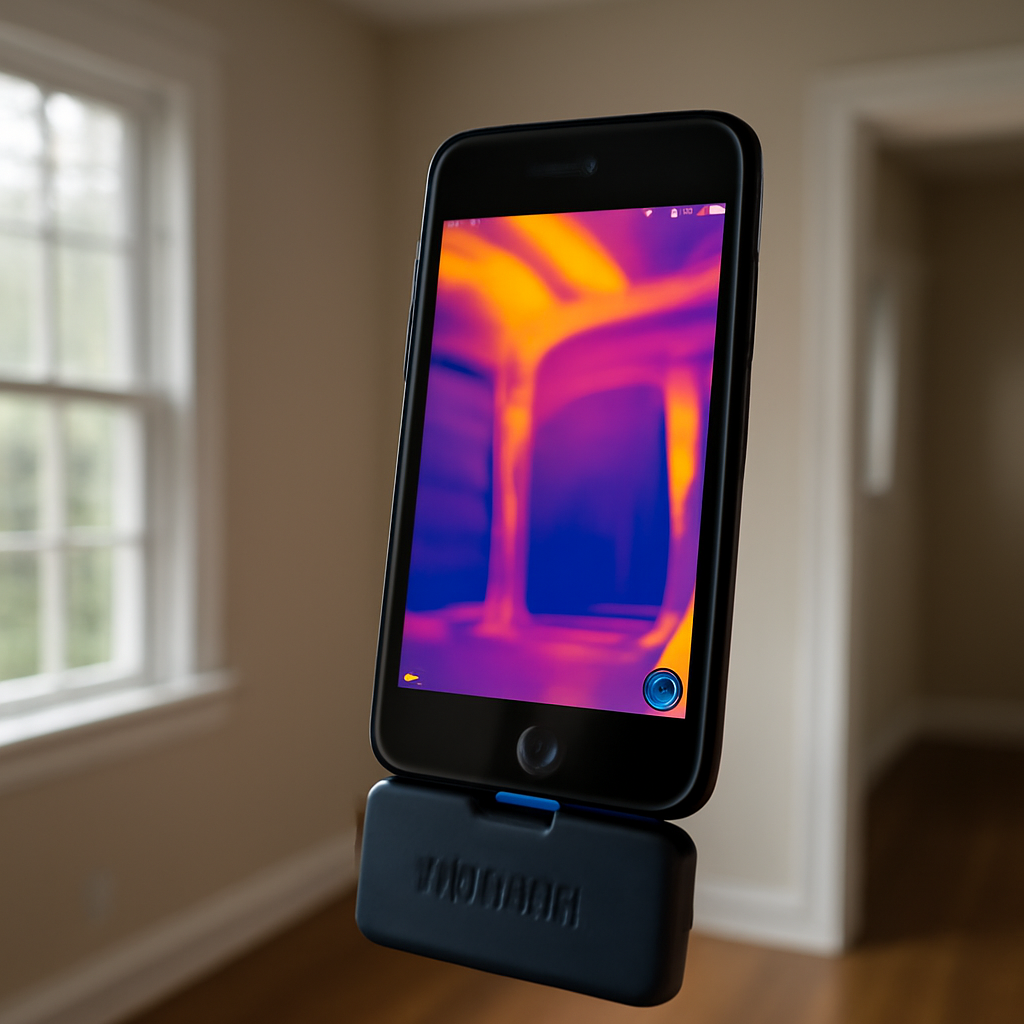
The FLIR One iPhone attachment is the longest-running consumer thermal camera for iOS, now in its third generation with two parallel tiers — the standard FLIR One Gen 3 and the higher-resolution FLIR One Pro. In 2026, the line spans three connector variants: Lightning for older iPhones, USB-C for iPhone 15 and 16, and a discontinued micro-USB version still circulating on the secondary market. This guide explains which FLIR One iPhone variant matches your phone, how Gen 3 differs from Pro in real-world inspection use, what MSX visible-light fusion does for image readability, and where the FLIR One iPhone sits relative to higher-end thermal options.
Part of our Thermal Imaging for Homes guide — start there for the full picture →
The FLIR One iPhone product line in 2026
FLIR sells the FLIR One iPhone variant in two tiers. The FLIR One Gen 3 uses an 80×60 microbolometer sensor and is positioned as the entry-level thermal for iPhone users. The FLIR One Pro doubles the sensor resolution to 160×120 and adds a higher temperature range (up to 752°F / 400°C). Both tiers share FLIR’s MSX technology, which fuses edge detail from a visible-light camera into the thermal image to make the false-color rendering more readable. The Pro tier costs roughly $400-$500; the Gen 3 typically runs $200-$300. Both sit within the broader phone-attachment thermal category covered on this home inspection tools pillar.
Lightning vs USB-C: which FLIR One iPhone do you need
Apple’s transition from Lightning to USB-C across the iPhone 15 and 16 lines split the FLIR One iPhone product into two physically incompatible SKUs. The Lightning variant ships with a Lightning male connector designed to plug directly into iPhone 14 and earlier. The USB-C variant ships with a USB-C male connector for iPhone 15, 15 Plus, 15 Pro, 15 Pro Max, 16, 16 Plus, 16 Pro, and 16 Pro Max. The two variants are not interchangeable — a Lightning FLIR One will not work in a USB-C iPhone even with a USB-C-to-Lightning adapter, because the FLIR One app verifies the connector at startup and refuses to initialize on a mismatched bus.
Buyers shopping in 2026 must check their iPhone model and order the matching SKU. FLIR’s website lists current SKUs by connector. The Pro tier is available in both Lightning and USB-C variants; the Gen 3 has been transitioning to USB-C-only for new units.
What MSX visible-light fusion adds
MSX (Multi-Spectral Dynamic Imaging) is FLIR’s marquee software feature. The FLIR One iPhone module includes a small visible-light camera alongside the thermal sensor; MSX extracts edge detail from the visible image and overlays it onto the thermal false-color rendering. The result is a thermal image where temperature data is still the dominant content, but the operator can read scene context — text on labels, framing details on walls, panel layouts in electrical equipment — that pure thermal images lack. For residential inspection work, MSX dramatically improves report readability. Clients who see a pure thermal image often cannot identify the location; clients who see an MSX-overlaid image can recognize the wall or appliance immediately.
This feature is exclusive to FLIR — competing brands have their own visible-light overlay approaches but MSX is generally considered the most polished. Energy.gov’s home performance guidance highlights the importance of context in thermal imaging, since false-color images without spatial reference are easy to misinterpret.
FLIR One Pro for iPhone: when it’s worth the upgrade
The Gen 3 to Pro upgrade doubles sensor resolution from 80×60 to 160×120 — a 4x increase in total pixel count. In residential inspection use, this difference is significant. At 80×60, the FLIR One Gen 3 can identify obvious thermal anomalies like missing insulation across a wall section or major HVAC duct leaks. At 160×120, the FLIR One Pro can resolve wall stud spacing, individual outlets in an electrical panel, plumbing penetrations behind drywall, and fine air leakage patterns around windows. The Pro also raises the maximum measurable temperature to 752°F, which matters for HVAC equipment inspection, industrial scanning, and electrical panel work where component temperatures can spike well above the Gen 3’s 248°F ceiling.
For an inspector or homeowner doing serious residential thermal work, the Pro tier is the better long-term investment. The Gen 3 is sufficient for casual use — finding a missing insulation batt or checking whether a refrigerator door seal leaks.
App ecosystem: FLIR One and FLIR Ignite
The FLIR One iPhone module pairs with the FLIR One app on iOS. The app captures radiometric JPEGs (per-pixel temperature data embedded in the image file), records video, supports palette switching (iron, rainbow, arctic, lava, contrast, grey), enables spot temperature measurement, and exports to FLIR Ignite — FLIR’s cloud storage and image-management service. FLIR Ignite syncs images automatically to a desktop dashboard where the inspector can re-process images, adjust emissivity, change palettes, and add measurement points after the fact. This phone-capture-to-cloud-to-desktop workflow is one of the strongest reasons working inspectors stick with the FLIR ecosystem rather than switching to Topdon Infrared Camera or Hti modules.
Battery drain and operating considerations
The FLIR One iPhone module draws power from the iPhone via the connector. A typical whole-house thermal inspection drains 30-40% of the iPhone battery. The module itself includes no internal battery — earlier FLIR One generations had a small battery built into the module, but Gen 3 and Pro rely entirely on phone power. Carrying a 10,000mAh USB-C or Lightning power bank is standard practice. The FLIR One module also generates some heat during extended use; in hot attics or crawlspaces above 100°F ambient, the module may briefly shut down to protect itself.
Image sharing and radiometric metadata
The FLIR One app saves radiometric JPEGs that preserve per-pixel temperature data in the file’s metadata. When the inspector shares an image through the FLIR One app’s share button — to FLIR Ignite, email, or AirDrop — the metadata is preserved and the image can be re-analyzed later. When the same image is shared through iOS Photos directly, the metadata may be stripped. This is the same trade-off described in our thermal camera smartphone coverage and applies to all phone-attachment thermal modules.
Where FLIR One iPhone sits competitively
The FLIR One iPhone is the most established iOS thermal module but it is no longer the highest-resolution option. The Seek Thermal CompactPRO at 320×240 outpixels even the FLIR One Pro at 160×120. FLIR counters with MSX, FLIR Ignite cloud integration, and brand reliability — three factors that matter more to working inspectors than raw pixel count. For occasional users who already own an iPhone, the FLIR One Gen 3 at $200-$300 is a low-risk entry into thermal imaging. For working inspectors, the FLIR One Pro at $400-$500 is the better tool. For users who need maximum resolution and are willing to switch brands, the Seek CompactPRO is the comparison.
Buyer recommendation
The FLIR One Pro for iPhone (in the connector variant matching your phone) is the best all-around iOS thermal attachment for residential inspection work in 2026. The Gen 3 is fine for occasional use. Confirm Lightning vs USB-C compatibility before ordering, plan for a 10,000mAh battery pack, and use the FLIR One app’s share function to preserve radiometric metadata for any image you intend to analyze later.
OneFit adjustable connector for thick iPhone cases
One detail that catches buyers: many iPhone cases — especially thick rugged cases like OtterBox Defender or Pelican Voyager — block the FLIR One module from seating fully against the iPhone. Earlier FLIR One generations included a “OneFit” adjustable connector with a small thumb-screw to extend the connector depth by 1-4mm, accommodating most cases. Current FLIR One Pro models retain this feature in some SKUs but not all. Buyers using thick iPhone cases should either confirm OneFit is included with their purchased SKU or plan to remove the case during thermal use. A small case-removal pause every time the camera is used annoys working inspectors enough that some carry a dedicated thin-case iPhone just for thermal work.
The OneFit issue is one of the few areas where the connector design directly affects daily usability. Lightning-connector FLIR One modules tend to have better OneFit support because Lightning is shallower; USB-C variants have less mechanical depth to work with.
Recording video and the file size question
The FLIR One app records thermal video at up to 8.7 frames per second (limited by US export regulations on thermal sensors above 9 Hz). Video files include embedded radiometric data when saved through the FLIR One app’s export function. File sizes are modest — a 30-second thermal video typically runs 5-15 MB. For inspections that benefit from video documentation (showing a heat signature change as someone moves through a doorway, or showing HVAC airflow patterns over time), the video function is genuinely useful.
Video review is best done on a desktop with FLIR Tools rather than on the phone. The phone screen is too small to read fine thermal detail in video playback. FLIR Tools desktop software lets the operator pause, step frame-by-frame, change palettes, and read spot temperatures throughout the video timeline.
Real-world inspection examples
Three residential inspection scenarios where the FLIR One iPhone earns its place. First, finding active water leaks in a finished basement. Water leaking through a ceiling cools the wet surface by evaporation, producing a cool patch surrounded by warmer dry ceiling. The FLIR One Pro reads this clearly at typical room temperatures and humidity. Second, identifying missing insulation in exterior walls during winter. With the heating system running, missing insulation appears as a cool region against the warmer insulated wall surface — typically a 3-5°F difference clearly visible at 160×120 resolution. Third, finding overloaded electrical breakers in a panel. A breaker carrying excessive load runs warmer than its neighbors; the FLIR One Pro identifies the warm breaker quickly and gives the inspector reason to recommend further electrical evaluation.
In each case, the FLIR One Pro is sufficient. Standalone thermal cameras find the same issues with similar ease. The choice between FLIR One iPhone and a standalone camera depends on workflow preferences, not raw capability for these common inspection tasks.
FLIR Tools desktop software workflow
The FLIR One iPhone module’s full capability shows up when the inspector uses FLIR Tools desktop software for post-inspection analysis. The phone captures radiometric JPEGs; FLIR Tools (free for FLIR camera owners) imports them and unlocks features the on-phone app cannot match. Operators can adjust emissivity after the fact, change false-color palettes (iron, rainbow, arctic, lava, contrast, grayscale), add multiple spot temperature measurements, draw area-of-interest boxes with min/max/average temperature reporting, and generate annotated images for reports.
This phone-to-desktop workflow extends the FLIR One’s effective capability significantly. An image that looks unclear on the phone often reveals important detail after palette adjustment and contrast optimization in FLIR Tools. For inspectors producing client reports with thermal documentation, FLIR Tools is the standard post-processing environment regardless of which FLIR camera produced the original image.
Comparing FLIR One to standalone FLIR cameras
FLIR’s product line includes consumer-tier FLIR One modules, prosumer C-series pocket cameras (C2, C3, C5), and professional E-series and T-series handheld cameras. The FLIR One Pro sits at the entry of the FLIR thermal lineup; the C5 is roughly twice the price but adds a standalone form factor with Wi-Fi sharing; the E-series and T-series scale up to several thousand dollars with higher resolution, longer ranges, and ruggedized housings. The decision to step up depends on use frequency and revenue impact. For most residential inspectors generating thermal reports weekly, the FLIR One Pro is sufficient.
FLIR’s product migration path is intentionally smooth — operators who learn on FLIR One transition easily to C-series or E-series cameras because the false-color palettes, measurement tools, and FLIR Tools desktop workflow are consistent across the line. This is one reason FLIR retains market share against newer entrants even when raw specs are competitive elsewhere.
References
- ENERGY STAR: Seal and Insulate — U.S. Environmental Protection Agency (ENERGY STAR)
- Infrared Thermography in Home Inspection — InterNACHI
- ASHI Standards of Practice — American Society of Home Inspectors
Frequently asked questions
Will a Lightning FLIR One work on my iPhone 15?
No. The iPhone 15 and 16 use USB-C. The Lightning FLIR One physically plugs in if you use a USB-C-to-Lightning adapter, but the FLIR One app verifies the connector at startup and refuses to initialize on a mismatched bus. Buy the USB-C SKU.
What is the difference between FLIR One Gen 3 and FLIR One Pro?
The Pro has a 160x120 thermal sensor (vs 80x60 on Gen 3), a higher temperature range to 752°F, and more measurement features in the app. The Pro costs roughly twice the Gen 3 and is the better choice for serious residential inspection work.
Does the FLIR One have its own battery?
Not since Gen 2. The Gen 3 and Pro draw power from the iPhone directly. Plan for 30-40% iPhone battery drain across a whole-house inspection and carry a power bank.
What is MSX and is it worth paying for?
MSX overlays visible-light edges onto the thermal image so scene context — text, framing, panel layouts — is readable alongside temperature data. It is included on every FLIR One iPhone variant and is one of FLIR's strongest competitive features compared to Seek or Topdon.
Thermal imaging cameras
Infrared cameras reveal hidden moisture, missing insulation, and air leaks. Phone-attachment models are the budget entry point; standalone units have higher resolution.
| Product | Why | Buy |
|---|---|---|
 FLIR ONE Pro (phone) FLIR ONE Pro (phone) | Plugs into iPhone/Android; inspector favorite. | Amazon — $349.00 |
 Topdon TC001 Topdon TC001 | High-res phone module at a low price. | Amazon — $199.99 |
 FLIR C5 Compact FLIR C5 Compact | Standalone pocket camera with Wi-Fi. | Amazon — $699.00 |