FLIR ONE Gen 3 iOS: Lightning Compatibility and Buyer Notes
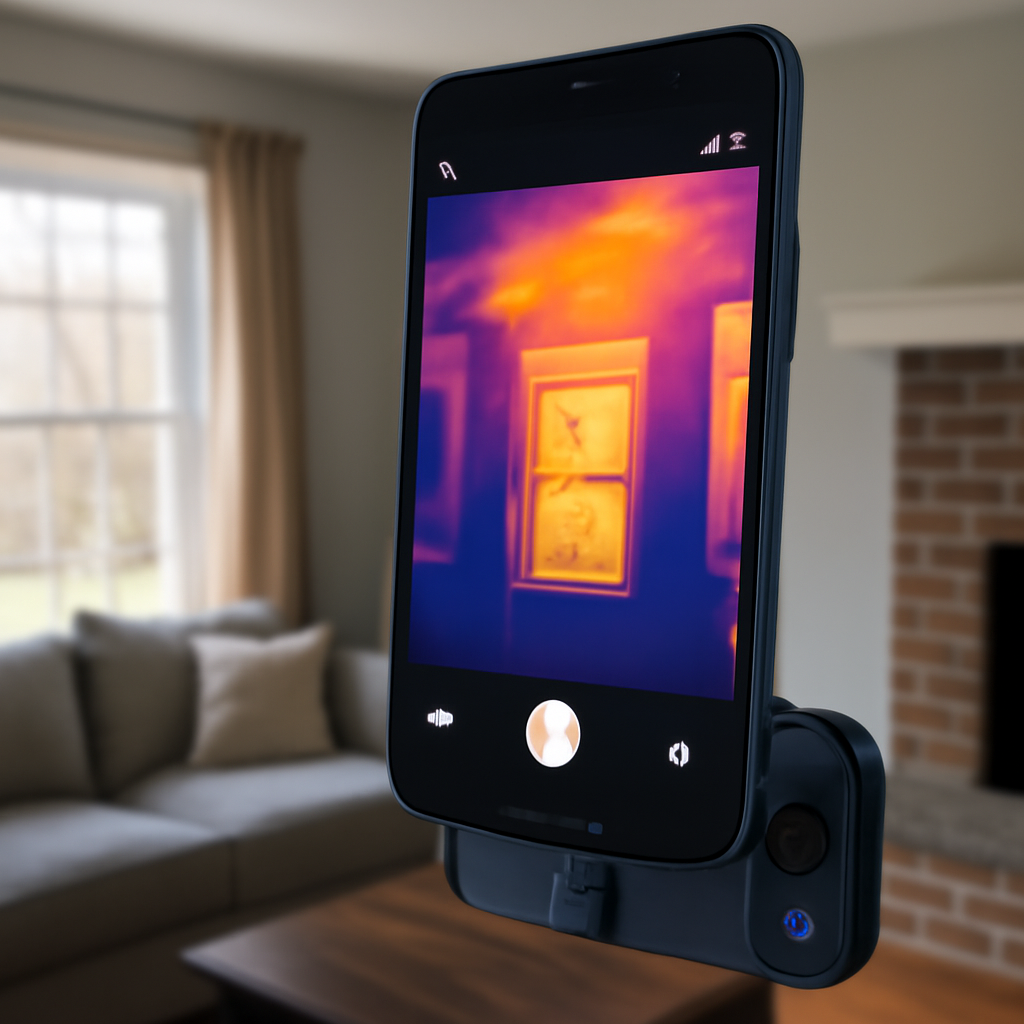
FLIR ONE Gen 3 for iOS is the entry-tier thermal attachment FLIR sold for iPhones running on Lightning — iPhone 14 and earlier. It plugs directly into the Lightning port, draws power from the phone, and pipes 80×60 thermal imagery to the FLIR ONE iOS app. In 2026 the Gen 3 has been superseded by the FLIR ONE Pro and Edge Pro lines, but it remains the cheapest way for a Lightning iPhone owner to add thermal imaging to a phone they already have. This guide covers what the Gen 3 actually delivers, where it falls short, and whether buying a refurbished unit still makes sense.
Part of our Thermal Imaging for Homes guide — start there for the full picture →
What the FLIR ONE Gen 3 iOS variant is
Gen 3 is the third revision of FLIR’s consumer attachment line, released in 2017. The iOS SKU uses Apple’s Lightning connector with MFi certification — meaning Apple’s chipset authenticates the accessory before iOS allows it to deliver data. The thermal sensor is an uncooled vanadium oxide microbolometer at 80×60 native resolution, paired with a visible-light camera that supplies MSX edge overlay. The FLIR ONE iOS app handles capture, palette, and basic temperature spot measurement.
Hardware specifications
Native thermal resolution: 80×60 pixels. Visible camera: 1440×1080 for MSX overlay. Object temperature range: -20°C to 120°C. Thermal sensitivity (NETD): around 100 mK. Frame rate: 8.7 Hz. Field of view: approximately 50° horizontal. Onboard battery: small internal cell that draws from the iPhone during use. Connector: Lightning male, fixed orientation.
Compatibility — which iPhones
iPhone 5s through iPhone 14 — every Lightning-port iOS device that runs the FLIR ONE app on iOS 12 or later. The Gen 3 will NOT work on iPhone 15, 16, or 17, which use USB-C. Apple’s Lightning-to-USB-C adapter does not reliably pass the MFi authentication and high-bandwidth video signal the Gen 3 needs. iPad Pro models that still use Lightning are also compatible; USB-C iPads need the Pro or Edge Pro instead.
What 80×60 resolution actually means in practice
An 80×60 sensor produces 4,800 thermal pixels total. From a typical 6-foot standoff, each pixel covers about an 0.9-inch square on the target. That is enough to confirm “yes there is a cold zone here” but not enough to outline a stud bay or trace a precise insulation gap. MSX overlay improves apparent sharpness by overlaying edge detail from the visible-light camera — outlet plates and door frames read clearly even when the heat signature is blob-shaped. Without MSX, an 80×60 image looks like an abstract Rothko painting.
The FLIR ONE iOS app workflow
The free FLIR ONE app on iOS handles live preview, palette swap (rainbow, ironbow, white-hot, grayscale, hottest spot, coldest spot), single-point temperature measurement, photo capture, short video, and time-lapse. Captures save to the iOS Photos roll with thermal data embedded in the JPEG metadata. FLIR Ignite cloud sync ties the captures back to FLIR Tools desktop for annotation and report export. iOS 17 and iOS 18 both run the current app version without modification.
Battery drain on the iPhone
The Gen 3 has a small onboard battery but supplements it with current pulled from the iPhone via the Lightning connector. Expect 30 to 40 percent iPhone battery drop per hour of continuous live use. For inspection walk-throughs longer than an hour, plan for a backup battery pack or budget the session in 45-minute blocks with the iPhone topped up between them.
Calibration and FFC behavior
The Gen 3 microbolometer drifts with internal temperature and uses a Flat-Field Correction shutter to recalibrate every 30 to 90 seconds. The image briefly freezes — that is expected behavior. First-time users often return working units assuming the FFC click is a defect; FLIR’s documentation across the consumer line describes the cycle clearly. The FFC interval shortens during warm-up and lengthens after the unit reaches thermal equilibrium.
What the Gen 3 is actually good for
One-off home diagnostic screening. Finding a single suspected leak before drywall surgery. Verifying whether an attic hatch leaks conditioned air. Spotting an overheated breaker in a panel. The Gen 3 will identify these problems at a level that lets the homeowner make a confident call about whether to escalate to a contractor or moisture meter. It is not the right tool for repeat inspection work or for any reporting that requires calibrated accuracy.
Where the Gen 3 falls short
Three honest weaknesses. First, 80×60 resolution. Anyone planning more than two or three inspections will outgrow it. Second, the Lightning lock-in. A buyer who upgrades to iPhone 15 or later cannot use the Gen 3 anymore. Third, battery drain. The supplemental draw on the iPhone shortens sessions, and the unit warms during use which can trigger thermal throttling on the phone.
Refurbished and used market in 2026
FLIR’s own outlet store occasionally lists refurbished Gen 3 units around $180 to $220, down from the original $250 retail. eBay and used-market listings sit between $120 and $200 in tested condition. Buyers should verify the unit was originally an iOS Lightning SKU (not the USB-C Android variant) — the case stickers are similar and mistakes happen at consignment sellers. Inspectors building a thermography toolkit can cross-check equipment requirements against InterNACHI’s Infrared Certified standards before committing to a specific connector.
The Gen 3 vs Pro vs Edge Pro comparison
Gen 3 sits at 80×60 with no onboard battery, around $250 new. Pro sits at 160×120 with internal battery, around $450 to $550. Edge Pro sits at 160×120 wireless with onboard battery, around $700. For a Lightning iPhone owner with a single planned use case, Gen 3 is fine. For anyone considering repeat use or future-proofing across iPhone upgrades, the Pro or Edge Pro is the better long-term spend.
Use cases that justify upgrading from Gen 3
Three signals that a buyer has outgrown the Gen 3 entry tier: regularly running into images that are too coarse to interpret, frequently needing higher temperature accuracy than 100 mK, or making the jump to USB-C iPhones. For a sense of what 160×120 looks like in practice, the FLIR ONE for iOS comparison guide walks through Pro vs base differences. The full home inspection tools pillar covers the broader category.
What screening-grade thermography cannot do
It cannot see through walls — it reads only surface temperature. It cannot measure absolute moisture without a separate meter — a cold wall and a wet wall can look the same. It cannot replace certified inspection work; the InterNACHI Infrared Certified curriculum covers when and how to escalate from a screening tool to a Level II inspection-grade camera. Buyers using a Gen 3 for due diligence on a home purchase should still hire a licensed inspector with calibrated equipment.
Practical first-week tests
Three quick tests for a new Gen 3 owner. Shoot the front door from inside in winter — a leaky seal shows a clear cold halo. Shoot the bathroom exhaust fan from below while it runs — moving air pulls the surrounding panel cooler. Shoot the cold-water supply line under a kitchen sink — the pipe reads distinctly cooler than the cabinet wall. Any working Gen 3 should pass all three. If the image is muddy in any test, suspect either a defective unit or insufficient temperature delta — winter shooting is consistently easier than summer.
Emissivity on the Gen 3
The FLIR ONE Gen 3 reads long-wave infrared from any surface, but each material emits with a different efficiency. Emissivity values range from 0 to 1. Painted drywall sits near 0.92, polished aluminum near 0.05, stained wood near 0.85. The FLIR ONE iOS app exposes an emissivity slider for accurate spot temperature readings. Default 0.95 is correct for most matte household surfaces. Wrong emissivity on glass or metal produces invalid absolute temperatures, though relative contrast (the basis of screening) still works.
Field of view and pixel coverage
The Gen 3 lens covers roughly 50° horizontal field of view. From 6 feet away, that field covers about 5.5 feet of wall — one corner of a typical room to the next. Each thermal pixel covers roughly 0.9 inches square at that distance. Stepping closer to 3 feet doubles the effective spatial resolution to about 0.45 inches per pixel. For detail work, the Gen 3 user trades wider scene coverage for better effective pixel size.
Reflections and thermal mirroring
The Gen 3 sees both emitted heat and reflected long-wave infrared. Polished cabinet faces, framed mirrors, and glossy appliance fronts often show the user’s own thermal silhouette reflected back. New users sometimes mistake the reflection for a real heat anomaly. Move to a different angle. If the heat signature shifts with the camera, it is a reflection rather than the surface temperature itself.
Operating temperature range
The Gen 3 itself operates between 0°C and 35°C ambient (32°F to 95°F). The sensor can read object temperatures from -20°C to 120°C (-4°F to 248°F). Front Range users should note: an unconditioned attic in July often exceeds the operating range, and a winter unheated outbuilding can fall below it. Plan inspection scheduling to stay within the device’s operating window.
The FLIR ONE app on iOS 17 and 18
The current FLIR ONE iOS app runs without modification on iOS 17 and iOS 18, supporting the Gen 3 across all compatible iPhones. App updates occasionally lag major iOS releases by a few weeks, so users on iOS beta or day-zero releases may need to wait for FLIR to ship a compatibility patch. The app is free and is updated regularly through the App Store.
Temperature delta and Gen 3 capture conditions
Thermal imaging needs a temperature difference between target and surroundings to produce contrast. A Gen 3 imaging a 70°F wall in a 70°F room produces a flat image regardless of MSX overlay. Winter conditions work best — Front Range outdoor air at 20°F vs indoor air at 70°F creates a 50°F delta that lets the Gen 3 outperform its modest 80×60 resolution. Summer captures suffer because indoor and outdoor temperatures often sit within 10°F of each other.
Storage format and export from the Gen 3
Captures save to the iOS Photos roll as JPEG with thermal data embedded in EXIF metadata. The FLIR ONE app syncs to FLIR Ignite cloud (free tier covers light personal use). From there, FLIR Tools desktop on Windows or macOS can adjust palette, emissivity, and annotation post-capture and export the result as a PDF. The Gen 3’s lower resolution does not prevent the post-processing pipeline from working — it just means each capture has 4,800 thermal pixels of data rather than 19,200.
More Questions About FLIR ONE Gen 3 iOS
Does the FLIR ONE Gen 3 iOS work with a Lightning-to-USB-C adapter?
No, a Lightning-to-USB-C adapter is not a reliable way to use the FLIR ONE Gen 3 iOS on a USB-C iPhone. FLIR does not support adapters for the Gen 3, and many adapters do not pass the data connection the camera needs.
Even when an adapter works, the extra length leaves the camera wobbling on the phone and puts strain on both ports. Owners of iPhone 15 and newer models are better served by a USB-C FLIR ONE or a wireless model. The Lightning Gen 3 remains a sensible buy only for someone keeping a Lightning iPhone.
Can the FLIR ONE Gen 3 iOS find drafts around windows and doors?
Yes, finding drafts around windows and doors is one of the best uses for the FLIR ONE Gen 3 iOS. Cold outside air shows as dark streaks along frames, sills, and door sweeps when it is cold outdoors and the house is heated.
Drafts show most clearly when the indoor-outdoor difference is around 18°F (10°C) or more. Running bathroom and kitchen exhaust fans pulls more air through gaps and makes leaks stand out. Scan from a few feet away, mark each streak, and seal with caulk or weatherstripping, then rescan to confirm the fix.
Can the FLIR ONE Gen 3 iOS help find a water leak?
Yes, the FLIR ONE Gen 3 iOS can help locate larger water leaks, which usually appear as cool, irregular patches on ceilings and walls. It is most effective on stains that have a source somewhere above or behind them.
Its 80×60 sensor can miss small or early leaks, so scan close to the surface and right after water has been running. Every suspicious cool area should be confirmed with a moisture meter, because missing insulation and air leaks can look the same. Save the image so the area can be rechecked after the repair dries out.
Can the FLIR ONE Gen 3 iOS check an electrical panel?
The FLIR ONE Gen 3 iOS can screen a closed electrical panel cover, breakers, and outlets for unusual heat, which is a useful early warning for a homeowner. A breaker noticeably warmer than similar ones deserves an electrician’s attention.
Scan while the circuits are under load, since an idle circuit stays cool even if a connection is loose. Keep the panel cover on; removing it exposes live parts and is work for a licensed electrician. Shiny metal panel covers reflect heat, so compare breakers to each other rather than trusting a single reading.
References
- ASHRAE — Thermography for Building Diagnostics — American Society of Heating, Refrigerating and Air-Conditioning Engineers
- ENERGY STAR: Seal and Insulate — U.S. Environmental Protection Agency (ENERGY STAR)
- InterNACHI Infrared Certified Training — InterNACHI
- ASHI Resources — American Society of Home Inspectors
Frequently asked questions
Does the FLIR ONE Gen 3 iOS work on iPhone 15?
No. iPhone 15 and later use USB-C, and the Lightning Gen 3 attachment cannot be physically inserted. Apple's Lightning-to-USB-C adapters do not reliably pass the MFi authentication these accessories require.
What is the actual resolution of the Gen 3?
The Gen 3 native thermal resolution is 80 by 60 pixels, or 4,800 thermal data points per frame. MSX edge overlay from the secondary visible-light camera improves apparent sharpness but does not raise the underlying pixel count.
How much battery does the Gen 3 pull from an iPhone?
Continuous live view typically drops an iPhone battery from 80 percent to 40 percent in about an hour. The Gen 3 has a small internal cell but supplements it with current from the iPhone via the Lightning connector.
Is a refurbished FLIR ONE Gen 3 worth buying in 2026?
For one-off home use on a Lightning iPhone, refurbished units around $180 to $220 are reasonable value. For repeat inspection work or for buyers planning to switch to USB-C iPhones soon, the FLIR ONE Pro or Edge Pro is a better long-term spend.
Can the FLIR ONE Gen 3 iOS see through walls?
No, the FLIR ONE Gen 3 iOS cannot see through walls. It shows only surface temperature, so hidden pipes, studs, or wet insulation appear only when they warm or cool the drywall enough for the sensor to register the difference.
Does the FLIR ONE Gen 3 iOS work with a phone case?
The FLIR ONE Gen 3 iOS fits many thin iPhone cases because its connector can extend slightly, but thicker cases usually have to come off. A wobbly connection causes the camera to disconnect, so check the fit before working on a ladder.
Can the FLIR ONE Gen 3 iOS see in the dark?
Yes, the FLIR ONE Gen 3 iOS produces a thermal image in complete darkness because it senses heat rather than light. The visible camera that adds MSX outlines needs some light, so images in a dark attic look softer without a flashlight.
Thermal imaging cameras
Infrared cameras reveal hidden moisture, missing insulation, and air leaks. Phone-attachment models are the budget entry point; standalone units have higher resolution.
| Product | Why | Buy |
|---|---|---|
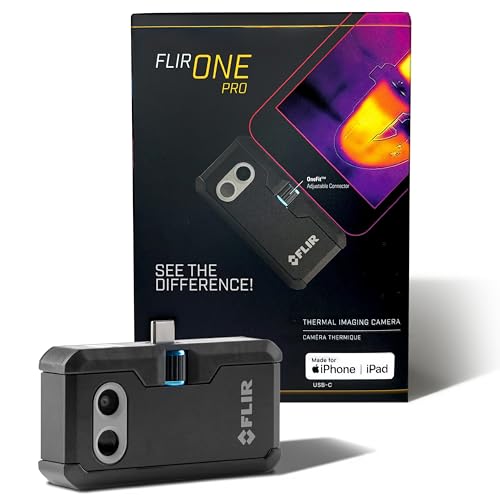 FLIR ONE Pro (phone) | Plugs into iPhone/Android; inspector favorite. | Amazon — $296.65 |
 Topdon TC001 | High-res phone module at a low price. | Amazon — $249.00 |
 FLIR C5 Compact | Standalone pocket camera with Wi-Fi. | Amazon — $593.99 |