Electronic Borescope: A Modern Digital Buyer Guide
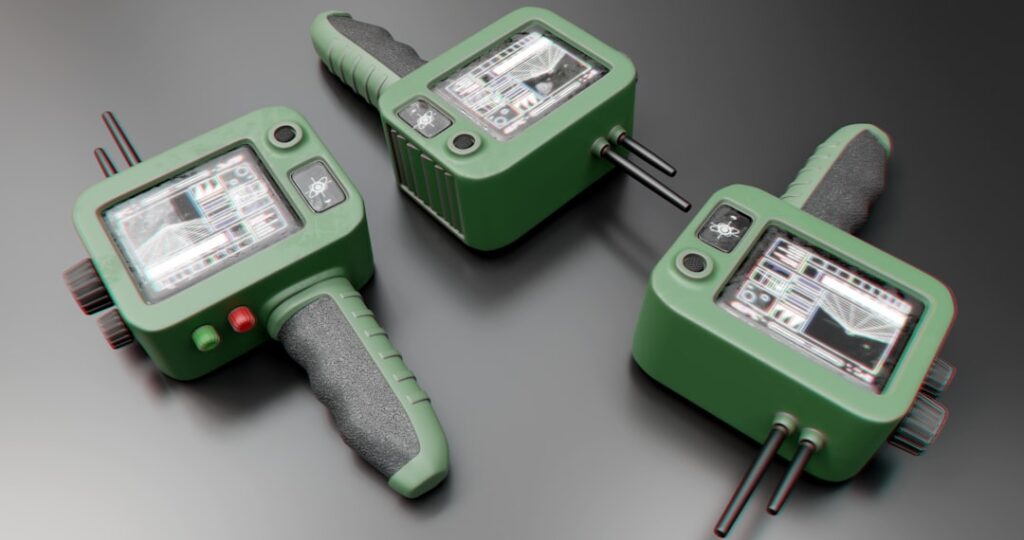
The word borescope used to mean an optical instrument: lenses arranged in a long rigid or semi-flexible tube, used by industrial inspectors to look into engine cylinders, turbine blades, and similar inaccessible spaces. Modern electronic borescopes are descendants of that older tool, but the optics have been replaced by a digital sensor at the tip of a flexible probe, an LED light ring around the sensor, and an LCD screen or smartphone display at the handle end. The shift is consequential: image capture, video recording, sharing, and report integration all become trivial in the electronic generation. This guide covers the electronic borescope category for home inspection and homeowner use.
Part of our Home Inspection Tools guide — start there for the full picture →
What Is an Electronic Borescope?
An electronic borescope is a borescope that uses a digital image sensor (usually CMOS) at the probe tip rather than an optical lens chain. The sensor captures the image, the cable transmits the digital signal to the handle, and the display (built-in LCD, smartphone, or external monitor) renders the image. LEDs around the sensor provide illumination. Most electronic borescopes also support still photo capture and video recording, with output saved to internal storage, a microSD card, or the connected smartphone.
The category includes consumer USB endoscopes ($30 to $150), mid-tier handheld units with built-in LCD screens ($150 to $500), and professional articulating borescopes with high-resolution sensors and full image processing ($500 to $3,000+). The price spread reflects sensor resolution, probe diameter, probe length, articulation capability, and image processing features.
How Does Electronic Differ From Optical?
Optical borescopes use a chain of relay lenses inside a rigid or semi-rigid tube to transmit the image from the tip to an eyepiece at the handle. The image quality depends on the optical quality of each lens, and the unit length is limited by how much optical degradation accumulates across the chain. Optical borescopes are rare in modern consumer use but still common in some industrial NDT (non-destructive testing) applications where extreme reliability and image fidelity matter more than convenience features.
Electronic borescopes replace the optical chain with a sensor and cable. Image quality depends on sensor resolution, lighting, and signal processing rather than optical chain length, so probes can be much longer (10 to 100+ feet) without image degradation. The tradeoff is that electronic borescopes depend on the digital signal path and the display rendering, which can introduce noise or processing artifacts that pure optical instruments do not show. For most home inspection and homeowner work, the electronic generation is clearly better.
What Sensor Resolution Should You Look For?
Consumer USB endoscopes often advertise “1080p” or “5 megapixel” specifications, but these numbers can be misleading. The interpolated output resolution is what the cable can transmit, but the native sensor resolution is often much lower. Look for cameras advertising specific native sensor resolution. Mid-tier inspection borescopes typically offer 720p or 1080p native, with some pro units stepping to 4K. Higher resolution helps when inspecting small features at close range; lower resolution is acceptable for general wall-cavity or HVAC-duct work.
Pay attention to the probe tip diameter as well. Common diameters include 3.9 mm, 5.5 mm, 7 mm, 8 mm, and 10 mm. Smaller diameters fit into tighter spaces (small drilled access holes, plumbing cleanouts, automotive spark plug holes) but generally pair with lower sensor resolution. Larger diameters offer better image quality and lighting at the cost of access flexibility. The digital borescope category overview covers diameter selection in detail.
What Probe Length Do You Need?
Probe length determines how deep the camera can reach into the inspection space. Common lengths include 1 meter (3 feet), 3 meters (10 feet), 5 meters (16 feet), 10 meters (33 feet), and beyond. For home inspection wall-cavity work, 1 to 3 meters is usually sufficient. For HVAC duct inspection, 3 to 5 meters is common. For sewer scope work and longer industrial inspections, 10 meters or more is needed.
Longer probes are heavier and harder to maneuver around bends. They also cost more. Buy the length you need for your typical work; a 5-meter probe is overkill for bathroom plumbing access but essential for HVAC trunk-line inspection. Some borescope handles support modular probe extensions, which is useful for inspectors covering multiple work types.
What Is Articulation and When Does It Matter?
Articulation is the ability to steer the probe tip remotely from the handle, typically using a small joystick or thumbwheel. Articulating borescopes can navigate around bends inside ductwork, look at different surfaces inside an engine cylinder, or inspect specific features inside a wall cavity without rotating the entire probe. Articulating tips usually offer two-way (up-down) or four-way (up-down, left-right) movement.
For homeowner and basic home inspection use, articulation is usually unnecessary; the probe tip can be aimed by twisting the cable or repositioning the access point. For automotive, industrial NDT, and complex HVAC inspections, articulation becomes more valuable. The cost step from non-articulating to articulating typically runs $500 to $1,500 depending on tip diameter and articulation range.
What Display Options Are Available?
Electronic borescopes typically use one of three display approaches. Built-in LCD models have a small color screen on the handle, usually 3 to 5 inches diagonal, with on-board storage. Smartphone-connected models stream to a phone or tablet via USB or Wi-Fi, using the phone’s display and storage. External-monitor models connect to a separate handheld monitor or to a desktop computer for inspection and recording.
Built-in LCD models work well in environments without reliable smartphone reception or where a dedicated tool is preferred. Smartphone models offer higher resolution displays at lower hardware cost but depend on phone battery and storage. External-monitor models work well for industrial use where the inspector needs a larger viewing area or where the inspection requires desktop recording. The home inspection tools hub covers display choices in the broader tool context.
What Use Cases Does Electronic Borescope Cover?
Home inspection electronic borescopes cover wall-cavity inspection (looking inside walls through small drilled access holes for moisture, mold, or framing condition), HVAC duct inspection (verifying duct condition, identifying restrictions or biological growth, locating disconnected joints), plumbing inspection through cleanout access (checking for blockages, root intrusion, pipe condition), automotive engine inspection (cylinder bore condition through spark plug holes), and general inaccessible-space inspection.
For Front Range home inspectors, the highest-value use cases tend to be HVAC duct inspection during pre-purchase inspections, attic and crawlspace plumbing inspection in homes with limited direct access, and post-water-damage cavity inspection to look for hidden mold growth without destructive disassembly. An electronic borescope routinely identifies conditions that no visual-only inspection could catch.
How Do You Use an Electronic Borescope Safely?
Pre-inspection setup includes verifying battery charge or connecting a power source, checking that storage media is inserted and has space, and confirming the LED ring is functioning. Choose an access point that is large enough for the probe diameter; forcing a probe through an undersized opening damages the tip. Avoid inserting the probe into electrically energized spaces; if inspecting an electrical panel, de-energize first per OSHA lockout/tagout guidance.
For HVAC duct work, shut the system off before insertion to prevent the probe from being pulled into a running blower. For plumbing work, verify pipe orientation and confirm the probe path before pushing the cable. Probes can occasionally get caught on internal features; pull the probe out by reversing the motion that inserted it rather than yanking. Clean the probe tip and lens after use, and store the cable in loose coils rather than tight bends.
What Are Common Buyer Mistakes?
The first common mistake is buying based on advertised resolution without checking native sensor resolution. Many low-cost USB endoscopes advertise resolutions that are heavily interpolated upward from a much lower native sensor. The second is buying too short a probe for the intended use; a 1-meter probe is too short for most HVAC duct work. The third is overlooking probe diameter; an 8 mm probe will not fit through a 6 mm access hole.
The fourth common mistake is buying based on price alone without checking software ecosystem and update support. Some lower-cost smartphone borescopes require apps that have not been updated in years and may not work with current phone operating systems. The fifth is buying without verifying compatibility for smartphone-connected models; iOS and Android compatibility differ between brands, and some models support only one platform or specific OS versions.
Image Capture and Recording Features
Most electronic borescopes support both still photo capture and video recording. Stills are typically saved as JPEG or PNG to the unit’s internal storage, a microSD card, or the connected smartphone. Videos are usually MP4 with H.264 or H.265 encoding. Storage capacity matters more for video work; a typical inspection session can generate several gigabytes of footage if the inspector records continuously. Built-in LCD models often have limited internal storage and rely on microSD cards (4 to 64 GB common). Smartphone-connected models use the phone’s storage, which is convenient but can fill quickly during long sessions.
For inspectors producing client deliverables, image annotation and export workflow matters as much as capture quality. Some borescopes integrate with inspection report software for direct image embedding; others require manual export, file renaming, and embedding into a separate report template. Test the workflow end to end before committing to a model, especially for inspectors planning to use the borescope on every inspection.
Maintenance and Probe Care
Probe cables are the most failure-prone component of an electronic borescope. Avoid tight bend radii during storage and use; most manufacturers specify a minimum bend radius that should not be exceeded. Store the cable in loose coils on a hook or in a dedicated case rather than tightly wound in a bag. Inspect the cable jacket for cracks, abrasions, or kinks before each use. Damaged jackets allow moisture into the cable, which often produces image noise or total failure within weeks.
Clean the probe tip after each use, particularly after inspections in dusty or oily environments such as HVAC ductwork or automotive engines. Wipe the sensor window with a clean microfiber and avoid solvents that could degrade the lens coating. For probes used in sewer-scope work, rinse the probe with clean water after each use and dry thoroughly before storage. The lifespan of a well-maintained mid-tier inspection borescope is typically three to seven years of professional use, with the probe cable usually being the limiting component rather than the sensor or handle electronics.
Battery Life and Power Options
Electronic borescopes with built-in LCD displays use rechargeable lithium-ion batteries. Typical runtime is two to six hours of continuous use depending on the LED brightness setting and recording activity. Smartphone-connected models draw power from the phone, which can drain a phone battery quickly during multi-hour sessions. For long inspection days, carry a power bank or a spare battery if the model supports field swapping.
References
- InterNACHI Home Inspection Tools Reference — InterNACHI
- ASHI Standard of Practice — American Society of Home Inspectors
- ASHRAE Building Diagnostic Resources — American Society of Heating, Refrigerating and Air-Conditioning Engineers
- ICC International Codes — International Code Council
Frequently asked questions
What is the difference between an electronic borescope and a USB endoscope?
USB endoscopes are the consumer-tier subset of electronic borescopes, typically priced under $150 and using lower-resolution sensors with smartphone or computer display. Professional electronic borescopes use higher-resolution sensors, dedicated LCD displays, and more durable probes. Both are part of the electronic borescope category.
How long should the probe be on a home inspection borescope?
For wall-cavity work, 1 to 3 meters is usually enough. For HVAC duct inspection, 3 to 5 meters. For sewer scope work, 10 meters or more. Match the length to the typical work; longer probes are heavier and harder to maneuver.
Do I need an articulating tip on an electronic borescope?
For most homeowner and basic inspection work, no. The probe tip can be aimed by repositioning the cable. For automotive, industrial, and complex HVAC inspections, articulation becomes more valuable. The cost step is typically $500 to $1500.
Borescopes & inspection cameras
A borescope lets you see inside walls, ducts, drains, and crawlspaces without opening anything up.
| Product | Why | Buy |
|---|---|---|
 DEPSTECH Wireless Borescope DEPSTECH Wireless Borescope | Wi-Fi to your phone; semi-rigid cable. | Amazon — $34.99 |
 Teslong Dual-Lens Borescope Teslong Dual-Lens Borescope | Side + front view; good for ducts. | Amazon — $149.99 |
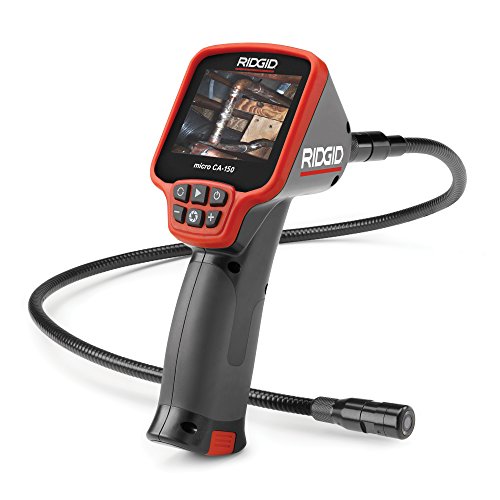 Ridgid micro CA-150 Ridgid micro CA-150 | Rugged handheld with screen. | Amazon — $281.00 |