Home Security System Cost: Equipment, Monitoring and Contracts
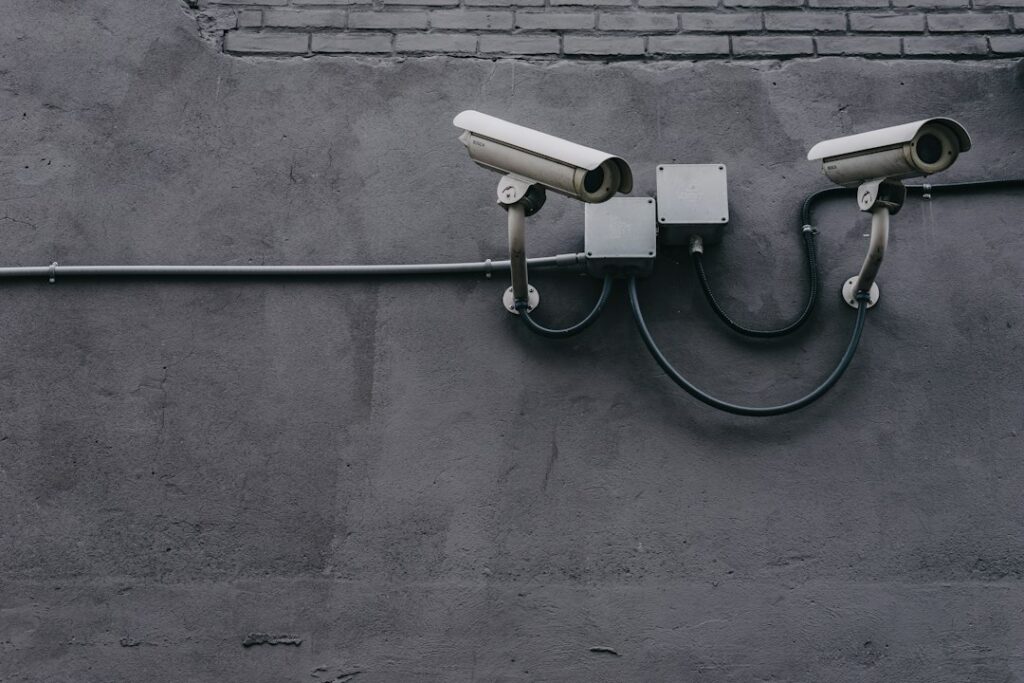
Home security system cost typically splits into two parts: equipment, which commonly runs from about $200 to $600 for a do-it-yourself starter kit up to $1,000 to $3,000 or more for a professionally installed, wired or camera-heavy system, and an optional monthly monitoring fee that typically ranges from roughly $10 to $60 depending on how much service is included. Over five years, the monitoring bill often outweighs the hardware. Those are typical national ranges built from common equipment tiers and plan structures, not quotes, and plans and promotions change often, so confirm current pricing directly with any provider. This guide breaks down what the equipment costs, how professional monitoring compares with self-monitoring, what contracts and cancellation terms to read before signing, the life-safety devices worth adding, and how to collect quotes that can be compared fairly. It also covers what a home inspector does and does not check, which matters when buying a home that already has a system.
Part of our Home Electrical guide — start there for the full picture →
Home Security System Cost at a Glance
The table groups costs by system type. Figures are typical ranges for budgeting and for spotting an outlier quote. They are not prices from any specific company.
| System type | Typical equipment range | Typical installation | Typical monthly cost |
|---|---|---|---|
| DIY starter kit (hub, 2–4 sensors, keypad, motion) | $200–$600 | Self-installed | $0 self-monitored; roughly $10–$30 with pro monitoring |
| DIY expanded kit with cameras and smart lock | $500–$1,500 | Self-installed or optional paid setup | $0–$40 depending on video storage and monitoring |
| Professionally installed wireless system | $0–$1,500 (sometimes bundled into the contract) | $0–$300 typical, often discounted with a contract | Roughly $30–$60 for monitored service |
| Hardwired or hybrid system (common in new construction) | $1,000–$3,000+ | Often included in the equipment figure | Roughly $25–$60 monitored |
| Camera-only system (no alarm panel) | $150–$2,000+ by camera count | DIY or $100–$500+ for wired cameras | $0–$20 for cloud video storage |
The “$0 equipment” offers that appear in professional installation advertising are not free. The hardware cost is usually recovered through a longer monitoring contract, a higher monthly rate or both. That is not necessarily a bad deal, but it changes what you are really comparing. The useful number is total cost over the contract term, not the upfront figure.
For side-by-side comparisons of current systems, our roundup of the best home security systems walks through what each tier includes.
What You Are Paying For: Equipment
A modern alarm system is built from a small set of components. Knowing them makes quotes easier to read and helps you avoid paying for devices you do not need.
- Base station or control panel. The hub that communicates with sensors and with the monitoring center, usually over cellular, Wi-Fi or both. Cellular communication is generally preferred for monitored systems because it keeps working if the internet drops.
- Keypad. For arming and disarming. Many systems also use a phone app or key fob.
- Entry sensors. Small contact sensors on exterior doors and accessible windows. Most homes need several, and they are typically sold individually or in packs.
- Motion detectors. Cover hallways and large rooms. Pet-friendly models reduce false alarms.
- Glass-break sensors. Listen for breaking glass, useful for large windows and patio doors.
- Cameras and video doorbells. Often the largest equipment line item. Wired cameras cost more to install but avoid battery changes.
- Sirens, yard signs and window decals. Inexpensive, and signs are commonly cited as a deterrent.
- Environmental and life-safety sensors. Smoke, heat, carbon monoxide, water leak and freeze sensors. These are covered in their own section below because they carry the most practical value for many homes.
Equipment cost scales with the number of openings and the size of the home. A two-bedroom condo with one entry door might need a hub, a keypad, two entry sensors and one motion detector. A large single-family home with a walkout basement and patio doors can easily need three to four times as many devices.
Wired versus wireless
Wireless systems dominate new installs because they are faster to put in and easy to take with you when you move. Hardwired systems, often roughed in during construction, avoid sensor battery changes and can be very reliable, but adding sensors to finished walls costs more. Many Front Range homes built in the past few decades have security wiring already in the walls, and some providers can reuse it with a hybrid panel. Ask about that before paying to replace working wired sensors.
Best Home Security Systems: our top 3 picks
| Product | Best for | Key features | Price | Buy |
|---|---|---|---|---|
| SimpliSafe 8-Piece | Optional pro monitoring, no contract |
| $206.99as of Oct 19, 2026 8:59 pm GMT+0000 | Buy now →Check current price |
| Ring Alarm 14-Piece | 2 to 4 bedroom homes |
| $329.99as of Oct 19, 2026 8:59 pm GMT+0000 | Buy now →Check current price |
| Ring Alarm 8-Piece | Apartments and 1 to 2 bedrooms |
| $249.99as of Oct 19, 2026 8:58 pm GMT+0000 | Buy now →Check current price |


Prices are Amazon’s listed prices as of the time shown and change often; check Amazon for today’s price. As an Amazon Associate we earn from qualifying purchases.
Professional Monitoring vs Self-Monitoring
Monitoring is where most of the long-term cost lives and where the biggest decision sits.
| Factor | Professional monitoring | Self-monitoring |
|---|---|---|
| Who responds to an alarm | A monitoring center contacts you and can dispatch police, fire or medical services | You receive an app alert and decide whether to call 911 |
| Typical monthly cost | Roughly $10–$60 depending on features and provider | $0, or a small fee for cloud video storage |
| Works if your phone is off or you are asleep | Yes | Only if someone sees the alert |
| Contract | Often month-to-month for DIY brands; multi-year for many installed systems | None |
| Insurance discount | Often available with proof of monitoring | Sometimes smaller or unavailable |
| Fire and CO monitoring | Can be included when compatible sensors are installed | Depends on the alert reaching someone awake |
Many households compare the monthly plans from installed-security providers such as ADT with DIY-oriented brands such as SimpliSafe, along with other major names. Plan tiers, included features and promotional pricing change frequently, so this guide does not list brand prices. Check each provider’s current plan page, and ask for the total cost in writing, including any equipment financing, before choosing.
What drives the monthly fee
- Communication path. Cellular backup costs more than Wi-Fi only.
- Video features. Cloud recording, longer storage and professional video verification add cost.
- Smart-home control. Remote locks, thermostats and automation are often tied to higher tiers.
- Life-safety monitoring. Fire and carbon monoxide monitoring is sometimes included and sometimes an upgrade.
- Contract length. Longer commitments often lower the monthly rate or the equipment price.
Self-monitoring is a reasonable choice for people who check their phones reliably, live in a building with other people around, or mainly want cameras and notifications. Professional monitoring is worth more to people who travel, live alone, have elderly family members in the home or want fire and CO events reported even when nobody is looking at a phone. For a closer look at the self-install side, see our guide to the best DIY alarm systems.
Worked Example: Five-Year Cost of Three Approaches
Because monthly fees accumulate, it helps to run the numbers over the time you expect to stay in the home. The example below uses round, illustrative figures from the middle of the typical ranges above. It is an example of the method, not a quote or a price from any provider.
| Approach (illustrative) | Upfront | Monthly | Five-year total (upfront + 60 months) |
|---|---|---|---|
| DIY kit, self-monitored | $400 | $0 | $400 |
| DIY kit, professionally monitored | $400 | $25 | $400 + $1,500 = $1,900 |
| Installed system on a contract | $200 | $50 | $200 + $3,000 = $3,200 |
To run your own version, take the quoted upfront cost, multiply the monthly fee by the number of months you expect to keep service, and add the two. Then add likely extras such as sensor batteries, a camera storage plan or a service call. If a contract is shorter than your expected stay, also price what the plan costs after the promotional term ends. The cheapest option on day one is often not the cheapest over five years, and the reverse is also true: a professionally monitored plan can be worth its higher total if it is the only way an alarm will reach help while you are away.
Contracts, Cancellation Terms and Hidden Costs
A monitoring contract is a financial commitment, and the fine print often costs more than the hardware. Read the full agreement before signing, not just the sales summary.
Points to check in any contract:
- Term length. Installed systems commonly use multi-year agreements. Month-to-month plans cost a bit more per month but carry no exit penalty.
- Early termination. Many contracts require paying a large share, or all, of the remaining monthly payments if you cancel early. Find the exact formula.
- Automatic renewal. Some agreements renew automatically for another term unless you cancel in writing within a set window before the end date. Put that date on a calendar.
- Moving. Ask what happens if you sell the home. Some providers let you transfer service to a new address or to the buyer; others treat a move as cancellation.
- Equipment ownership. Find out whether you own the hardware or lease it. Leased equipment may have to be returned, and owned equipment may be locked to one provider.
- Price increases. Check whether the monthly rate can rise during the term.
- Financing. Equipment financed through the provider can carry its own interest and payoff terms separate from monitoring.
Other costs that commonly appear later:
- False alarm fees. Many cities and counties charge for repeated false alarm dispatches, and some require an alarm permit or registration. Check with your local police department or city, since Front Range municipalities set their own rules.
- Battery replacement. Wireless sensors use small batteries that need changing every few years.
- Service calls. Some providers charge for technician visits after the first year.
- Add-on devices. Adding sensors or cameras later is often priced higher than in the initial package.
Door-to-door security sales are common in Front Range subdivisions, especially in summer. A legitimate company will leave a written agreement for you to review. Avoid signing on the spot, and confirm the company is licensed in your municipality where a license is required.
Life-Safety Devices Worth Including
For many families, the most valuable parts of a security system are not burglary sensors at all but smoke and carbon monoxide detection.
Smoke alarms. The U.S. Fire Administration recommends smoke alarms in every bedroom, outside each separate sleeping area and on every level of the home, including the basement, and recommends interconnected alarms so that when one sounds, they all sound. It also notes smoke alarms need to be replaced 10 years from the manufacture date. USFA lists typical starting prices for standalone alarms that are modest compared with any monitoring plan, so working standalone alarms should be in place regardless of whether you buy a security system. A monitored smoke or heat sensor adds remote reporting; it does not replace the alarms that wake people inside.
Carbon monoxide alarms. The CPSC recommends installing battery-operated CO alarms, or CO alarms with battery backup, on every level of the home and outside sleeping areas, and notes interconnected alarms are best. Homes on the Front Range with gas furnaces, gas water heaters, attached garages or fireplaces have several potential CO sources. Monitored CO sensors can report to a monitoring center even if nobody is home. The CPSC also advises choosing a CO alarm that meets the current UL 2034 safety standard and stresses that an alarm is no substitute for proper use and upkeep of fuel-burning appliances, so annual furnace and water heater service still matters.
Water leak and freeze sensors. In a cold, dry climate, a burst pipe in an unheated area during a January cold snap is a real risk. Low-temperature and leak sensors near water heaters, washing machines and crawl space plumbing are inexpensive additions that can save far more than they cost.
DIY vs Professional Installation
Most wireless systems are designed for homeowners to install. Sensors attach with adhesive or small screws, the hub plugs into an outlet, and an app walks through setup. For a typical home, a DIY install takes a few hours.
DIY is a good fit when:
- The system is wireless and the home has good Wi-Fi and cellular coverage.
- You want flexibility to self-monitor or switch providers.
- You rent or expect to move and want to take the system with you.
Professional installation makes more sense when:
- The home has existing hardwired sensors you want to reuse.
- You want wired cameras, which require running cable through walls or attics.
- The system must integrate with existing smoke detectors, fire panels or home automation.
- You want the installer responsible for sensor placement and testing.
Hardwired smoke alarms are a separate matter. USFA advises that only qualified electricians should install hardwired smoke alarms. Line-voltage work, new circuits for camera power or adding outlets for equipment should go to a licensed electrician. The electrical hub covers related wiring and panel topics. For camera planning specifically, our guide to the best security camera systems compares wired and wireless options.
Front Range Considerations
- Cold and battery life. Outdoor battery cameras and doorbells can drain faster in cold weather. Wired power avoids that, at a higher install cost.
- Hail and sun. Exterior cameras face hail and intense high-altitude UV. Mounting under eaves helps protect them.
- Rural coverage. In foothill and plains areas, cellular signal can be weak. Ask the provider to confirm signal strength at the panel location before installation.
- Wildfire-season awareness. In wildland-urban interface areas, monitored smoke and heat sensors and reliable alert delivery matter more when a home sits empty during travel.
- Local alarm rules. Permit, registration and false-alarm fee rules vary by city and county. Check before activation.
How to Get Fair Quotes
Security pricing is easy to obscure with bundles and promotions. A few steps make quotes comparable.
- List your needs first. Count exterior doors, ground-floor windows, rooms needing motion coverage and camera locations. Decide whether you want professional monitoring and whether fire and CO monitoring matter.
- Get at least three written quotes. Include at least one DIY option and one installed option to see the real trade-off.
- Compare total cost over the term. Add equipment, installation, activation fees and every monthly payment for the full contract. Compare that total, not the monthly rate alone.
- Ask for the contract before installation day. Review the term, early termination formula, auto-renewal window, price-increase clause, moving policy and equipment ownership.
- Confirm current plan details yourself. Check each provider’s own plan page rather than relying on advertised rates from third-party sites, since plans change frequently.
- Ask your insurer. Find out what discount, if any, applies to monitored burglary, fire or water sensors, and what documentation is needed.
Buying a Home With an Existing System
Many homes change hands with alarm equipment already installed. Before closing, ask the seller whether the system is owned or leased, which company monitors it, whether a contract is still active, and for codes and admin access. The seller should cancel or transfer their own contract; buyers generally should not inherit someone else’s agreement.
A standard home inspection is limited here. The ASHI Standard of Practice states that the inspector is not required to test smoke and carbon monoxide alarms, security systems and other signaling and warning devices, though the inspector does describe the presence or absence of smoke and carbon monoxide alarms. Plan to have a security provider or electrician check an existing system after you move in, and replace any smoke alarms older than 10 years.
If you are buying a Front Range home and want the electrical system, visible alarms and the rest of the house looked at by a qualified professional, get in touch with our team to be connected with a local inspector.
References
- Smoke Alarms — U.S. Fire Administration
- Carbon Monoxide Information Center — U.S. Consumer Product Safety Commission
- Carbon Monoxide Questions and Answers — U.S. Consumer Product Safety Commission
- ASHI Standard of Practice for Home Inspection — American Society of Home Inspectors
Frequently asked questions
How much does a home security system cost per month?
Professional monitoring typically runs from roughly $10 to $60 a month depending on features such as cellular backup, video storage and smart-home control. Self-monitored systems can cost nothing monthly, or a small fee for cloud video. Plans change often, so confirm current pricing with each provider.
Is self-monitoring good enough?
It can be for people who reliably see phone alerts and mainly want notifications and cameras. Professional monitoring adds a center that can dispatch emergency services when nobody is watching, which matters more for travel, living alone or fire and CO events.
Are free security system offers really free?
Usually not. When equipment is advertised as free or heavily discounted, the cost is typically recovered through a longer contract or higher monthly fee. Compare the total cost over the full contract term.
What happens if a security contract is cancelled early?
Many multi-year contracts charge a large share of the remaining monthly payments as an early termination fee. Read the cancellation formula, auto-renewal window and moving policy before signing.
Does a home inspector check the security system?
Generally not in detail. The ASHI Standard of Practice says inspectors are not required to test security systems or smoke and CO alarms, though they note whether smoke and CO alarms are present. Have a provider check an existing system after closing.
Planning a move on the Front Range and want a full look at the home’s electrical and safety basics? Reach out here to connect with a vetted local inspector.