Motion Sensor Light Switches: Neutral Wires and Sensor Types

A motion sensor light switch replaces an ordinary wall switch with one that detects movement and turns the lights on, off or both on its own. They are popular in laundry rooms, garages, closets, pantries, basements and bathrooms, anywhere hands are full or lights tend to get left on. The swap looks simple: remove the old switch, connect a few wires, screw on the new one. In practice, success depends on details most people never think about until the new switch does not work. Does the box have a neutral wire? Is the sensor rated for LED loads? Is the light controlled from two locations? Is the house wired with older materials that call for extra caution? This guide explains occupancy and vacancy sensors, neutral-wire requirements, LED and three-way compatibility, how these switches compare with smart and dimmer switches, what the research says about energy savings, and when the job belongs with a licensed electrician.
Part of our Home Electrical guide — start there for the full picture →
How a Motion Sensor Light Switch Works
A wall-mounted motion sensor switch contains a sensor, a small control circuit and a switching device, typically a relay or a solid-state switch, in a housing that fits a standard wall box. When the sensor detects movement within its field of view, the control circuit turns the light on. When no movement is detected for a set period, often adjustable from a few seconds to 30 minutes or more, it turns the light off.
Most residential units use a passive infrared (PIR) sensor, which responds to changes in heat patterns as a person moves across its field of view. Some higher-end models combine PIR with ultrasonic or microwave sensing, which can detect smaller movements and can work better in rooms with obstructions. Many switches also include an ambient light sensor that keeps the lights off when the room is already bright, plus a manual override button.
A Pacific Northwest National Laboratory review prepared for the U.S. Department of Energy notes that occupancy and vacancy sensors have been widely adopted as an energy-saving strategy, but that in practice they frequently fall short of expectations. The review attributes poor performance to causes ranging from limitations of the sensor technology to misconfiguration and poor placement, and it notes that occupants sometimes disable or remove sensors that do not perform as expected. That research focused largely on commercial buildings, but the lesson carries over to homes: placement and settings matter as much as the device.
Occupancy vs. Vacancy Sensors
The two terms are often used interchangeably on store shelves, but they describe different behavior, and many switches can be set to either mode.
Occupancy mode (auto-on, auto-off)
The switch turns the light on automatically when someone enters and off automatically after the room has been empty for the set time delay. This is the most convenient mode for spaces where people arrive with their hands full: garages, laundry rooms, pantries, mudrooms, walk-in closets and stairways. It is also the mode most likely to switch lights on when nobody needs them, for example when a pet walks through, when someone passes an open doorway, or when daylight is already sufficient.
Vacancy mode (manual-on, auto-off)
The occupant presses the switch to turn the light on, and the sensor turns it off after the room has been empty for the set delay. Vacancy mode avoids nuisance turn-ons and gives people the choice of not turning the light on at all, which tends to make it the more energy-conscious option. It suits bedrooms, offices, bathrooms used at night and any room with good daylight.
Choosing settings that do not annoy people
- Time delay: too short and the lights go off on someone reading or folding laundry; too long and savings shrink. Start in the middle of the range and adjust.
- Sensitivity: lower it if the hallway or a pet keeps triggering the light.
- Ambient light threshold: useful in rooms with windows so the light only comes on when it is actually dark.
- Placement: a wall switch can only see what is in its line of sight. In an L-shaped room or a bathroom with a separate toilet compartment, a person can be out of view and have the light shut off on them.
Best Motion Sensor Lights: our top 3 picks
| Product | Best for | Key features | Price | Buy |
|---|---|---|---|---|
| Abovizo 85W Security Light | Bright outdoor driveway coverage |
| $30.38as of Nov 19, 2026 11:08 pm GMT+0000 | Buy now →Check current price |
| Tuffenough Solar 2-Pack | Outdoor spots without wiring |
| $23.44as of Nov 19, 2026 9:30 pm GMT+0000 | Buy now →Check current price |
| EZVALO 6-Pack Sync Lights | Stairways and hallways |
| $27.99as of Nov 19, 2026 11:08 pm GMT+0000 | Buy now →Check current price |
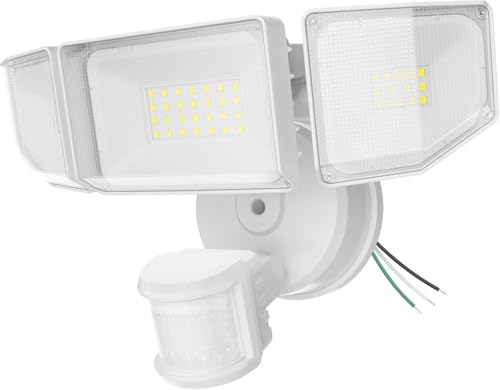


Prices are Amazon’s listed prices as of the time shown and change often; check Amazon for today’s price. As an Amazon Associate we earn from qualifying purchases.
Where Motion Sensor Switches Work Best
Some rooms are natural fits and others tend to produce complaints. A quick room-by-room view helps set expectations before buying.
- Garages and utility rooms: strong candidates for occupancy mode. People arrive carrying groceries or tools, and lights in these spaces are often forgotten.
- Laundry rooms and pantries: good fits, provided the sensor can see the whole space. A short time delay can cut off someone standing still at a folding counter, so lengthen it if needed.
- Walk-in closets: a classic use. Many closet lights are left on for hours because the switch is outside the door.
- Stairways and hallways: useful for safety at night, but these are often three-way circuits, which narrows the product choices.
- Bathrooms: workable in vacancy mode, but a sensor that cannot see into a shower or toilet alcove may switch off on an occupant. Dual-technology sensors handle this better.
- Bedrooms and home offices: vacancy mode is usually preferred; an occupancy sensor that flips on when someone rolls over or a pet walks in is a frequent annoyance.
- Basements: unfinished basements with a single light at the bottom of the stairs benefit from hands-free lighting, which reduces the chance of descending stairs in the dark.
The Neutral Wire Requirement
This is where many DIY installations stall. A traditional mechanical switch only needs a hot conductor in and a switched conductor out to the light, plus a ground. A motion sensor, however, needs a small amount of power at all times to run its sensor and electronics, even when the light is off.
There are two ways manufacturers solve that:
- Neutral-required switches draw standby power through a neutral conductor in the switch box. They tend to work reliably with low-wattage LED loads. If the box has no neutral, the switch cannot be installed as designed.
- No-neutral switches leak a tiny current through the light fixture itself to power the sensor. They are convenient in older boxes, but that small current can cause some LED bulbs to glow faintly, flicker or blink when the light is supposed to be off. Many no-neutral models also specify a minimum load.
Many homes built in recent decades have a neutral in most switch boxes, but older homes and some switch loops do not. Whether a neutral is present cannot always be confirmed by looking at a bundle of white wires; in some switch loops a white conductor is used as a hot and should be re-marked. Identifying conductors correctly is a job for someone trained to do it. If no neutral is available, the options are a no-neutral sensor rated for the load, a battery-powered wireless sensor paired with a compatible switch, or having an electrician run a new cable.
LED and Three-Way Compatibility
LED loads
Older motion sensors were designed around incandescent bulbs. Modern LED lamps and fixtures draw much less power and use internal drivers that can interact poorly with some electronic controls. Common symptoms of a mismatch include flickering, ghosting (a faint glow when off), lights that will not turn off, or a sensor that cycles on and off. ENERGY STAR makes a similar point about dimmers, noting that not every LED light works well with every dimmer switch and that certified lights maintain a list of compatible dimmers. The same principle applies to sensors: check the switch maker’s compatibility list and its minimum and maximum load ratings for LED lighting, and look for the bulb or fixture maker’s guidance on controls.
Three-way circuits
A light controlled from two locations, such as the top and bottom of a stairway or two ends of a hallway, uses three-way switches with traveler conductors running between them. A standard single-pole motion sensor will not work correctly in that circuit. Some manufacturers make multi-location sensors that pair with a matching companion or remote switch, and some smart sensors communicate wirelessly with a second switch instead of relying on travelers. Mixing brands or using the wrong companion device is a common source of problems. Our guide to three-way switch wiring explains how travelers and common terminals work.
Fans and other loads
Some motion sensors are rated for lighting only. Controlling an exhaust fan, ceiling fan motor or other motor load requires a sensor specifically rated for it. Bathroom exhaust fans usually need a humidity or timer control rather than a motion sensor alone, since moisture lingers after someone leaves.
Motion Sensors vs. Smart and Dimmer Switches
Motion sensor switches overlap with other modern switch types, and the best choice depends on the room and how the household uses it.
- Dimmer switches let people set brightness but still rely on someone to turn the light off. Some sensor switches include dimming, which suits bedrooms and living areas. Our dimmer switch guide covers LED compatibility, buzzing and warm faceplates.
- Smart switches connect to Wi-Fi, Zigbee, Z-Wave, Matter or a proprietary hub, and can run schedules, respond to voice assistants or pair with separate wireless motion sensors. Many require a neutral wire as well. Our smart switch guide compares the options.
- Standard switches remain the most reliable and lowest-cost option where automation is not needed. Our guide to light switch replacement covers the basics of swapping any switch.
Outdoors, the same idea is usually built into the fixture rather than the switch. Floodlights and porch lights with integrated motion sensors are rated for exterior use, and their wall switch is typically left on so the fixture can respond. Our guide to the motion sensor light covers outdoor models, placement and nuisance triggering from traffic or trees.
Older Wiring Cautions
Swapping a switch is one of the most common DIY electrical tasks, and also one of the most common places to discover a surprise. Several conditions found in older Front Range homes deserve extra care:
- Knob-and-tube wiring. Common in homes built before roughly the 1940s, including many older houses in Denver, Boulder and Colorado Springs neighborhoods. Brittle insulation and the lack of a ground or neutral in switch boxes make sensor installation difficult. See our knob-and-tube wiring guide.
- Aluminum branch wiring. Used in some homes built in the mid-1960s to the 1970s. Connections to devices not rated for aluminum have been associated with overheating. Any device connected to aluminum conductors must be rated for it, or the connection must be made with an approved method. See our aluminum wiring guide.
- Crowded or shallow boxes. Sensor switches are often deeper than standard switches. Forcing one into an overstuffed box can damage insulation or loosen connections.
- No ground. Older boxes may lack an equipment ground. Some sensors require one, and the instructions will say so.
The U.S. Fire Administration reports an estimated 24,200 residential building electrical fires in 2021, and its prevention tips include keeping anything that can burn away from lamps, light fixtures and bulbs and not overloading outlets. A switch that feels warm, buzzes, discolors, smells hot or causes lights to flicker should be shut off at the breaker and checked by an electrician rather than worked around.
Energy Savings: Realistic Expectations
Motion sensors save energy only when lights would otherwise be left on. In a closet or garage where the light is often forgotten, the benefit can be real. In a room where people already switch lights off out of habit, the savings may be small, and in occupancy mode the sensor may even turn lights on that nobody would have used. With efficient LED lighting, the energy saved per hour is already low, so convenience and safety, such as hands-free lighting on stairs or in a garage, are often the bigger reasons to install one.
The DOE-sponsored PNNL review mentioned above is a useful caution against assuming large savings. It reports that investigations have found energy savings falling short of manufacturer claims, often because of installation, settings or occupants disabling the device. Choosing vacancy mode where it fits, setting reasonable time delays and placing sensors where they can actually see the room are the practical ways to close that gap.
When to Hire an Electrician
Turning off a wall switch does not make a box safe to work in. The circuit should be turned off at the breaker and every conductor verified with a tested voltage tester. Call a licensed electrician when:
- The box has no neutral and the chosen switch requires one.
- The light is on a three-way or four-way circuit.
- The house has knob-and-tube or aluminum branch wiring.
- The box is crowded, damaged or has scorched or brittle insulation.
- The conductors are not clearly identifiable, or a breaker trips after installation.
Many Colorado jurisdictions require permits for electrical work beyond simple like-for-like replacements, and some limit what homeowners may do themselves. Check with the local building department before starting.
During a home inspection, an inspector following the American Society of Home Inspectors Standard of Practice inspects a representative number of installed lighting fixtures, switches and receptacles. A sensor switch may be operated if it responds to normal controls, but the inspector is not expected to open boxes or confirm product ratings. The electrical inspections section covers that part of an inspection, and the main guide to hiring a home inspector explains how to choose one.
Typical Costs
These are general 2026 ranges; brand, features and local labor rates all affect pricing.
- Basic motion sensor switch: roughly $15 to $40.
- Dimming, dual-technology or multi-location sensors: often $40 to $100 or more, with companion switches extra.
- Smart switches with motion sensing or wireless sensors: commonly $40 to $150 per location.
- Electrician installation: replacing a single switch is often a minimum service call in the low hundreds, with additional devices on the same visit adding less each.
- Running a new cable for a neutral: can range from a couple of hundred dollars to more depending on access and wall finishes.
More Questions About Motion Sensor Switches
Are motion sensor light switches required by code?
Motion sensor light switches are not generally required in homes under national model codes, but some state energy codes require them in certain rooms, and commercial energy codes commonly require occupancy sensors.
California’s Title 24 energy code, for example, has required vacancy sensors or similar controls for lighting in some residential spaces such as bathrooms, garages, and laundry rooms. Requirements depend on the code edition adopted locally. Anyone remodeling should check with the local building department or an electrician, since new lighting work may need to meet the current energy code.
How long do motion sensor light switches last?
Motion sensor light switches typically last about 10 to 15 years, though lifespan varies with quality, load, and how often the switch cycles on and off.
The electronics are more sensitive than a simple toggle switch, so power surges and incompatible loads, such as some LED drivers, can shorten their life. Signs of failure include lights that will not turn on, stay on, flicker, or ignore settings changes. Replacing a failed sensor switch is similar to replacing a standard switch, but the circuit breaker should be off first and the new switch should match the wiring setup.
Do motion sensor switches work in bathrooms with showers?
Motion sensor switches can work in bathrooms, but a sensor that cannot see past a shower curtain or glass may turn the lights off on someone showering.
Setting a longer time delay, often 15 to 30 minutes, reduces the problem. Placing the sensor where it can see the shower area, or using a vacancy sensor with manual-on, also helps. Some models use dual technology, combining infrared with ultrasonic or microwave sensing, which detects smaller movements better. Bathroom exhaust fans should usually keep their own control so they keep running long enough to clear moisture.
How do you adjust the time delay on a motion sensor switch?
The time delay on a motion sensor switch is usually adjusted with a small dial, slider, or button combination behind the switch’s front cover or under a removable faceplate.
Common settings range from about 30 seconds to 30 minutes. Shorter delays save more energy but can turn lights off on people who sit still, while longer delays are better for offices, laundry rooms, and bathrooms. The manual lists the exact steps, which may involve pressing and holding a button until an indicator flashes. Testing after each change ensures the setting works for the room’s typical use.
Do motion sensor switches work well in closets and pantries?
Yes, motion sensor switches work well in closets and pantries, because these spaces are used briefly and lights are often left on by accident.
In walk-in closets, a wall switch sensor near the door usually covers the space if the shelves do not block its view. Small reach-in closets may be better served by a door-activated switch or a battery-powered motion light. A short time delay, such as one to five minutes, suits quick visits. Vacancy mode is less useful here, since hands are often full when entering a pantry.
References
- A Review of Existing Test Methods for Occupancy Sensors (PNNL) — U.S. Department of Energy
- Light Fixtures — ENERGY STAR
- Appliance and Electrical Fire Safety — U.S. Fire Administration
- ASHI Standard of Practice for Home Inspection — American Society of Home Inspectors
Frequently asked questions
Does a motion sensor light switch need a neutral wire?
Many do, because the sensor needs constant standby power. No-neutral models exist, but they pass a small current through the light and can cause some LEDs to glow or flicker. Check the switch instructions and the box wiring before buying.
What is the difference between occupancy and vacancy sensors?
An occupancy sensor turns lights on and off automatically. A vacancy sensor requires someone to turn the light on manually and then turns it off automatically after the room is empty. Many switches can be set to either mode.
Can a motion sensor switch work on a three-way circuit?
A standard single-pole sensor will not work correctly. Use a multi-location sensor with its matching companion switch, or a smart system that pairs with a wireless second switch.
Why does my LED light flicker with a motion sensor switch?
Usually because the switch is a no-neutral design leaking current through the LED driver, or because the load is below the switch's minimum rating. A neutral-wire switch or a compatible LED lamp often solves it.
Do motion sensor switches save much energy?
Savings depend on how often lights would otherwise be left on. DOE-sponsored research notes savings often fall short of claims because of placement and settings. Vacancy mode and reasonable time delays help.
Why does a motion sensor switch turn off with someone in the room?
A motion sensor switch turns off with someone in the room when the time delay is too short, the person is sitting still, or furniture blocks the sensor's view. Lengthening the delay or moving to a dual-technology sensor usually fixes it.
Do motion sensor switches use power when the light is off?
Yes, motion sensor switches use a very small amount of standby power to run their sensor electronics, usually well under one watt. That draw is tiny compared with the energy saved by turning lights off automatically in rooms that are often left lit.
Can pets trigger a motion sensor light switch?
Pets can trigger a motion sensor light switch, especially larger dogs moving through the sensor's view. Lowering sensitivity, choosing vacancy mode so lights only turn on manually, or positioning the sensor so pets are below its view reduces unwanted triggers.
Wondering whether the switches and wiring in a home you are buying are up to date? Contact us to be matched with a Front Range inspector who looks at the electrical system in detail.