Ceiling Fan Balance: Fixing a Wobbling Fan Safely
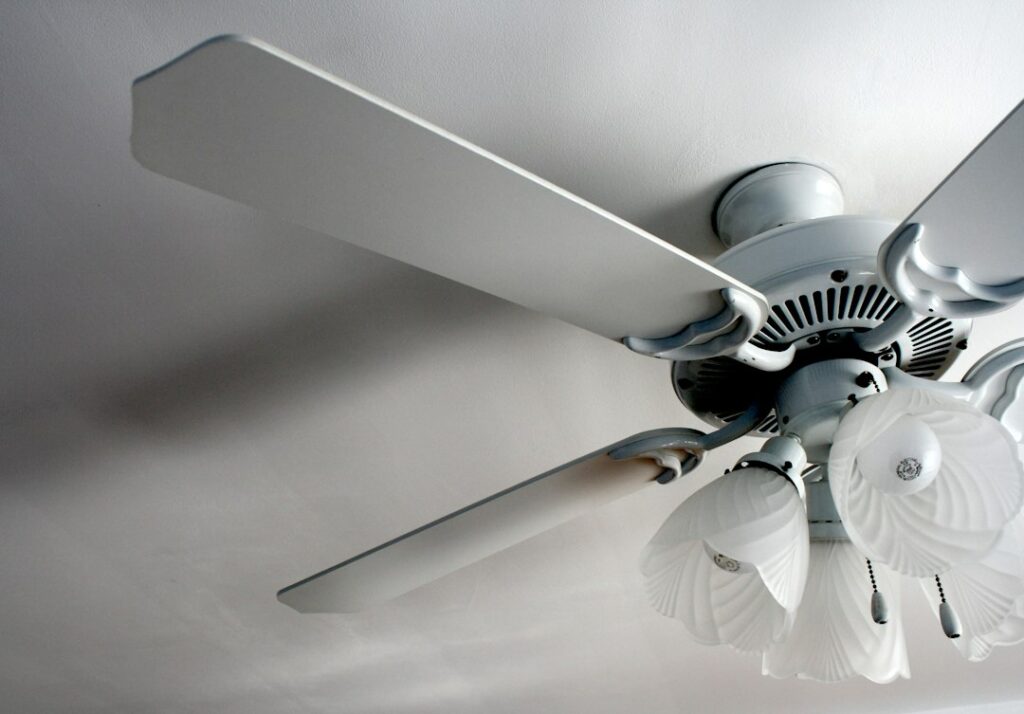
A ceiling fan that wobbles is one of the most common small annoyances in a house, and usually one of the easiest to fix. Most wobble comes from something simple: a loose blade screw, a blade bracket bent during cleaning, or blades that weigh slightly different amounts. A ceiling fan balance kit, which typically costs a few dollars and comes in the box with many new fans, solves a large share of these cases in under an hour. Some wobble, though, is a sign that the fan is not properly supported, and that is a safety issue rather than a nuisance. This guide explains what causes wobble, how to check the easy things first, how a balance kit works step by step, why the electrical box and mounting matter, how fan direction fits in, and when it is time to stop and call a licensed electrician. Always turn power off at the breaker before working on a fan.
Part of our Home Electrical guide — start there for the full picture →
Why Ceiling Fans Wobble
A spinning fan is a rotating mass. If that mass is not evenly distributed around the center, or if anything between the ceiling framing and the blades is loose, the fan moves in a small circle as it turns. A tiny imbalance at the blade tips becomes visible motion at the downrod, and the longer the downrod, the more that motion shows. Some movement is normal, particularly at high speed on a long downrod. The goal is a fan that runs smoothly with no clicking, rattling or visible orbiting of the motor housing.
The most common causes, roughly in the order they are worth checking, are:
- Loose blade screws. The screws attaching blades to their brackets (often called blade irons or arms) and the brackets to the motor work loose over time from vibration.
- Bent or misaligned blade brackets. A bracket bent by a ladder, a duster or a child’s toy changes the pitch or height of one blade.
- Warped or mismatched blades. Particleboard or MDF blades can absorb humidity and sag, and a replacement blade from a different set may not weigh the same.
- Unequal blade weight. Even from the factory, blades vary slightly. Dust buildup on some blades but not others can add to the difference.
- A loose canopy, downrod or ball joint. Set screws in the downrod, the hanger ball seated in its bracket, and the mounting bracket screws can all loosen.
- A loose or inadequate ceiling box. A box not designed for fans, or one that is not firmly attached to framing, lets the whole fan move.
- A loose light kit or glass shade. These can rattle and contribute to wobble, even though the blades themselves are fine.
CPSC recall notices show why wobble deserves attention. In a 2012 recall of Emerson Corsair ceiling fans, CPSC reported that the fan’s hanger bracket could spread apart due to heat from the motor and/or out-of-balance operation, causing the fan to fall from the ceiling. The firm was aware of three reports of fans falling, with no injuries reported. That was a product defect, not a homeowner error, but it illustrates that sustained out-of-balance operation puts real stress on mounting hardware.
Check the Simple Things First
Before opening a balance kit, rule out the mechanical causes, because no amount of balancing weight will cure a loose bracket or a bent arm.
1. Turn the power off properly
Turn the fan off at the wall control, then switch off the circuit breaker that feeds it. A wall switch may interrupt only one conductor, and some fans are on switch loops or multi-wire circuits. If you will be opening the canopy or touching wiring, use a non-contact voltage tester to confirm the power is off. Use a stable step ladder rated for your weight and keep both hands free for the work.
2. Tighten every blade and bracket screw
Snug, do not overtighten, each screw attaching the blades to the brackets and the brackets to the motor hub. Stripped holes in particleboard blades may need a slightly larger screw or a replacement blade. While you are there, wipe the dust off every blade; uneven dust buildup alone can change the balance on a fan that has not been cleaned in a while.
3. Check the downrod, canopy and mounting bracket
Lower the canopy if it is designed to slide down, and confirm the downrod set screws and any safety pin and clip are in place and tight. Check that the hanger ball sits fully in the mounting bracket with its tab in the slot, and that the bracket screws into the box are snug. If the box itself moves when you push on the fan, stop and read the section on electrical boxes below.
4. Measure blade alignment
With the fan stopped, hold a yardstick or tape measure vertically from the ceiling to the tip of one blade, then rotate the fan by hand and measure each blade in turn at the same spot. Blades should be at the same height, typically within about an eighth of an inch, though manufacturer tolerances vary. A blade that sits noticeably higher or lower usually has a bent bracket. Some manufacturers advise against bending brackets back by hand and recommend a replacement bracket instead, so check the fan’s manual.
If the fan still wobbles after these steps, the blades probably differ slightly in weight, and that is exactly what a balance kit is designed to correct.
Best Ceiling Fan: our top 3 picks
| Product | Best for | Key features | Price | Buy |
|---|---|---|---|---|
| ZMISHIBO BJ52 | Best overall for living rooms |
| $53.98as of Oct 28, 2026 9:06 am GMT+0000 | Buy now →Check current price |
| Amico 72 in | Large rooms and great rooms |
| $94.98as of Oct 28, 2026 9:06 am GMT+0000 | Buy now →Check current price |
| Fanbulous LY52D | High or sloped ceilings |
| $54.99as of Oct 28, 2026 9:06 am GMT+0000 | Buy now →Check current price |


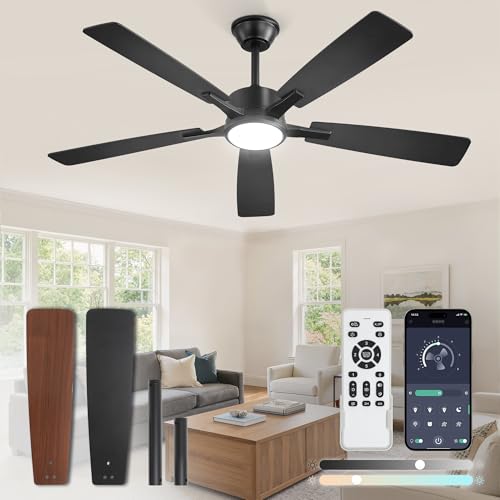
Prices are Amazon’s listed prices as of the time shown and change often; check Amazon for today’s price. As an Amazon Associate we earn from qualifying purchases.
How a Ceiling Fan Balance Kit Works
A typical ceiling fan balance kit contains a plastic clip that slides onto a blade edge and several small adhesive-backed metal weights. The clip is a temporary test weight that you move around to find the light blade and the right position; the adhesive weights are the permanent fix. The process takes some patience, but it is straightforward.
Step-by-step balancing
- Run the fan on its highest speed and note how much it wobbles. Some people find it helpful to watch the motor housing against a fixed point on the ceiling.
- Turn the fan off at the switch and let it stop. Slide the balance clip onto the trailing edge of one blade, roughly halfway between the motor and the tip.
- Run the fan again and compare the wobble. Repeat with the clip on each blade in turn. The blade where the wobble improves most is the one that needs weight.
- Fine-tune the position. On that blade, move the clip inward toward the motor or outward toward the tip in small steps, running the fan each time, until the wobble is at its minimum.
- Apply a permanent weight. Stick an adhesive weight on the top center line of the blade, at the same distance from the motor as the clip. Remove the clip.
- Repeat if needed. Occasionally a second weight is required on the same or another blade. Run the fan on every speed to confirm.
Put weights on the top of the blades so they are not visible from below, and press them firmly onto a clean surface so the adhesive holds. A weight flying off a spinning blade is unlikely to cause injury, but it will put the fan back out of balance.
When a balance kit is the wrong tool
Balance weights correct small weight differences. They will not fix a blade that is visibly warped, a bracket that is bent, a loose ceiling box or a damaged motor. If a fan needs several weights scattered on multiple blades and still wobbles, something else is wrong. Persistent wobble that returns weeks after balancing often points to loosening hardware or a weak mount.
The Fan-Rated Electrical Box Requirement
Many wobbly fans are hung from boxes that were never meant to carry a fan. Standard light fixture boxes, especially shallow “pancake” boxes or plastic boxes nailed to a joist, may not be designed for a fan’s weight or the continuous vibration of a spinning load. Electrical boxes intended to support ceiling fans are listed and marked for fan support, often with a maximum fan weight, and must be securely attached to framing or to a fan-rated brace that spans between joists. This is the case even for a light fan, because the issue is vibration and dynamic load over years of use, not just static weight.
Signs the mount may be the problem:
- The canopy shifts or the box moves when you gently push the fan housing sideways.
- Cracks have formed in the drywall or plaster around the canopy.
- The fan was installed where a light fixture used to be, and no one knows whether the box was changed.
- Screws holding the mounting bracket keep backing out.
- You can see a plastic box, a box fastened only to drywall, or a box marked for fixtures only.
If any of these apply, turn the fan off and leave it off until the support is checked. Replacing the box with a fan-rated brace and box is a common electrical job, and in many Front Range jurisdictions it may require a permit. Our ceiling fan installation guide covers fan-rated boxes, braces, blade height and wiring in more detail, and our guide on how to install a light fixture explains how standard fixture boxes differ.
Blade and hardware recalls
Separately from box problems, some fans have been recalled because blade hardware failed. In a 2020 recall of Kichler 52-inch LED indoor ceiling fans, CPSC reported that the irons holding the blades could detach during use, causing the blades to fall; Kichler had received about 62 reports of a fan blade iron breaking or detaching, and no injuries were reported. If your fan wobbles and you notice cracks in a blade iron or loose arms that will not stay tight, check the brand and model against CPSC recall listings before assuming a balance kit will help.
Fan Direction, Speed and Wobble
Reversing a fan’s direction does not cause wobble by itself, but owners often notice a wobble for the first time after switching seasons because the fan runs at a different speed or in a different airflow pattern. In summer, most fans are set to push air down for a cooling breeze; in winter, a low speed in reverse is often used to move warm air down from the ceiling without a draft. Our ceiling fan direction guide explains how to tell which way a fan is turning and when to switch.
A few related points:
- Always stop the fan completely before flipping the direction switch on the motor housing. Reversing a spinning fan stresses the motor and mount.
- Balance on the highest speed, where imbalance shows most, and then confirm it runs smoothly on every speed and in both directions.
- Use the right control. Fan motors need a fan-speed control, not a standard light dimmer. A light dimmer can cause humming, overheating and erratic speed. Our dimmer switch guide covers which controls belong on which loads.
ENERGY STAR notes that certified ceiling fans use improved motors and blade designs and are independently certified to meet energy efficiency standards. If an older fan is out of balance because of worn bearings or warped blades, replacing it with a certified model may be a better investment than repeated repairs.
Keeping a Fan Balanced Over Time
Once a fan runs smoothly, a little routine care keeps it that way. Vibration slowly loosens screws, dust collects unevenly, and Colorado’s dry winter air followed by humid summer storms can make wood and composite blades move slightly over the years.
- Clean blades gently. Support each blade from below while wiping it, or use a pillowcase slipped over the blade, so you do not push down on the bracket and bend it.
- Recheck screws once or twice a year, a natural time being when you switch direction between seasons.
- Keep blades as a matched set. If one blade is damaged, replace the full set from the manufacturer where possible, since a single new blade rarely matches the weight of older ones.
- Leave balance weights in place when cleaning, and note their position in case one falls off.
- Listen for changes. New clicking, grinding or humming is often an early sign of a loose part or worn bearing.
Outdoor and porch fans need extra attention. Damp- or wet-rated fans exposed to wind, sun and temperature swings tend to loosen faster, and blades can fade or warp. Check them each spring before regular use begins.
When to Call an Electrician
Tightening screws and balancing blades is routine homeowner maintenance. Other problems belong with a licensed electrician:
- The box moves, is not fan-rated or is not attached to framing.
- The fan has fallen partly, or the canopy has pulled away from the ceiling.
- You see scorch marks, melted wire nuts or smell burning around the canopy.
- The fan hums, runs erratically or the light flickers in ways that suggest a wiring problem.
- Wobble persists after the blades are tight, aligned and balanced.
- The fan is on a tall or sloped ceiling that requires scaffolding or special mounting hardware.
Licensed electricians can confirm the box rating, add a fan brace, check connections and pull a permit if the work requires one. Ask for a written quote that states whether the new box, brace and any drywall patching are included. Replacing a box with a fan-rated brace is commonly a modest labor charge in the low hundreds of dollars, with more for difficult access; these are general 2026 ranges.
What a Home Inspector Checks
Under the ASHI Standard of Practice, inspectors inspect a representative number of installed lighting fixtures, switches and receptacles. In practice, most inspectors run installed ceiling fans with their normal controls and note wobble, noise, missing or damaged blades, missing canopy parts and controls that do not work. An inspector usually cannot see inside the canopy or confirm the box rating without disassembly, so a fan that wobbles badly or a canopy that shifts typically leads to a recommendation for evaluation by an electrician. Our electrical inspections section describes the rest of the electrical review, and the main guide to hiring a home inspector explains how to choose the right inspector for your purchase.
References
- Ceiling Fans Recalled by Emerson Air Comfort Products Due to Injury Hazard — U.S. Consumer Product Safety Commission
- Kichler Lighting Recalls Ceiling Fans Due to Injury Hazard — U.S. Consumer Product Safety Commission
- Ceiling Fans — ENERGY STAR
- ASHI Standard of Practice for Home Inspections — American Society of Home Inspectors
Frequently asked questions
How does a ceiling fan balance kit work?
A plastic clip is moved from blade to blade while the fan runs to find which blade is light and where along it the extra weight belongs. A small adhesive weight is then stuck on top of that blade at the same spot, and the clip is removed.
Is a wobbling ceiling fan dangerous?
Slight movement is common, but heavy wobble, a shifting canopy or a box that moves can signal loose hardware or an inadequate mount. Turn the fan off and have the support checked if anything other than the blades seems loose.
Why does my ceiling fan still wobble after balancing?
Persistent wobble usually means a mechanical problem such as a bent blade bracket, a warped blade, a loose downrod or mounting bracket, or a box that is not fan-rated. Weights cannot fix those issues.
Do I need to turn off the breaker to balance a ceiling fan?
Turning the fan off at its switch is enough for clipping and moving test weights, but switch off the breaker before tightening hardware, lowering the canopy or touching any wiring, and confirm the power is off with a tester.
Can I hang a ceiling fan from a regular light box?
Only if the box is listed and marked for fan support and is securely attached to framing or a fan-rated brace. Many light boxes are not designed for a fan's weight and vibration, so an electrician should confirm or replace it.
Wobbling fans, loose canopies or mystery ceiling boxes in a home you are buying? Let us know and we will connect you with a Front Range inspector who runs every fan and fixture.