Apple Infrared Camera: What Homeowners Need to Know
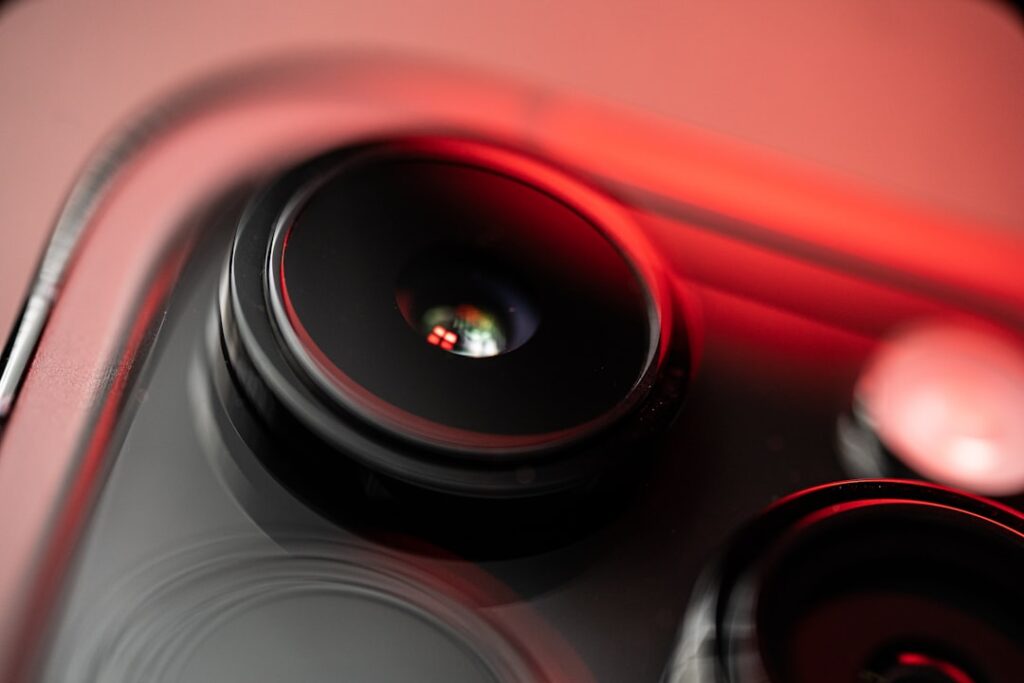
“Apple infrared camera” is a search that turns up two very different things: the IR sensors built into modern iPhones for Face ID, and third-party thermal imaging cameras that attach to iPhones via Lightning or USB-C. The two have almost nothing in common technically, despite both involving infrared light. This guide explains what each actually is, what it can and cannot do for homeowners, and where the practical thermal imaging options for iPhone owners actually live in 2026. Recommendations reflect manufacturer specifications and aggregated trade reporting current in 2026.
Part of our Thermal Imaging for Homes guide — start there for the full picture →
The two meanings of “Apple infrared camera”
Apple does not manufacture a standalone thermal imaging camera. What people search for under “Apple infrared camera” almost always refers to one of two things:
- The iPhone’s built-in IR-based sensors — used for Face ID, proximity detection, and ambient light sensing. These detect short-wave infrared in narrow ranges for biometric and sensor purposes; they are not thermal imagers.
- Third-party thermal cameras that attach to iPhones — manufactured by FLIR, Seek Thermal, and others. These plug into the Lightning or USB-C port and use the iPhone as the display and processor for actual long-wave infrared (thermal) imaging.
The first cannot detect moisture, heat loss, or hidden plumbing. The second can — but only because of the attached third-party hardware.
What the iPhone’s built-in IR sensors actually do
Modern iPhones contain several infrared-related components, none of which function as thermal imagers:
- TrueDepth dot projector — projects an infrared dot pattern for Face ID 3D mapping
- TrueDepth infrared camera — captures the projected dot pattern under low-light conditions
- Proximity sensor — detects whether the phone is held to the ear during calls
- Ambient light sensor — adjusts display brightness based on ambient light
- LiDAR scanner (Pro models) — uses infrared time-of-flight pulses for depth mapping and AR
These components operate in the near-infrared (NIR) range, primarily around 850-940 nanometers. Thermal imaging requires long-wave infrared (LWIR) detection in the 8-14 micrometer range, which is two orders of magnitude longer in wavelength. The iPhone hardware physically cannot detect LWIR radiation. Apps that claim to convert your iPhone camera into a thermal camera without external hardware are using visible-light filtering or color tinting effects, not actual thermal imaging.
Why this matters for homeowners
The most common reason homeowners search for “Apple infrared camera” is because they want to find a water leak, check for insulation gaps, or look at electrical hot spots — and they have an iPhone in their pocket. The honest answer is that the iPhone alone cannot do any of this. The good news is that adding a third-party thermal attachment costs $250-$500 and turns the phone into a capable thermal imager.
Third-party thermal cameras that attach to iPhone
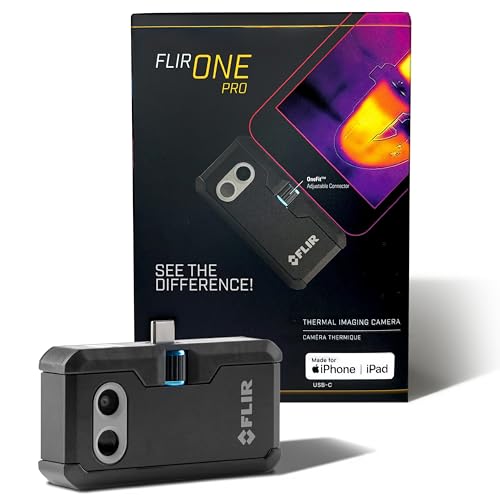
FLIR ONE Pro for iOS
The FLIR ONE Pro is the most widely deployed iPhone-attached thermal camera. It connects via Lightning (older iPhones) or USB-C (iPhone 15 and later). Specifications include:
- Thermal resolution: 160×120
- FLIR MSX image enhancement overlays visible-light detail onto thermal images
- Temperature range: -20°C to 400°C
- Temperature accuracy: ±3°C or ±5%
- Radiometric per-pixel temperature data
- Battery: internal rechargeable, ~1 hour operation
Price typically $400-$500 in 2026. The FLIR ONE Pro is the most common entry point for iPhone-based thermal imaging and remains the default recommendation for homeowner-grade thermal work on iOS.
Seek Thermal CompactPRO for iOS
The Seek CompactPRO competes directly with the FLIR ONE Pro at a similar price point but with higher native thermal resolution:
- Thermal resolution: 320×240
- Temperature range: -40°C to 330°C
- No internal battery — draws power from iPhone
- Radiometric per-pixel temperature
Price typically $400-$500. The higher native resolution is a meaningful advantage for resolving smaller temperature differentials at distance. The lack of internal battery means more iPhone battery consumption.
Seek Thermal Compact (entry model)
The standard Seek Compact offers 206×156 resolution at a lower price point ($300-$350). A reasonable choice for homeowners who want lower entry cost than the CompactPRO and accept reduced resolution.
FLIR ONE Edge Pro (wireless)
The FLIR ONE Edge Pro is a wireless version that connects to iPhone via WiFi rather than physically attaching. This allows the thermal camera to be positioned independently of the phone — useful for inspecting tight spaces, attics, or electrical panels where reaching with the phone is awkward. Price typically $700-$900.
Companion reading at FLIR ONE Pro Android buyer guide covers the equivalent Android-side selection, which mirrors the iOS options closely.
What iPhone thermal attachments can do for homeowners
With a FLIR ONE Pro or Seek CompactPRO attached, an iPhone becomes a real diagnostic tool for:
- Insulation gap detection — cold spots in winter or hot spots in summer reveal missing or compressed insulation in walls, ceilings, and attics
- Water leak diagnosis — evaporative cooling makes wet surfaces read cooler than surrounding dry materials
- Electrical hot spot identification — overheated breakers, loose connections, and overloaded circuits show as thermal anomalies on electrical panels (always work safely with cover panels in place)
- Plumbing line tracing — hot water lines show clearly behind walls when in use; cold supply lines show after running water
- HVAC duct leak detection — air leaks from supply runs into wall cavities reveal as temperature streaks
- Window and door drafts — air infiltration produces visible thermal patterns along seal lines
The pillar context at home inspection tools hub covers how thermal cameras fit alongside moisture meters and borescopes for diagnostic work.
Limitations of iPhone-attached thermal imaging
Phone-attached thermal cameras have real limits compared to standalone handhelds:
- Lower resolution than inspector-grade handhelds (160×120 or 320×240 vs 640×480 on flagship handhelds)
- Battery drain on the iPhone, particularly with non-battery models like Seek
- Awkward ergonomics when scanning ceilings or tight spaces — the phone is bigger than a dedicated handheld viewfinder
- Cable connection vulnerability — the connector can flex or fail over time
- iOS update compatibility — older thermal cameras may stop receiving app updates after several years
For occasional homeowner diagnosis and basic energy auditing, these limits are not deal-breakers. For full-time inspection work, a dedicated FLIR Exx or Fluke handheld at $2,500-$4,500 outperforms phone-attached options.
iOS app ecosystem
Each manufacturer publishes a companion iOS app:
- FLIR ONE app — controls FLIR ONE Pro and ONE Edge Pro, supports MSX, time-lapse, panoramic capture, and FLIR Ignite cloud upload for reporting.
- Seek Thermal app — controls Seek Compact and CompactPRO, supports emissivity adjustment, palette selection, and spot temperature measurements.
- Third-party reporting apps — some inspector reporting platforms integrate directly with FLIR Ignite for thermal image attachment in inspection reports.
USB-C transition (iPhone 15 and later)
Apple’s transition to USB-C with iPhone 15 affected thermal camera compatibility. Older Lightning-connector FLIR ONE Pro models do not connect to iPhone 15 series directly. FLIR released a USB-C version, and Seek has historically offered both connectors. Buyers should verify connector compatibility with their specific iPhone model before purchase. The walkthrough at USB-C thermal camera buyer guide covers the connector landscape in more detail.
What about Android instead?
The same manufacturers — FLIR, Seek, InfiRay, Hikmicro — sell Android-compatible versions of nearly every thermal camera attachment they offer for iOS. Android has historically had more pricing flexibility on entry-level thermal cameras, and the InfiRay P2 Pro is a notable Android-side option at $250-$350 that does not have a direct iOS equivalent at that price.
Standalone alternative: FLIR C5
Homeowners who already own an iPhone but want a thermal camera that does not depend on the phone can consider a standalone pocket camera like the FLIR C5 at $700-$900. The C5 has its own screen, processor, and battery, includes WiFi for cloud reporting, and offers comparable resolution to phone-attached options. The trade-off is the higher price and an additional device to carry, but the standalone capability is worth it for buyers who want a camera ready at all times.
Buying decision summary for iPhone owners
- Casual homeowner diagnosis: FLIR ONE Pro or Seek CompactPRO at $400-$500 — best value for iPhone-based thermal imaging.
- Higher-resolution requirements: Seek CompactPRO at 320×240 resolution beats FLIR ONE Pro’s 160×120 at the same price.
- Wireless or tight-space use: FLIR ONE Edge Pro at $700-$900 for inspector flexibility.
- Standalone preference: FLIR C5 at $700-$900 — your iPhone stays in your pocket.
- Professional inspection work: skip phone-attached options entirely; invest in FLIR E6 Pro or comparable handheld at $2,500-$4,500.
The honest summary
The iPhone itself is not a thermal camera, and the IR sensors Apple builds into iPhones serve completely different purposes than thermal imaging. With a third-party FLIR or Seek attachment, the iPhone becomes a capable diagnostic tool for homeowner moisture, insulation, and electrical issues. For full-time inspection work, dedicated handhelds remain more capable than phone-attached options. The FLIR ONE Pro and Seek CompactPRO are the standard recommendations for iPhone-based thermal imaging at $400-$500 in 2026.
More Questions About iPhone Thermal Cameras
Can an iPhone camera see infrared light?
An iPhone camera can pick up some near-infrared light but cannot see heat. Many iPhones show a TV remote’s infrared LED flashing on the front camera, while the main rear cameras filter out most near-infrared.
Thermal infrared, the long-wave energy that reveals warm and cold surfaces, is far outside what any iPhone image sensor detects. That is why home thermal imaging on an iPhone requires a separate attachment with its own thermal sensor, connected through the Lightning or USB-C port depending on the model.
Do thermal camera apps for iPhone work without hardware?
No. Thermal camera apps that work without extra hardware cannot detect real heat, because the iPhone has no thermal sensor. They apply color filters to ordinary images to imitate a thermal look.
These apps may be fun but are useless for finding drafts, leaks or electrical hot spots, and some are designed mainly to collect subscriptions. Real thermal imaging on iPhone needs a dedicated attachment and its companion app. Read reviews carefully and avoid apps that promise heat detection with the built-in camera alone.
How much does an iPhone thermal camera attachment cost?
An iPhone thermal camera attachment typically costs about $200 to $500, with entry-level models at the lower end and higher-resolution or professional-grade attachments at the upper end.
The main cost driver is thermal sensor resolution, followed by temperature accuracy, lens quality and app features such as radiometric export. Buyers should check that the connector matches their iPhone, since newer models use USB-C while older ones use Lightning. For heavy professional use, a standalone thermal camera can be more durable than a phone attachment.
Can an iPhone thermal camera find pipes in walls or floors?
Yes, an iPhone thermal camera can often find pipes in walls or floors when they carry water that is warmer or cooler than the surrounding surface. Hot water lines and radiant floor heating loops show up especially well while in use.
Run hot water for a few minutes, then scan the wall or floor to trace the path. Cold water lines are harder to see unless the temperature difference is large. Studs and framing can appear as faint lines in exterior walls on cold days. Always confirm locations with other methods before drilling or cutting.
Does iPhone LiDAR detect heat?
No. The LiDAR scanner on some iPhone Pro models measures distance and depth using pulses of near-infrared light, but it does not detect heat or temperature.
LiDAR helps with camera focus in low light, augmented reality and room measurement apps, which can be handy for estimating room sizes during renovation planning. It cannot reveal hidden leaks, insulation gaps or hot wiring. For those tasks, a thermal camera attachment or standalone thermal camera is still required.
References
- Infrared Thermography in Residential Inspection — International Association of Certified Home Inspectors
- Inspector Tool Standards and Practice — American Society of Home Inspectors
- ENERGY STAR: Seal and Insulate — U.S. Environmental Protection Agency (ENERGY STAR)
- Mold Cleanup in Your Home — U.S. Environmental Protection Agency
Frequently asked questions
Does the iPhone have a built-in thermal camera?
No. The iPhone's TrueDepth system uses near-infrared light for Face ID and proximity sensing, but it cannot detect long-wave infrared radiation that thermal imaging requires. Apps claiming to convert the iPhone camera into a thermal camera without external hardware use visible-light filtering effects, not actual thermal imaging.
What is the best thermal camera attachment for iPhone?
For most homeowner use, the FLIR ONE Pro (160×120 resolution) and Seek Thermal CompactPRO (320×240 resolution) are the standard recommendations at $400-$500. The Seek CompactPRO offers higher native resolution at the same price. For wireless or tight-space use, the FLIR ONE Edge Pro at $700-$900 is the inspector-friendly option.
Will an older Lightning FLIR ONE Pro work on iPhone 15?
No. Apple switched iPhone 15 to USB-C, so older Lightning-connector thermal cameras do not connect directly. FLIR released a USB-C version of the FLIR ONE Pro, and Seek Thermal offers both connector versions. Always verify connector compatibility with your specific iPhone model before buying.
Is an iPhone thermal attachment good enough for home inspections?
For casual homeowner diagnosis and entry-level inspection work, yes. For full-time professional home inspection where documentation matters and image quality affects findings, dedicated handhelds like the FLIR E6 Pro or E8 Pro at $2,500-$4,500 outperform phone-attached options in resolution, ergonomics, and reporting integration.
Does Face ID use infrared?
Yes. Face ID uses near-infrared light: a dot projector casts thousands of invisible dots onto the face, and an infrared camera reads them to build a depth map. This system does not measure heat and cannot be used for thermal imaging.
Can an iPhone thermal attachment work on an iPad?
Some iPhone thermal attachments work on iPads with the matching Lightning or USB-C port, provided the app supports the iPad. Fit can be awkward on large tablets, and support varies by manufacturer, so check the compatibility list before relying on an iPad.
Can an iPhone thermal camera check for a fever?
An iPhone thermal camera attachment is not a medical device and should not be used to check for fever. Skin surface temperature varies with the environment, and consumer thermal sensors are not calibrated for clinical use. Use a medical thermometer and consult a doctor.
Does an iPhone thermal attachment work with a case on?
Many iPhone thermal attachments need the case removed or a thin case, because thick cases keep the connector from seating fully. Some models include adjustable connectors to reach past cases. A loose connection often causes the app to disconnect during scanning.
Thermal imaging cameras
Infrared cameras reveal hidden moisture, missing insulation, and air leaks. Phone-attachment models are the budget entry point; standalone units have higher resolution.
| Product | Why | Buy |
|---|---|---|
 FLIR ONE Pro (phone) | Plugs into iPhone/Android; inspector favorite. | Amazon — $296.65 |
 Topdon TC001 | High-res phone module at a low price. | Amazon — $249.00 |
 FLIR C5 Compact | Standalone pocket camera with Wi-Fi. | Amazon — $593.99 |