Infrared Camera iPhone: What Homeowners Need to Know in 2026
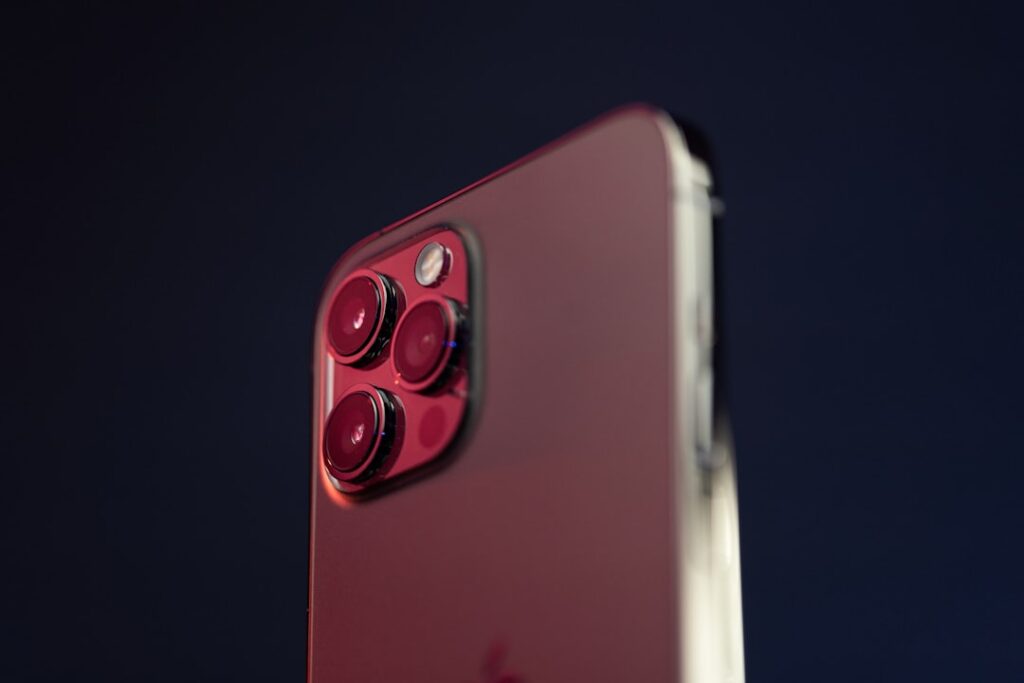
The phrase “infrared camera iPhone” returns a confusing mix of search results because the term covers several different technologies: the iPhone’s built-in TrueDepth dot-projector, third-party long-wave infrared (LWIR) thermal attachments, and the Face ID flood illuminator. Only one of these actually shows heat. This guide explains what homeowners actually get when they buy an infrared iPhone solution and where the limits sit versus a standalone thermographer’s imager. The Department of Energy and InterNACHI both publish guidance that helps frame realistic expectations.
Part of our Thermal Imaging for Homes guide — start there for the full picture →
What “infrared” actually means in this context
Infrared light spans wavelengths from roughly 700 nanometers to 1 millimeter. The iPhone’s TrueDepth system uses near-infrared (around 940 nm) for facial scanning. Thermal imaging operates in the long-wave band (8 to 14 microns) to detect heat. These are different technologies; only the long-wave thermal attachments show temperature.
Why iPhone-built-in cameras don’t show heat
The iPhone’s image sensors are sensitive to visible light and a small amount of near-infrared. They cannot detect long-wave thermal emissions because the wavelengths are too long for silicon-based sensors. No app or filter changes this hardware limit. A separate microbolometer sensor is required.
How thermal attachments work
Third-party attachments plug into the iPhone’s Lightning or USB-C port (depending on model year) and contain a long-wave microbolometer sensor. The phone provides power, display, processing, and storage; the attachment provides the thermal sensing. Apps from the attachment manufacturer interpret the data into the heat-map images homeowners associate with thermal imaging.
Resolution categories to understand
Smartphone attachments typically come in three resolution tiers: 80×60, 160×120, and 320×240 pixels. Standalone handheld imagers used by professional inspectors typically start at 240×180 and scale to 640×480. Resolution differences materially affect what features you can identify at distance.
What homeowners can do with an iPhone thermal attachment
Locate missing insulation, find air leaks around windows and doors, identify electrical hot spots, trace radiant floor heating loops, and find wet drywall in the early stages of water intrusion. These tasks work well at 160×120 or above and are within the practical limits of consumer-grade attachments.
What iPhone thermal attachments can’t reliably do
Quantitative energy audits requiring documented temperature differentials, deep-substrate moisture mapping, electrical infrared surveys for commercial buildings, and high-resolution mechanical thermography. These tasks require higher-resolution imagers, calibration certification, and trained operators per industry standards.
How Department of Energy thermography guidance applies
The Department of Energy publishes guidance on infrared thermography for residential energy audits, noting that thermal imagers help identify insulation gaps and air-leakage paths when used in controlled temperature differentials. A smartphone attachment can do this work for personal home use; it is not a substitute for a certified energy auditor’s report.
InterNACHI Infrared Certified credential
InterNACHI offers an Infrared Certified credential for home inspectors who complete specific training on thermal imaging interpretation. The credential signals that the inspector understands what thermal anomalies mean, not just how to capture them. The iPhone infrared camera explainer covers how this credential matters for buyer-side inspections.
Lightning vs USB-C compatibility
iPhones before the iPhone 15 line use Lightning ports; iPhone 15 and later use USB-C. Thermal attachments are not universally compatible across both ports — buy the version matching your phone. Adapters are available but introduce additional points of failure.
App workflow and image storage
Thermal attachments use dedicated apps from the manufacturer for live view, capture, and analysis. Images export to the iPhone Photos app and can be shared by standard methods. App quality varies significantly across manufacturers; read user reviews for app stability before purchasing.
Battery considerations
Thermal sensors draw current from the phone, reducing battery life noticeably during active scanning. Plan for short sessions or carry a battery pack for extended use. Some attachments include their own internal battery to reduce phone drain.
Calibration and accuracy expectations
Consumer-grade thermal attachments typically claim accuracy of ±2°C or ±2 percent of reading. This is adequate for relative temperature comparisons (finding the cold spot, locating the hot wire) but not for absolute temperature measurement requiring NIST-traceable calibration. Professional thermographers use imagers with documented annual calibration.
Where these attachments outperform handheld units
Portability is the main advantage. The phone is already with you, the attachment is pocket-sized, and capture is fast. For ad-hoc residential troubleshooting — finding the cold draft, checking the breaker panel for hot spots — the iPhone form factor wins.
Where handheld units outperform attachments
Resolution, dynamic range, optical zoom, ergonomics during long surveys, integrated laser pointer, and longer battery life favor dedicated handheld imagers. For professional use, a $3,000+ handheld unit produces materially better deliverable images than any phone attachment. The home inspection tools hub covers this tradeoff across the buyer’s spectrum.
Pricing context in 2026
iPhone thermal attachments typically run $200 to $700 depending on resolution. Mid-tier 160×120 models around $400 hit the sweet spot for homeowner use. Handheld professional imagers start around $1,000 for entry-level and scale to $10,000+ for high-resolution units used in commercial thermography.
Common use cases for Front Range homeowners
Detecting missing attic insulation before the winter heating season, finding air leaks around basement rim joists, identifying radiant floor heating zones, and locating frozen pipes during cold snaps. Colorado’s wide diurnal temperature swings make thermal imaging particularly useful for envelope diagnostics.
Understanding the difference between near-infrared and long-wave infrared
Near-infrared (NIR, roughly 700 to 1400 nanometers) is just beyond visible red. Silicon sensors detect it weakly, which is why iPhone Face ID and some night-vision security cameras work. Long-wave infrared (LWIR, 8 to 14 microns) is the thermal band where room-temperature objects emit detectable radiation. The two bands require different sensor materials and detect different things.
Why FaceID can’t double as a thermal camera
The iPhone’s TrueDepth flood illuminator and dot projector emit near-infrared light that bounces off the user’s face to a near-infrared receiving camera. The system measures structure, not heat. No software trick turns a near-infrared receiver into a long-wave thermal sensor; the physics doesn’t allow it.
How temperature differentials drive what you can see
Thermal imaging reveals patterns when temperature differences exist. A wall section with missing insulation looks different from properly insulated wall only when interior and exterior temperatures differ enough to drive heat transfer. The Department of Energy recommends an 18°F differential for residential audits — Front Range winters provide this naturally most days from November through March.
Common smartphone thermography mistakes
Mistake one: imaging in direct sunlight, which reflects off surfaces and creates apparent hot spots. Mistake two: imaging immediately after rain, which evaporative-cools surfaces unevenly. Mistake three: forgetting to adjust emissivity for shiny metal surfaces. Mistake four: confusing reflected temperature (the wall reflecting your body heat back) with actual surface temperature.
Storage and sharing of thermal images
Thermal images export as standard JPG files with embedded temperature metadata. Some manufacturer apps preserve the metadata; others flatten the image on export. If you need to share images with another tool for analysis, verify metadata preservation before relying on the export.
How attachments differ from built-in thermal phones
A few phone models include built-in thermal sensors (specific rugged-phone brands). These integrate the microbolometer into the phone body. The image quality varies; the form factor advantages disappear because the phone becomes thicker. For most users, an attachment on a standard phone is the more flexible option.
How attachment app updates affect long-term usability
Apps require ongoing maintenance to remain compatible with new iOS versions. Attachments from manufacturers who actively maintain apps stay functional through multiple iOS major versions; attachments from manufacturers who abandoned app updates may become unusable after an iOS update. Check the latest app update date before purchasing — abandoned apps are common in the older accessory market.
Care and handling for the microbolometer sensor
The microbolometer’s germanium lens is more delicate than visible-light camera lenses. Don’t touch the lens surface, store the attachment in a hard case, and avoid extreme temperature transitions. Lens damage is usually unrepairable and requires sensor replacement, which often costs more than buying a new attachment.
How accessory case design affects use
Some attachments include a built-in lanyard or strap; others don’t. For one-handed use during ladder work or in tight spaces, a strap matters. For desk-bound capture (electrical panels, kitchen appliances), strap design is less important. Match accessory ergonomics to your intended use patterns.
How resale value of thermal attachments holds up
Used thermal attachments retain reasonable resale value for two to three generations of product. Beyond that, app compatibility and iOS support typically degrade enough to reduce resale price significantly. If you plan to upgrade hardware, sell the older attachment within a year or two of purchase to maximize recovered value.
Comparing iPhone thermal options to handheld imager rentals
Renting a professional handheld imager from a tool rental yard runs $75 to $200 per day. For one-time projects (pre-listing inspection, single home energy audit), rental may be more economical than buying an attachment. For repeated use over months or years, ownership becomes the better economic choice.
How third-party app ecosystems extend functionality
Some manufacturers maintain open SDKs that allow third-party developers to build specialized apps for the same hardware. These apps may target specific industries — building science, electrical maintenance, veterinary diagnostics. For homeowner use the manufacturer app is usually sufficient; for niche professional use, third-party apps may offer better tools.
Common questions about thermal-imager safety
Microbolometer-based imagers are passive receivers — they detect existing thermal radiation rather than emitting any. There is no radiation safety concern from using a smartphone thermal attachment. The same cannot be said for some industrial X-ray or gamma-imaging devices, which are unrelated technologies.
How thermal capture supports DIY weatherization decisions
Before air-sealing or insulation upgrades, thermal images establish baseline. After work, comparison images show improvement. The before-after documentation also supports utility rebate applications and informs whether contractor work delivered claimed performance. Plan for capture before deciding which areas to address first.
When to upgrade to a professional thermographer
Energy audits requiring documentation for utility rebates, electrical infrared surveys for commercial properties, mold investigations requiring detailed moisture mapping, and any thermography needed for legal documentation should use a certified professional with a calibrated handheld imager.
References
- ENERGY STAR: Seal and Insulate — U.S. Environmental Protection Agency (ENERGY STAR)
- InterNACHI Infrared Certified credential — International Association of Certified Home Inspectors
- ASHRAE technical resources on thermography — American Society of Heating, Refrigerating and Air-Conditioning Engineers
Frequently asked questions
Does the iPhone have a built-in thermal camera?
No. The iPhone's TrueDepth system uses near-infrared for facial scanning, but it cannot detect heat. A separate long-wave infrared attachment with a microbolometer sensor is required for thermal imaging.
Are smartphone thermal attachments accurate enough for energy audits?
For personal home use, yes. For documented audits qualifying for utility rebates or commercial energy reports, a certified energy auditor's handheld imager with NIST-traceable calibration is typically required.
What resolution should I look for?
160×120 pixels is the practical floor for useful results across typical residential tasks. 80×60 is limiting; 320×240 offers more detail at significantly higher cost. Match resolution to the tasks you intend.
Will an old iPhone work with a current thermal attachment?
Compatibility depends on port (Lightning vs USB-C) and iOS version. Verify both with the manufacturer before purchase. Some attachments only support iPhones from specific model-year ranges.
If you’re in the Front Range and want help choosing between a smartphone thermal attachment and a certified thermographer, reach out through our contact page.
Thermal imaging cameras
Infrared cameras reveal hidden moisture, missing insulation, and air leaks. Phone-attachment models are the budget entry point; standalone units have higher resolution.
| Product | Why | Buy |
|---|---|---|
 FLIR ONE Pro (phone) FLIR ONE Pro (phone) | Plugs into iPhone/Android; inspector favorite. | Amazon — $349.00 |
 Topdon TC001 Topdon TC001 | High-res phone module at a low price. | Amazon — $199.99 |
 FLIR C5 Compact FLIR C5 Compact | Standalone pocket camera with Wi-Fi. | Amazon — $611.50 |