iPhone Thermal Camera: USB-C vs Lightning Buyer Guide
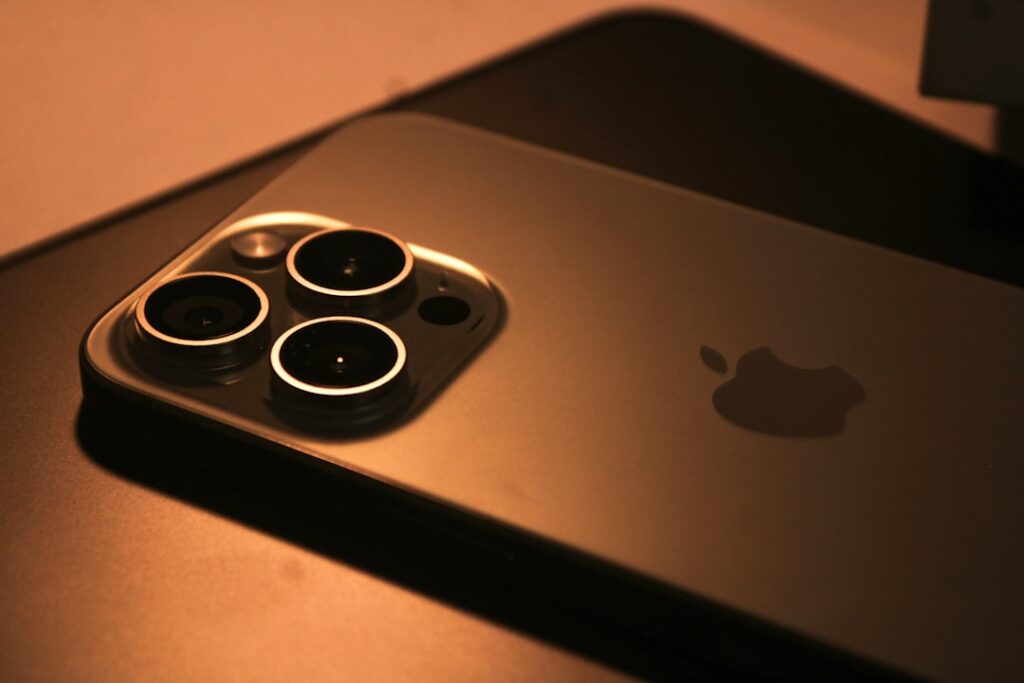
An iPhone thermal camera is a small infrared sensor module that plugs into the bottom port of an iPhone, turns it into a handheld thermal imager, and uses the phone’s processor and screen instead of carrying its own. The buying decision in 2026 is no longer just “which sensor” — it’s “which iPhone do you actually own, and what connector does that phone use?” Apple’s switch from Lightning to USB-C starting with iPhone 15 split the attachment market in half, and a case that looks fine for a stock phone can block a thermal attachment entirely. This guide walks through what changed, what still works, and what to check before you spend $200 to $500 on a phone-attach thermal.
Part of our Thermal Imaging for Homes guide — start there for the full picture →
What an iPhone thermal camera is and what changed in 2026
The hardware is a sealed module roughly the size of a small key fob. Inside sits an uncooled microbolometer — typically 80×60 or 160×120 pixels — plus a visible-light camera for image fusion and a connector that mates with the iPhone’s charging port. The phone runs a vendor app, draws power from the battery, and stores images to the camera roll. No batteries inside the module, no separate display, no charging cable.
What changed: iPhone 15, 15 Pro, 15 Plus, 15 Pro Max, and the entire iPhone 16 line ship with USB-C. iPhone 14 and earlier use Lightning. A thermal camera built around a Lightning plug will not physically fit a USB-C iPhone, and vice versa. Some vendors sell adapters; others have released dual-SKU products. A few have abandoned Lightning entirely, which means a buyer on an iPhone 13 has a shrinking selection.
The other 2026 reality is that older Lightning attachments still work on older phones, but app updates have slowed for some product lines. Before buying a discounted Lightning unit, the buyer should check the vendor’s iOS-version compatibility statement against the iOS version their phone is actually running.
iPhone 15 and newer: USB-C attachments
USB-C iPhones can use the same physical connector as Android USB-C thermal cameras, but iOS support is software-controlled. A module that works on a USB-C Android phone will not automatically work on a USB-C iPhone — Apple requires a vendor-specific iOS app and, in many cases, vendor licensing through the Made for iPhone (MFi) program. Buyers should confirm explicit iPhone support in the listing, not assume USB-C compatibility means cross-platform.
USB-C attachments on iPhone 15+ generally deliver faster image transfer and lower latency than the Lightning predecessors, because USB-C carries more bandwidth. For most thermal-imaging tasks — moisture survey, envelope leak hunting, electrical-panel scanning — the latency difference is invisible. For thermal video recording at high frame rates, USB-C is the better path.
iPhone 14 and earlier: Lightning attachments
Lightning thermal cameras remain widely available on the secondary market and from a few vendors still producing new units. The most common Lightning thermal attachment family covers iPhone 5s through iPhone 14 Pro Max. A buyer with an iPhone 12 or 13 sitting in a drawer can still build a working thermal-imaging setup for under $300 if they’re patient on auction sites. Anchor your decision against the broader home inspection tools buyer guide before committing to a connector path.
The risk with Lightning units in 2026 is end-of-life. When Apple eventually drops Lightning from iOS support — likely several iOS versions out — Lightning attachments may stop working not because the hardware fails but because the app does. Some vendors have committed to maintaining apps for the life of the device; others have not.
Case compatibility — the underestimated problem
An iPhone thermal camera plugs into the charging port. Most third-party iPhone cases extend a few millimeters past the bottom of the phone to protect the screen if dropped face-down. That extension is exactly where the thermal module needs to seat. Many users discover the conflict only after the attachment arrives.
There are three usable answers. The first is a low-profile case with a port cutout sized for the thermal module — some manufacturers list compatible cases on their site. The second is a hard-shell case that the user removes specifically for thermal sessions. The third is Apple’s own MagSafe-compatible cases, which tend to have shallower bottom lips than aftermarket cases. Heavy-duty rugged cases — OtterBox Defender and similar — almost never accommodate thermal attachments without removal.
A second case-related issue: some thermal modules have a longer-than-typical body that, once seated, extends below the phone by 15-25mm. This changes drop dynamics. The user holding the phone naturally pinches it at the bottom edge to stabilize for an inspection photo, and the protruding module can bump against work surfaces. A few vendors include silicone bumpers; most do not.
App-side workflow on iPhone
The iPhone thermal-imaging workflow is well integrated with iOS once the basics are in place. Images save to the standard Photos app with EXIF metadata indicating the thermal source. AirDrop sharing works for sending images to a Mac or another iPhone during a site visit. iCloud Photos synchronizes the captures across devices if the user wants to review images on an iPad. For inspectors building reports, this matters: a single tap from Photos into a report-writing app is faster than transferring files from a standalone camera.
Vendor apps add palette controls (rainbow, ironbow, grayscale, white-hot), temperature-spot measurement, and image-fusion blending. The InterNACHI standards reviewed at the InterNACHI infrared certification page emphasize that the operator’s interpretation, not the app, drives the inspection — palettes are a presentation choice, not a measurement.
Sensor specifications that matter
Resolution: 80×60 pixels covers most homeowner work. 160×120 pixels and 256×192 pixels resolve smaller features and are common in current iPhone-attach products. Higher resolution costs more and consumes more battery from the phone.
Thermal sensitivity (NETD): rated in millikelvin, lower is better. Most iPhone-attach thermal cameras fall in the 50-100 mK range. Standalone professional units reach 30 mK. For drafty windows, missing insulation, and warm electrical breakers, 100 mK is more than adequate.
Refresh rate: 8.7 Hz is common and is the maximum allowed under U.S. export rules for unrestricted consumer thermal cameras. Faster refresh is reserved for export-licensed pro units.
Field of view: 50-55 degrees diagonal is typical. Narrower fields concentrate the pixels on a smaller area for finer detail; wider fields cover more wall at one shot.
Power and battery considerations
An iPhone thermal attachment draws power from the phone through the connector. A typical residential thermal survey often runs about an hour or two, depending on house size. Battery drain during active thermal use is roughly 20-30 percent per hour on a recent iPhone — heavier than camera use, lighter than video streaming. A phone starting at 100 percent should comfortably finish a single-home walkthrough; a phone starting at 50 percent should be charged before the session begins.
USB-C iPhone 15 and newer can charge while a thermal camera is connected only through specialized split adapters. For most users this is irrelevant — sessions are short enough. For professional inspectors running back-to-back jobs, carrying a small power bank is the standard answer.
What it cannot do
An iPhone thermal camera shows surface temperature, not what’s inside a wall. A cold spot in drywall might be missing insulation, an air leak, or moisture — the thermal image cannot distinguish among them by itself. Standard practice is to follow up with a moisture meter at any cool area suspected of dampness, and an inspector’s blower-door test for air-leakage confirmation. ASHRAE building-envelope standards describe these workflows in detail.
It also cannot see through glass, polished metal, or shiny paint. Thermal cameras read emitted infrared, not reflected, so highly reflective surfaces show the temperature of whatever they’re reflecting rather than their own surface. This trips up first-time users who scan a stainless refrigerator and see a ghostly reflection of the room.
Common iPhone thermal scanning scenarios in detail
Window and door envelope checks: in heating season, hold the iPhone with thermal attachment at arm’s length and pan slowly across window frames, door jambs, and ceiling-wall junctions. Cold drafts show as blue or purple intrusions against the warmer interior wall colors. Document the worst leak points with screenshots and consider weatherstripping or caulk follow-up. The DOE guidance on home weatherization treats these surveys as one of the highest-return DIY efforts a homeowner can perform.
Electrical panel scans: with the panel cover removed (or, for safety, the dead-front intact while doing a non-invasive scan through the cover), pan the iPhone across all breakers. Breakers serving heavy loads — HVAC compressor, electric water heater, electric dryer — will run warmer than unused breakers. Anything dramatically warmer than its neighbors, especially under modest load, may indicate a loose connection requiring an electrician. Never remove a panel cover unless qualified to do so; non-invasive cover-on scans still surface most issues.
Ceiling and recessed-light scanning: insulation gaps above recessed lights are common in homes where lighting was retrofitted into pre-existing ceilings. Scan ceilings from below with the iPhone thermal camera; missing insulation shows as significantly cooler patches that ring or surround the light fixtures. Recessed lights themselves should be IC-rated if buried in insulation, and uneven thermal patterns can hint at improper insulation contact.
Plumbing leak hunting: a slow plumbing leak behind a wall cools the wall surface as the water absorbs heat. Cold-spot patterns that don’t correspond to insulation or windows merit follow-up with a moisture meter. The iPhone thermal camera identifies the suspicious area; the moisture meter confirms or rules out moisture.
HVAC duct survey: with the system running, scan ceilings and walls along known duct paths. Leaky ducts in unconditioned spaces show characteristic thermal patterns — warmer in heating mode where supply air escapes, cooler in cooling mode. Per the DOE energy audit framework, duct sealing typically returns 10-20 percent reductions in heating and cooling energy use.
Maintenance and storage
The thermal sensor itself does not require regular maintenance beyond keeping the germanium lens clean. A microfiber cloth — the same kind used on camera lenses — removes fingerprints and dust. Avoid harsh solvents, abrasive cloths, or aggressive scrubbing; germanium is softer than glass and scratches more easily.
Storage: keep the iPhone thermal attachment in a small protective case or sleeve when not in use. The connector pins are the most vulnerable part of the module; dropping the attachment with the pins exposed risks bending or breaking them. Most vendors include a basic carrying case in the box.
Temperature exposure: storage temperatures below freezing or above 50 degrees Celsius can affect sensor calibration. Avoid leaving the attachment in a car in summer or winter. Internal-battery models (rare for iPhone attachments but a few exist) have specific battery-temperature concerns.
When the iPhone approach is the right choice
For homeowners doing seasonal envelope checks, drafty-window hunts, and the occasional electrical-panel scan, an iPhone thermal attachment paired with a recent iPhone is the most cost-effective entry into thermal imaging. The total investment runs $250-$450, the phone is already paid for, and the storage and sharing workflow is the one the buyer already uses. The iPhone thermal camera selection guide by model walks through pairings in more detail.
For working inspectors handling 200+ jobs a year, a standalone thermal camera with a dedicated battery, eyepiece, and pistol grip will outlast and outperform a phone setup. Many inspectors carry both: the standalone for documented reports, the phone attachment for quick second-opinion shots.
References
- InterNACHI infrared thermography certification — InterNACHI
- ENERGY STAR: Seal and Insulate — U.S. Environmental Protection Agency (ENERGY STAR)
- ASHRAE standards for building envelope analysis — ASHRAE
- ASHI Standard of Practice — American Society of Home Inspectors
Frequently asked questions
Will a USB-C thermal camera work on iPhone 15?
Only if the vendor explicitly supports iOS. USB-C is a physical connector standard, but Apple controls software access through MFi licensing and vendor apps. Confirm iPhone 15 compatibility in the product listing before purchase.
Can I use a Lightning thermal camera on iPhone 15?
No. iPhone 15 and newer use USB-C. The Lightning plug is physically incompatible. Lightning thermal cameras remain usable on iPhone 14 and earlier.
Do I have to remove my iPhone case to use a thermal camera?
Often yes. Most aftermarket cases extend past the charging port and block the attachment. Low-profile cases with port cutouts work, but heavy-duty rugged cases almost always require removal.
How much battery does an iPhone thermal camera consume?
Active thermal imaging draws roughly 20-30 percent of phone battery per hour on a modern iPhone. A full survey of a single home should comfortably finish on a phone starting above 60 percent.
Thermal imaging cameras
Infrared cameras reveal hidden moisture, missing insulation, and air leaks. Phone-attachment models are the budget entry point; standalone units have higher resolution.
| Product | Why | Buy |
|---|---|---|
 FLIR ONE Pro (phone) FLIR ONE Pro (phone) | Plugs into iPhone/Android; inspector favorite. | Amazon — $349.00 |
 Topdon TC001 Topdon TC001 | High-res phone module at a low price. | Amazon — $199.99 |
 FLIR C5 Compact FLIR C5 Compact | Standalone pocket camera with Wi-Fi. | Amazon — $611.50 |