Thermal Imaging iPhone: What Homeowners Should Know in 2026
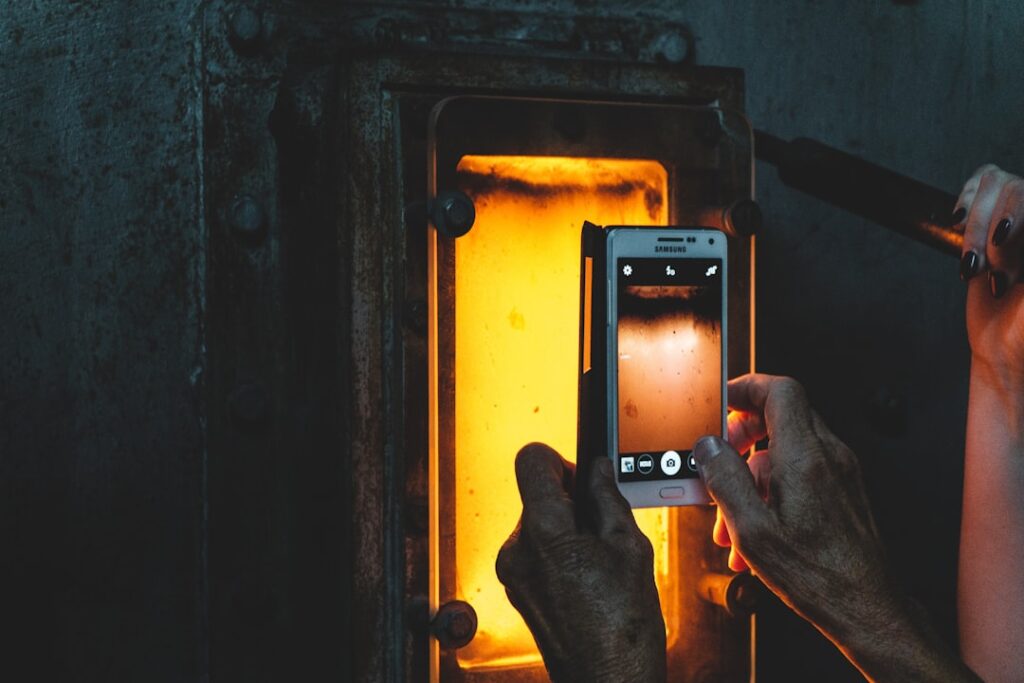
Thermal imaging on an iPhone is not done by the iPhone itself. Apple has not built a thermal sensor into any iPhone model as of 2026, and the long-circulated rumors about LiDAR-as-thermal are inaccurate; LiDAR is a structured-light depth sensor, not a long-wave infrared camera. What people mean by “thermal imaging iPhone” is a clip-on or Lightning-attached thermal sensor that uses the iPhone as a display, processor, and storage device. The dominant brand in this category is FLIR with the One Pro line, joined by Seek (CompactPRO and Shot lines) and a smaller field of competitors. This guide explains what these clip-on sensors actually do, the resolution and accuracy gap relative to standalone thermal cameras, and where the iPhone-attached format genuinely earns its place in a homeowner toolkit.
Part of our Thermal Imaging for Homes guide — start there for the full picture →
How Thermal Imaging on iPhone Actually Works
A thermal imaging iPhone setup uses a separate microbolometer sensor that attaches via Lightning, USB-C (on the latest models), or wireless connection. The sensor captures long-wave infrared radiation in roughly the 7.5-14 micrometer band, the band where room-temperature objects emit most of their thermal energy. The sensor data streams to the iPhone, where the manufacturer’s app (FLIR Tools, Seek Thermal app) renders the data as a colorized thermal image, applies the user’s color palette and temperature scale, and saves images and video to camera roll.
The iPhone provides the display, the GPS for image geotagging, the processor for image enhancement, and cloud storage. The sensor provides the actual thermal data. Sensor quality is what drives image quality; the iPhone’s role is largely interface and storage. The parent home inspection tools hub covers how thermal imaging fits the broader inspector toolkit.
The Resolution and Sensitivity Gap
The headline spec for any thermal camera is sensor resolution, expressed as horizontal by vertical thermal pixels. Clip-on thermal sensors for iPhone occupy a specific resolution band. The FLIR One Pro is 160×120 thermal resolution with FLIR’s MSX visual-light enhancement that overlays edges from the iPhone’s camera onto the thermal image. The Seek Compact line runs 206×156 thermal resolution; the higher-end CompactPRO is 320×240. Standalone professional cameras (FLIR E8 Pro, FLIR E96, Fluke TiX580) range from 320×240 to 640×480 thermal resolution.
Thermal sensitivity (NETD, noise-equivalent temperature difference) is the second key spec. FLIR One Pro publishes 70 mK NETD; Seek CompactPRO publishes <70 mK. Standalone professional cameras run 30-50 mK. Lower NETD means smaller temperature differences are visible. For most homeowner applications (insulation gaps, water leaks, electrical hot spots), the clip-on tier is genuinely useful. For demanding professional applications (microcracks in equipment, very small temperature deltas in industrial inspection), the standalone tier remains necessary.
What MSX and Visual Overlay Add
FLIR’s MSX (Multi-Spectral Dynamic Imaging) feature uses the iPhone’s regular camera to capture visual edges and overlays them on the thermal image. The result is a thermal picture where structural details (wall outlines, electrical outlets, framing edges) are visible alongside the heat data. This makes images far easier to interpret than a pure thermal blob. Seek offers a similar feature called SeekFusion. The visual overlay is a meaningful interpretive tool for homeowners less practiced at reading raw thermal data.
What an iPhone Thermal Camera Can Find
Clip-on thermal cameras handle a specific set of homeowner diagnostic tasks well. Insulation gaps in walls and attics show as cool patches in winter or warm patches in summer; the FLIR One Pro and Seek CompactPRO have enough resolution to map gap distributions across an entire wall in a few minutes. Water leaks and active moisture often appear as cool patches because evaporation removes heat from surrounding material; this is one of the most useful applications, especially when paired with a moisture meter to confirm.
Electrical issues including overloaded breakers, loose connections in panels, and overheating outlets show as hot spots. Air leaks around windows, doors, and electrical penetrations show as drafts when the indoor-outdoor temperature delta is sufficient (typically 15-20 degrees Fahrenheit). HVAC duct leaks and underfloor heating malfunctions are visible. Heated floor failures stand out clearly when the system is running. Sibling resources like home thermal imaging applications walk through these use cases in detail.
Where iPhone Thermal Cameras Fall Short
Three limits constrain clip-on thermal cameras. First, low resolution makes precise spot-temperature readings harder; a 160×120 sensor averages temperature across each pixel, and the pixel covers a meaningful area at typical inspection distances. Second, fixed lenses (no telephoto option) limit the working distance for small targets; FLIR and Seek both publish minimum focus distances of about 12-18 inches, with lower spatial resolution at longer ranges. Third, accuracy of absolute temperature readings on shiny or low-emissivity surfaces (polished metal, glass, glossy paint) is poor; this is a physics limit affecting all thermal cameras but is more pronounced on lower-resolution units.
Battery and thermal management is also worth flagging. FLIR One Pro and Seek attach directly to the iPhone, drawing minor power from the phone and adding modest thermal load. Extended sessions in hot environments can warm the iPhone enough to trigger thermal throttling. Most homeowner use is brief enough to avoid this, but full attic inspections in summer can occasionally trip the warning.
Comparing FLIR One Pro vs Seek CompactPRO
The two dominant brands in the iPhone thermal category have different design philosophies. FLIR One Pro emphasizes ease of use and image quality through MSX visual enhancement; the app is approachable for first-time thermal users and the images look polished. Pricing in 2026 runs $400-$500 depending on iPhone connector version. Seek CompactPRO emphasizes raw thermal resolution at a similar price; 320×240 thermal is the highest resolution available in the iPhone-clip format, and Seek’s app exposes more advanced features (manual emissivity entry, level/span adjustment) for users wanting more control.
For first-time homeowner buyers, FLIR One Pro is the more forgiving choice because MSX makes images easier to interpret. For users who want maximum thermal detail and are comfortable with manual interpretation, Seek CompactPRO delivers more pixels per dollar. Both brands produce defensible imagery for homeowner diagnostic use.
Pricing and Value in 2026
Pricing in 2026 for iPhone-attached thermal sensors stacks like this. Entry sensors (Seek Compact, FLIR One Gen 3) run $200-$300 with 160×120 to 206×156 thermal resolution; these are reasonable for occasional use but resolution-limited. Mid-tier sensors (FLIR One Pro, Seek CompactPRO) run $400-$500 with 160×120 (FLIR with MSX) to 320×240 (Seek) thermal resolution; this is the value sweet spot for serious homeowners and casual professional use. Standalone professional cameras (FLIR E8 Pro, FLIR Cx series, Hikmicro Pocket2) start at $1,000-$2,500 and run to $5,000+ for inspector-grade units with 320×240-640×480 resolution.
The decision against a standalone unit usually comes down to portability and integration. The iPhone form factor is compact, uses the phone the user already owns, and integrates with iCloud photo backup automatically. For occasional homeowner use that does not justify $1,500+ on a standalone camera, the clip-on format delivers most of the value. Sibling resources like buying a thermal imaging camera generally compare formats more broadly.
iPhone Compatibility Notes
FLIR and Seek both publish current compatibility tables. With the iPhone 15 and newer using USB-C, both manufacturers offer USB-C versions of their clip-on sensors. Older iPhones with Lightning ports use the Lightning version. Neither manufacturer has a wireless-only consumer model in this price tier as of 2026; standalone thermal cameras with Wi-Fi handoff are the alternative for users who want phone-independent capture.
iPad compatibility is similar; the larger screen makes image review easier, and FLIR’s MSX rendering benefits from the higher pixel count. For homeowners who own an iPad and an iPhone, attaching the sensor to the iPad for review and to the iPhone for portable capture works well. Both apps sync images via iCloud.
How to Use a Thermal Imaging iPhone Setup Well
Three habits separate productive use from photo-grade screenshots. First, ensure adequate temperature delta between the target and its surroundings; thermal contrast is what makes anomalies visible, and an attic at 70F looking at framing also at 70F shows nothing useful. Aim for 15F+ delta when possible. Second, set emissivity correctly for the target material (most apps offer a presets list); paint and finished wood are around 0.95, polished metal is around 0.1, and using the wrong value distorts spot temperatures. Third, capture a baseline reference image of a known-normal area for comparison; thermal images are easier to interpret with a reference than in isolation.
Saving the visual-light photo alongside the thermal image is also worth the habit; FLIR Tools and Seek both save both automatically when MSX or SeekFusion is active. Reviewing both together later, sometimes weeks after the inspection, makes the imagery more useful.
References
- Infrared Thermography in Home Inspection — International Association of Certified Home Inspectors
- ASHI Standard of Practice — American Society of Home Inspectors
- International Code Council Resources — International Code Council
Frequently asked questions
Does the iPhone have a built-in thermal camera?
No. Apple has not integrated a thermal sensor into any iPhone model as of 2026. The LiDAR sensor on Pro models is structured-light depth sensing, not thermal imaging. Thermal imaging on iPhone requires a separate clip-on sensor like the FLIR One Pro or Seek CompactPRO.
What is the best thermal camera for iPhone?
FLIR One Pro and Seek CompactPRO are the dominant choices in the $400-$500 range. FLIR One Pro is more approachable for first-time users thanks to MSX visual enhancement; Seek CompactPRO delivers higher raw thermal resolution at 320x240 for users who want more detail.
How much does an iPhone thermal camera cost?
Entry-level sensors (Seek Compact, FLIR One Gen 3) run $200-$300. Mid-tier sensors (FLIR One Pro, Seek CompactPRO) run $400-$500. Standalone professional thermal cameras start at $1,000-$2,500, well above the iPhone-clip price tier.
Can iPhone thermal cameras find water leaks?
Yes, when the leak creates a temperature contrast against surrounding material. Active leaks often appear as cool patches because evaporation removes heat. Pairing the thermal image with a moisture meter to confirm the temperature anomaly is actually moisture is the standard workflow.
Are iPhone thermal cameras accurate enough for home inspection?
For homeowner-level diagnostic use (insulation gaps, leaks, electrical hot spots, HVAC issues), yes. For professional inspector documentation where image resolution and absolute temperature accuracy drive reports, standalone professional cameras at 320x240 or higher resolution remain the standard tool.
Thermal imaging cameras
Infrared cameras reveal hidden moisture, missing insulation, and air leaks. Phone-attachment models are the budget entry point; standalone units have higher resolution.
| Product | Why | Buy |
|---|---|---|
 FLIR ONE Pro (phone) FLIR ONE Pro (phone) | Plugs into iPhone/Android; inspector favorite. | Amazon — $349.00 |
 Topdon TC001 Topdon TC001 | High-res phone module at a low price. | Amazon — $199.99 |
 FLIR C5 Compact FLIR C5 Compact | Standalone pocket camera with Wi-Fi. | Amazon — $611.50 |