Radon Monitor for Home: Continuous Radon Monitoring Guide
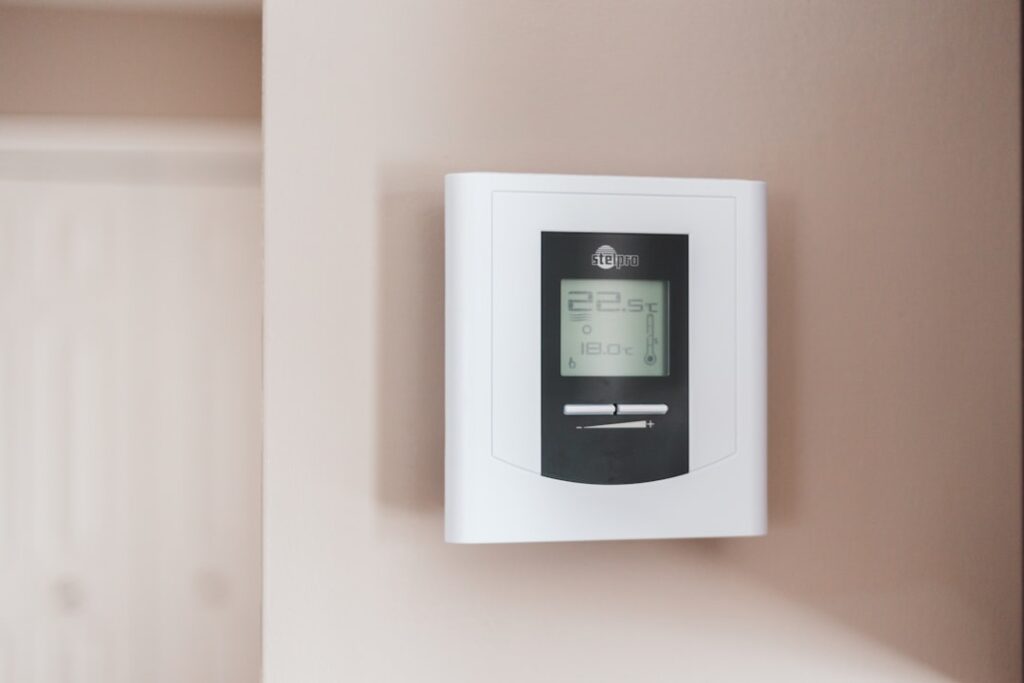
A radon monitor for home — properly called a continuous radon monitor or CRM — gives homeowners ongoing real-time visibility into indoor radon concentration rather than the single-snapshot result from a short-term charcoal canister. For Front Range homeowners living in EPA Zone 1, a CRM is the single most useful long-term tool for managing radon risk. This guide focuses on the CRM category specifically: top consumer-grade devices, what they measure, how they differ from short-term kits, and when they’re worth the $150 to $300 price tag. Radon is a health-adjacent topic; this overview summarizes EPA, CDPHE, and CDC guidance current as of 2026 and is not medical advice.
Part of our Radon Levels guide — start there for the full picture →
What Is a Radon Monitor for Home Use?
A continuous radon monitor is a battery-powered or AC-powered device that samples indoor air continuously, detects alpha particles emitted by radon decay products, and reports the running concentration in picocuries per liter (pCi/L). Most consumer-grade CRMs use one of two detection technologies:
- Pulsed ionization chambers — used by AirThings devices, low power consumption, accurate over long-term averaging
- Silicon photodiode alpha detectors — used by RadonEye and similar devices, faster response, accurate over short-term measurement
CRMs report short-term (1-day), medium-term (7-day), and long-term (yearly) averages. The longer the averaging window, the more reliable the result, because indoor radon varies day to day with weather, HVAC operation, and household activity.
What CRMs Tell You That Short-Term Kits Don’t
A 48-hour charcoal canister gives one number: the average concentration over the two days the kit was deployed. That’s useful as an initial screen, but it has limits:
- Short-term results vary significantly with weather (cold snaps and barometric drops elevate indoor radon)
- A single short-term test may not reflect annual average exposure (EPA notes seasonal variation can be 2x or more)
- The result doesn’t show how concentration changes through the day (radon typically peaks overnight when HVAC is off)
A CRM solves these problems by averaging across days, weeks, and months. After a year of operation, the CRM’s long-term average is statistically far more reliable than any single short-term result. Homeowners can also see how seasonal variation affects their specific home — useful for evaluating whether the basement is materially worse than the main floor, or whether winter readings warrant attention.
Top Consumer CRMs in 2026
Three devices dominate the consumer-grade CRM market:
AirThings View Radon
Wall-mounted, ePaper display, runs on 2 AA batteries with multi-year life. Reports 1-day, 7-day, and long-term averages. Includes WiFi for app connectivity and historical data review. Roughly $250 to $300. Uses pulsed ionization chamber technology with a 24-hour first-meaningful-reading lag.
Strengths: long battery life, attractive form factor, robust app, historical data export. Limitations: 24-hour minimum for first reading, less responsive to short-term spikes than the RadonEye.
Corentium Home (AirThings)
Tabletop predecessor to the View Radon. Battery-operated, LCD display, no WiFi. Reports 1-day, 7-day, and long-term averages on the device. Roughly $150 to $200. Same pulsed ionization chamber technology.
Strengths: simpler, lower cost, no app dependency. Limitations: no remote monitoring, no historical data export beyond what’s shown on screen.
RadonEye RD200
Wall-mounted or tabletop, AC-powered, LCD display. Updates every 10 minutes after a 60-minute warm-up. Bluetooth and WiFi app connectivity. Roughly $200 to $250. Uses silicon photodiode alpha detection.
Strengths: fastest response time, useful for spot-checking specific rooms or evaluating mitigation system effectiveness in near-real-time. Limitations: must be plugged in, more expensive than the Corentium Home, app slightly less polished than AirThings.
Other Notable Devices
Beyond the big three, the AirThings Wave Plus combines radon, CO2, TVOC, humidity, and temperature in one unit ($250 to $300). The EcoQube and some hobby-grade devices exist but are less established. Buyers comparing the broader detector category across all device types can read our best radon detector for home buyer’s guide.
How Accurate Are Consumer CRMs?
Independent testing — including studies referenced by EPA and CDPHE — consistently shows consumer-grade CRMs from AirThings and similar manufacturers track NRPP-accredited reference monitors within roughly 20% over long-term averaging. For homeowner decision-making, that accuracy is more than sufficient. The CRMs are not approved as official real-estate-transaction measurement devices in all states; some states require an NRPP-certified professional measurement for the official record on a property transfer.
CRM accuracy improves with time. The first 24 to 48 hours of readings should be considered preliminary. After a week, the running average is reliable. After a month, the long-term average is statistically robust.
Where to Place a CRM
Placement rules mirror short-term kit guidance:
- Lowest occupied level (basement if used, otherwise first floor)
- 2 to 6 feet above the floor
- Away from exterior walls and windows
- Away from drafts, HVAC vents, kitchens, bathrooms
- In a frequently occupied space, not a closet or utility room
For finished basements used as living space, the basement is the right deployment location. For unfinished basements or homes without basements, the lowest floor used for living, sleeping, or working applies. Some homeowners run two CRMs — one in the basement, one on the main floor — to track the floor-by-floor differential. Most homes show basements 2 to 4 times higher than upper floors, but the ratio varies. Buyers wanting basement-specific framing can also see our radon in basements guide.
How to Use CRM Data
The most useful CRM workflow:
- Install and let it run for at least 30 days before drawing conclusions
- Note when the long-term average stabilizes (typically after 2 to 4 weeks)
- Compare the long-term average against EPA’s 4 pCi/L action level and WHO’s 2.7 pCi/L reference
- Track seasonal variation across a full year (winter cold-snap readings are often the highest)
- If above EPA action level, plan mitigation; if borderline, retest with a long-term alpha track for confirmation
- After mitigation, the CRM is the easiest tool to verify the system is working
- Retest the annual average every year (the CRM does this automatically)
The seasonal variation point is important for Colorado. Front Range homes typically run highest in winter (cold-stack effect drives more soil gas into the home) and lowest in summer. A CRM captures both extremes; a short-term test captures only the window it was deployed.
When a CRM Is and Isn’t the Right Tool
A CRM is the right tool for:
- Ongoing monitoring in any home, especially in Zone 1 areas
- Verifying mitigation system effectiveness after installation
- Tracking seasonal and weather-driven variation
- Confirming initial short-term test results over a longer period
- Spot-checking individual rooms or floors
A CRM is not the right tool for:
- Official real-estate-transaction measurement (state-by-state; many require NRPP-certified pro)
- Single-event spot measurements (24-hour minimum response time on most consumer units)
- Situations where a defensible chain-of-custody is needed (insurance, litigation)
For real-estate transactions in Colorado, the buyer’s inspector typically deploys a state-recognized continuous monitor under the closed-house protocol for the 48-hour inspection window. The buyer’s own CRM is supplementary, useful for post-purchase ongoing awareness.
Cost Comparison: CRM vs Other Testing Options
Five-year cost of ownership comparison:
- Short-term kits annually ($25 each): $125 over 5 years
- Long-term alpha track tests every 2 years ($30 each): $75 over 5 years
- Consumer CRM (one-time $250 purchase): $250 over 5 years, continuous data
- NRPP-certified professional measurement annually ($175 each): $875 over 5 years
The CRM is the most data-rich option per dollar spent, especially for homeowners in Zone 1 who want ongoing visibility. The continuous data also helps homeowners understand cause-and-effect for any changes — running the HVAC differently, finishing the basement, opening windows seasonally — that affect indoor radon.
Radon Risk Context
EPA estimates radon causes approximately 21,000 lung cancer deaths annually in the United States, making it the second-leading cause after smoking. Risk scales with concentration and duration of exposure following the linear no-threshold model — no level of exposure is conclusively safe. For Front Range homeowners in Zone 1, baseline radon concentrations are elevated relative to most of the country, which makes ongoing awareness particularly valuable. The CDPHE radon program publishes Colorado-specific risk data and certified-mitigator listings. Buyers planning mitigation can review our radon testing pillar page for the broader Front Range framing.
Setting Up a CRM for the First Time
Most consumer CRMs are simple to deploy:
- Unbox and install batteries (Corentium, View Radon) or plug in (RadonEye)
- Position in the planned monitoring location (basement, main floor, bedroom)
- Wait for the warm-up period (typically 24 to 48 hours)
- Connect to the app (View Radon, RadonEye) for historical data and remote monitoring
- Note the start date for tracking averages from a known baseline
The first 24 hours of readings should be considered preliminary. After 48 hours, the short-term average is reliable. After a week, the weekly average is meaningful. After a month, the long-term average starts to converge to the home’s true mean. Patience matters — moving the unit weekly and looking at 24-hour readings produces less useful data than leaving it in one place for months.
Comparing CRM Brands in Detail
For homeowners choosing between the top devices, several points beyond marketing matter:
AirThings View Radon vs Corentium Home: Same detection technology, same accuracy. View Radon adds WiFi, ePaper display, and a more featureful app. If you want historical data export and remote monitoring, pay the $50 to $100 premium. If you want the cheapest reliable option, the Corentium Home is the pick.
RadonEye RD200 vs AirThings: Different detection technology (silicon photodiode vs pulsed ionization chamber). The RadonEye responds faster — useful for commissioning a new mitigation system where you want to see the impact within hours. AirThings has stronger long-term averaging characteristics. For pure ongoing-monitoring use, AirThings is the pick; for active commissioning, RadonEye.
AirThings Wave Plus vs View Radon: Wave Plus adds CO2, TVOC, humidity, and temperature. If you care about indoor air quality broadly, the Wave Plus is a $20 to $50 premium for substantially more data. If you only want radon, the View Radon is sharper.
Using a CRM During a Real-Estate Transaction
For sellers preparing to list a Front Range home, a CRM running for several months before listing provides documented evidence of the home’s typical radon levels. This is useful disclosure information that can preempt buyer concerns. Sellers can include the CRM data in the disclosure package.
For buyers, a personal CRM after closing is the easiest tool for verifying that any pre-purchase test result was representative. Many buyers find their post-closing CRM data tracks the inspector’s 48-hour test result; some find seasonal variation that requires reconsidering the mitigation decision after a winter season.
CRM Maintenance Over Time
CRMs require minimal maintenance:
- Replace batteries annually (battery-powered units) or check power cord (AC-powered units)
- Dust the unit’s air intake annually to prevent obstruction
- Periodically verify the displayed concentration against a recent short-term kit (recalibration check)
- If the device shows abnormal readings (very low, very high, or zero) check for placement issues or battery problems
- Some manufacturers offer factory calibration check programs for $50 to $100 every 2 to 3 years
Most consumer CRMs last 7 to 10 years with minimal maintenance. The detection element doesn’t degrade quickly under normal indoor conditions. Replacement is a $150 to $300 expense every decade — a manageable line item for the data quality the device provides.
References
- EPA radon health risk overview — Environmental Protection Agency
- CDPHE Colorado radon program — Colorado Department of Public Health and Environment
- CDC radon overview — Centers for Disease Control and Prevention
- American Lung Association radon page — Lung.org
Frequently asked questions
How much does a radon monitor for home cost?
Consumer-grade continuous radon monitors typically cost $150 to $300. The Corentium Home is the entry-level pick at $150 to $200; the AirThings View Radon and RadonEye RD200 sit at $200 to $300.
Are home radon monitors accurate enough to trust?
Yes, for homeowner decision-making. Independent testing shows consumer CRMs from AirThings and similar manufacturers track reference monitors within roughly 20% over long-term averaging. For real-estate transactions, some states still require NRPP-certified professional measurement.
How long does it take to get a meaningful reading?
24 to 48 hours for a preliminary number, one week for a stable short-term average, one month for a reliable medium-term value, and one year for a long-term annual average.
Can I use a CRM to verify mitigation system performance?
Yes. A CRM is the easiest tool for ongoing verification. Place it in the same location as the pre-mitigation test and watch the running average drop after the system activates. A 50% to 80% reduction is typical for properly designed sub-slab depressurization systems.
Front Range homeowners testing high on their CRM can connect through our contact page for a referral to a CDPHE-certified mitigator.
Continuous radon detectors
A digital monitor gives you an always-on reading and a long-term average — better than a one-shot kit if you want to track levels over time.
| Product | Why | Buy |
|---|---|---|
 Airthings Corentium Home Airthings Corentium Home | Battery, portable; trusted long-term average. | Amazon — $142.99 |
 Ecosense RadonEye RD200 Ecosense RadonEye RD200 | Fast first reading (~1 hr); app logging. | Amazon — $169.00 |
 Airthings View Plus Airthings View Plus | Radon + CO2 + PM + VOC in one unit. | Amazon — $329.99 |