Fluke Thermal Camera Phone Pairing: Android and iOS Guide

Connecting a Fluke thermal camera to a phone — whether Android or iOS — follows a consistent Bluetooth-companion design across the entire current Fluke thermal product line. The cameras themselves are standalone units with built-in displays, batteries, and storage; the phone serves as a companion device for image transfer, cloud sync, and report generation through the Fluke Connect app. This guide covers the phone-pairing workflow generically across both major mobile platforms, the Bluetooth and Wi-Fi capabilities involved, and the practical limitations that shape how the workflow plays out on a real inspection job.
Part of our Thermal Imaging for Homes guide — start there for the full picture →
The core Fluke phone-companion design
Every current Fluke thermal camera that integrates with phones — the iSee TC450, TC550, TC600, and the larger Ti-Series pistol-grip handhelds — uses the same fundamental architecture. The camera captures and stores images independently on its own internal microSD storage, displays a live thermal feed on its own integrated screen, and connects to a phone via wireless protocols only when image transfer or remote control is wanted. This is fundamentally different from phone-attached thermal accessories (FLIR ONE Pro, Seek Thermal) where the phone IS the camera’s display.
The phone-companion design has both Android and iOS implementations through the Fluke Connect app, available on Google Play and the Apple App Store. The app provides the same core functionality on both platforms: device pairing, image transfer, cloud sync, annotation, and report generation. The user interface and integration with platform-specific features (sharing, file system, notifications) differ slightly between Android and iOS, but the fundamental workflow is consistent.
Bluetooth pairing across phone platforms
Bluetooth Low Energy (BLE) is the primary connection protocol between Fluke thermal cameras and phones. Pairing follows the standard process for each platform: power on the camera, open the Fluke Connect app, navigate to the device pairing screen, accept the pairing request that appears on the phone. First-time pairing takes one to two minutes and persists across subsequent sessions until the user manually unpairs or factory-resets either device.
Bluetooth is responsible for the device-discovery, command-channel, and small-data exchange between camera and phone. Capturing an image remotely from the phone, changing camera settings remotely, and triggering a small status query all happen over Bluetooth. The protocol’s strength is connection reliability and low power consumption, both on the camera and the phone.
The Bluetooth range is typically 10 meters (33 feet) line-of-sight under ideal conditions, less in environments with substantial signal interference. For inspection scenarios where the phone and camera are within a single room or close enough for the inspector to control both, range is rarely a limiting factor.
Image transfer: Bluetooth versus Wi-Fi
The Bluetooth limitation that matters most for thermal imaging workflow is image transfer speed. Radiometric thermal images — which include temperature data for every pixel alongside the visible image — are larger than typical photos, and Bluetooth transfer speeds (around 1 to 2 Mbps practical for BLE) translate to several seconds per image. Transferring 50 to 100 images at the end of a typical inspection session takes 10 to 20 minutes over Bluetooth alone.
The TC600 and most current Ti-Series cameras add Wi-Fi capability that significantly accelerates transfer. Wi-Fi-to-phone transfer typically completes a single radiometric image in under a second, and bulk transfers of 50 to 100 images complete in two to five minutes rather than 15 to 20 minutes. The Wi-Fi mode requires the phone to join the camera’s local network temporarily, which is straightforward on both Android and iOS but represents an extra setup step compared to the persistent Bluetooth pairing.
For inspectors who routinely transfer large image volumes per job, the Wi-Fi-equipped cameras (TC600 and most Ti-Series) save substantial time over a typical workweek. For occasional users or lower-volume workflows, the Bluetooth-only transfer on lower-tier iSee models (TC450, TC550) is adequate.
Phone platform compatibility specifics
The Fluke Connect Android app supports Android 8.0 (Oreo) and newer, covering the substantial majority of Android phones in active use. Hardware compatibility requires working Bluetooth Low Energy support, which all Android phones from 2016 onward provide. Specific phone models with non-standard Bluetooth implementations occasionally have pairing issues — these are usually resolved with firmware updates or in rare cases by using an alternative pairing flow.
The Fluke Connect iOS app supports iOS 14 and newer, covering iPhone 6s and newer hardware. iPad support is included for both standard iPads and iPad Pro models running compatible iOS versions. The iOS Bluetooth pairing is generally more standardized than Android’s because Apple controls the BLE stack tightly, with fewer reported compatibility edge cases.
Cross-platform workflows — where one team uses both Android and iOS devices accessing the same Fluke Connect cloud account — work cleanly because the cloud sync is platform-agnostic. Images captured to one device transfer through the cloud and become available on another device of either platform. Phone-attached alternatives covers a comparable cross-platform consideration for non-Fluke users.
What the Fluke Connect app provides on either platform
The Fluke Connect app provides device pairing and image transfer (covered above), in-app image management with annotation tools (spot temperature markers, area boxes, text notes), template-based PDF report generation, and cloud sync that makes content available across devices. The app also integrates with other Fluke instruments — multimeters, clamp meters, vibration meters — through the same paired-device framework, consolidating multiple instrument readings into a single job record.
For working inspectors using thermal imaging alongside other Fluke instruments, this consolidation has substantial workflow value. A typical inspection might log thermal scans of the attic, multimeter voltage readings at the electrical panel, and clamp meter current readings on major appliances — all captured through different instruments but assembled into a unified Fluke Connect report. The Android and iOS apps handle this consolidation equivalently.
Practical phone workflow during an inspection
The typical inspection workflow uses the camera’s built-in display for active capture and reserves the phone for end-of-session image management. The inspector walks the property, captures images on the camera with its own screen as the live preview, adds basic annotations on the camera, and saves to the microSD card. At natural pause points or at the end of the session, the inspector pairs the camera with the phone and transfers images either selectively or in bulk to the Fluke Connect app.
This pattern keeps the phone out of awkward physical situations during capture — ladder work, confined spaces, busy electrical environments — where managing a phone alongside a camera would be impractical. The phone re-enters the workflow during the report-organization phase, where its larger screen and platform-native sharing tools matter more than during raw image capture.
For inspectors who want simultaneous phone-screen preview during capture, Fluke’s remote-camera-control feature allows the phone to act as a remote viewfinder over Bluetooth. The latency is noticeable (several frames per second of preview rather than smooth live video), but the feature works for capture-and-frame workflows where the inspector wants to see the image on the larger screen before triggering capture. This is generally a niche use case rather than a routine workflow.
Phone storage and cloud sync considerations
Captured radiometric images are typically 1 to 3 megabytes each, meaning 100 images take 100 to 300 MB of phone storage. Modern phones with 64 GB or more of internal storage handle this easily, but extended use accumulates significant storage demand over months of work. The Fluke Connect cloud sync option offloads images to cloud storage and frees local space, though offline access to older images requires keeping local copies.
The cloud sync runs through Fluke’s servers under the user’s Fluke Connect account. Storage limits vary by account tier (free versus paid), with the paid tier offering substantially more storage and team-sharing features. Home inspection tools hub covers complementary equipment and software that pairs with thermal imaging workflows.
Multi-device pairing for team workflows
Fluke Connect supports multi-device pairing scenarios where a single camera connects to multiple phones over its lifetime, and where a single Fluke Connect account spans multiple devices used by different team members. A field inspector might capture thermal images on a camera paired with their primary work phone, then later transfer the same images to an office tablet running Fluke Connect for report finalization. The cloud sync handles the cross-device availability transparently.
The pairing model itself, however, is one-camera-to-one-phone at a time. A camera paired with one phone must be unpaired before re-pairing with a different phone, which is a quick process but is not entirely automatic. For teams that share cameras across multiple inspectors, establishing a clear handoff procedure prevents pairing-state confusion during active jobs. Some teams designate one phone as the camera’s persistent companion and accept that all transfers route through that device before cloud sync makes images available to other team members.
Where the Bluetooth limitation matters most
The Bluetooth-only transfer on lower-tier iSee cameras (TC450, TC550) becomes friction in three specific scenarios. First, inspectors who routinely capture more than 50 images per job lose 10 to 20 minutes per session waiting for transfer to complete. Second, inspectors who want immediate post-capture review on a phone screen face the multi-second transfer delay per image. Third, situations where the report must be generated and delivered while still on-site (rare in residential work, more common in some commercial scenarios) make the transfer time more costly.
The TC600 with Wi-Fi transfer largely resolves these issues, as do the Ti-Series handhelds. For occasional users and lower-volume workflows, the Bluetooth limitation is manageable; for high-volume professionals, the Wi-Fi-equipped models justify the price premium.
Battery impact on the host phone
One of the practical advantages of the Fluke phone-companion design over phone-attached alternatives is reduced battery drain on the phone itself. A phone-attached thermal accessory continuously draws power from the host phone to run the thermal sensor and processing, which can reduce phone battery life by 30 to 50 percent during active use. A phone-connected Fluke camera draws no power from the phone during capture because the camera operates on its own battery. The phone consumes Bluetooth and app overhead only during sync operations.
For inspectors running full-day field workflows where the phone also handles other tasks — calls, navigation, client communications, inspection report software — the reduced battery impact matters. A typical inspector phone with the Fluke Connect app running in the background but not actively syncing loses negligible battery to the thermal workflow. The same phone with a FLIR ONE Pro attached and the app running actively can consume substantial battery over a half-day session, sometimes requiring a charging break mid-day.
Phone-pairing comparison with phone-attached alternatives
The FLIR ONE Pro USB-C and similar phone-attachment cameras bypass the entire Bluetooth-pairing-and-transfer workflow by using the phone directly as the camera. Captured images live on the phone immediately, with no separate transfer step. For homeowners and occasional users, this immediacy is attractive and the price point is lower than entry-level Fluke iSee units.
The trade-off favors phone-attached for simplicity and immediate workflow, and favors the Fluke phone-companion design for durability, dedicated camera form factor, multi-instrument integration, and use in environments where managing a phone alongside the camera is impractical. Neither approach is universally better — the right choice depends on the specific workflow context and complementary tool ecosystem the user already has.
References
- ENERGY STAR: Seal and Insulate — U.S. Environmental Protection Agency (ENERGY STAR)
- HVAC Thermography Resources — ASHRAE
- Infrared Certification Program — InterNACHI
- NFPA 70B Electrical Equipment Maintenance — National Fire Protection Association
Frequently asked questions
Do Fluke thermal cameras work with both Android and iPhone?
Yes. The Fluke Connect app is available on Google Play and the Apple App Store with equivalent core functionality on both platforms. Bluetooth pairing, image transfer, and report generation work the same way across Android and iOS, though platform-native features like sharing and file system integration differ slightly.
How fast does Bluetooth image transfer work on Fluke thermal cameras?
Bluetooth Low Energy typically transfers radiometric thermal images at several seconds per image. Transferring 50 to 100 images at the end of an inspection session takes 10 to 20 minutes. The TC600 and most current Ti-Series cameras support Wi-Fi transfer that reduces this to two to five minutes for the same image volume.
What's the Bluetooth range between a Fluke thermal camera and a phone?
Approximately 10 meters (33 feet) line-of-sight under ideal conditions, less in environments with substantial signal interference. For typical inspection scenarios where the phone and camera are within the same room, range is rarely a limiting factor.
Can I see the thermal image on my phone while capturing with a Fluke camera?
Fluke's remote-camera-control feature allows the phone to act as a remote viewfinder over Bluetooth, but the live preview frame rate is slower than the camera's own integrated display. Most inspectors use the camera's built-in screen for active capture and reserve phone interaction for post-capture image management.
Thermal imaging cameras
Infrared cameras reveal hidden moisture, missing insulation, and air leaks. Phone-attachment models are the budget entry point; standalone units have higher resolution.
| Product | Why | Buy |
|---|---|---|
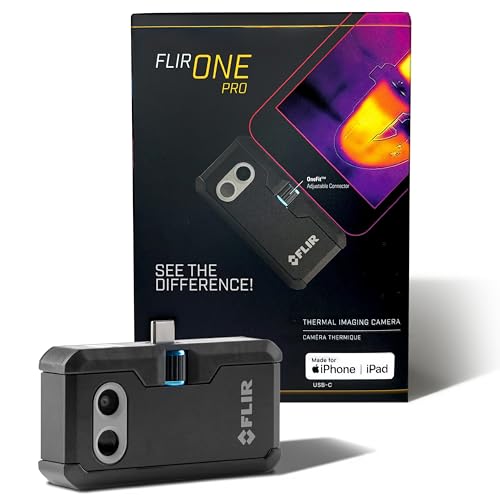 FLIR ONE Pro (phone) | Plugs into iPhone/Android; inspector favorite. | Amazon — $349.00 |
 Topdon TC001 | High-res phone module at a low price. | Amazon — $262.99 |
 FLIR C5 Compact | Standalone pocket camera with Wi-Fi. | Amazon — $649.00 |