Thermal Imaging Camera for Phone: 2026 Buyer Guide
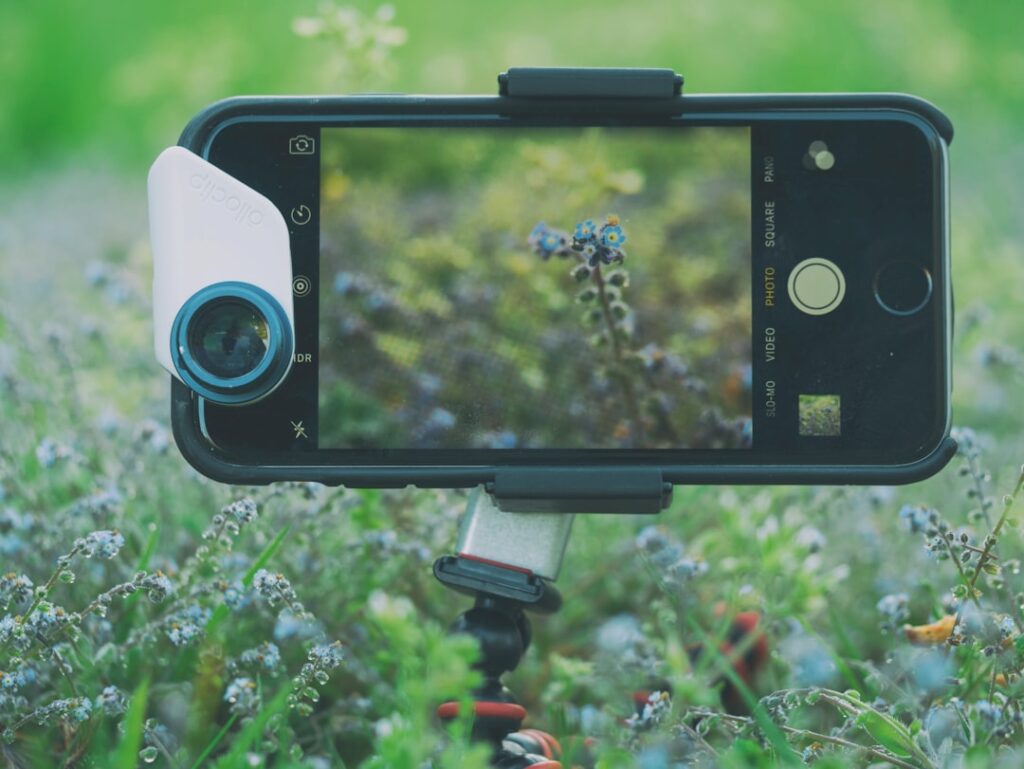
A thermal imaging camera for phone is a microbolometer sensor in a small housing that plugs into a smartphone’s data port and uses the handset’s screen, processor, battery, and storage. The category exists because a standalone thermal imager from FLIR, Seek, or Hikmicro costs anywhere from $400 to several thousand dollars, while a phone-tethered model that produces similar thermal images for diagnostic walk-throughs starts under $300. This guide walks through how the hardware works, what the connector landscape looks like in 2026, and where the attachment model breaks down versus a dedicated handheld.
Part of our Thermal Imaging for Homes guide — start there for the full picture →
What a thermal imaging camera for phone actually is
The attachment houses an uncooled microbolometer — a grid of pixels that change electrical resistance when hit by long-wave infrared (LWIR) photons in the roughly 8 to 14 micron band. The phone reads that data over the connector, runs the manufacturer’s app, and overlays a color palette on the thermal frame. The phone does not “see” heat itself; the attachment does. Cameras built into the iPhone or a Pixel are silicon CMOS sensors that respond to visible and near-infrared light, not the mid- or long-wave infrared bands needed for thermography.
Why a phone attachment instead of a standalone imager
Three reasons drive the market. First, price: a FLIR ONE Gen 3 or Edge Pro lands between $250 and $700, where a comparable resolution standalone runs $1,500 and up. Second, the smartphone already provides the display, processor, GPS tag, and cloud storage that a $1,500 imager has to build in. Third, the workflow integrates with existing inspection apps — photos drop into the same Files or Photos app the homeowner already uses for the rest of the walk-through.
Connector compatibility in 2026
Three physical interfaces dominate the phone-tether market and they are not interchangeable.
USB-C (modern Android and iPhone 15 onward)
The FLIR ONE Edge Pro, FLIR ONE Pro USB-C, Seek CompactPRO USB-C, and Hikmicro Mini2 all use USB-C and work on iPhone 15, iPhone 16, iPhone 17, the Pixel line, Galaxy S series, and most current OnePlus and Xiaomi handsets. USB-C is the safer purchase if a buyer expects to keep their phone for more than two years.
Lightning (iPhone 14 and earlier)
Apple phased Lightning out of new iPhones in late 2023. FLIR still sells the Lightning ONE Pro for older iPhone owners, but buying into a Lightning-only attachment in 2026 means the accessory becomes a dead end the next time the phone is replaced.
3.5mm and wireless (legacy and crossover)
The original FLIR ONE Gen 3 uses a 3.5mm pin and has been replaced by USB-C on current production. The FLIR ONE Edge Pro adds Wi-Fi, which means it pairs with iPad, MacBook, or any iOS/Android handset without needing a physical port. Wireless attachments cost more but solve the connector-churn problem.
Resolution tiers and what they mean
The microbolometer’s pixel grid dictates what a homeowner can see. The three common tiers are 80×60 (FLIR ONE base), 160×120 (FLIR ONE Pro, Seek Compact), and 320×240 (FLIR ONE Pro Edge, Seek CompactPRO). At 80×60, the thermal image is a heat blob — enough to confirm a missing-insulation cavity exists but not to draw a precise outline. At 160×120 a moisture stain behind drywall reads with usable edges. At 320×240 the image starts approaching the snapshot quality of dedicated $2,000 imagers.
What homeowners use a phone thermal camera for
The realistic use cases sit in the diagnostic-screening tier, not the certification tier. Buyers find missing insulation around rim joists and attic hatches, locate active plumbing leaks by following cooler trails on drywall, and verify whether a basement window or sliding door is leaking conditioned air. Infrared thermography is a screening tool that flags suspect areas for follow-up — not a moisture meter or pressure test. ENERGY STAR’s seal-and-insulate guidance covers what to do about the leaks it finds.
Where the phone attachment falls short
A standalone imager generally outperforms a phone attachment on three axes: thermal sensitivity (NETD), battery life, and viewfinder ergonomics. NETD measures the smallest temperature difference the sensor can distinguish, and a $2,000 FLIR E5-XT lands around 70 mK where a FLIR ONE Edge Pro sits closer to 70 mK as well but with a smaller sensor. The bigger gap is ergonomic — holding a phone overhead in a crawlspace is awkward, and an attachment that drains the phone battery mid-inspection breaks the workflow.
App ecosystems
FLIR ONE devices use the free FLIR ONE app for live view and capture, with FLIR Tools or FLIR Ignite for post-processing and reporting. Seek attachments use Seek Thermal or Seek Pro depending on the model. Hikmicro uses HIKMICRO Viewer. Switching attachments means switching apps and re-learning the export workflow — buyers locked into a particular reporting template should pick their app first and then the hardware that feeds it.
MSX, blended imagery, and what it does
FLIR’s Multi-Spectral Dynamic Imaging (MSX) overlays edge detail from the phone’s visible-light camera onto the thermal frame. This trick makes a low-resolution thermal image read as much higher fidelity because the human brain locks onto the outlines of door frames, outlet plates, and pipes — even though the heat data itself is unchanged. Seek’s competing feature is called Seek Fusion. Both improve interpretability without raising the underlying sensor count.
Battery and thermal-runaway considerations
Plugging a thermal attachment into a phone draws steady current from the phone battery. A FLIR ONE Edge Pro adds an onboard battery so it stops cannibalizing the phone, but a basic FLIR ONE Gen 3 does not — running it for an hour on an iPhone can pull the phone from 80 percent to 40 percent. Phones also throttle thermally when used for long live-view sessions. For full-house walk-throughs, an attachment with its own battery is the practical choice.
Calibration and the FFC click
Microbolometers drift as the housing warms up. The internal Flat-Field Correction (FFC) shutter clicks every 30 to 90 seconds, briefly blanking the image while it recalibrates. New users sometimes mistake this for a fault. The behavior is normal across consumer thermal cameras and is one of the calibration topics covered in InterNACHI’s Infrared Certified training for working inspectors.
Price ranges by tier in 2026
Entry phone attachments (80×60 resolution, basic apps) run $250 to $320 new. Mid-tier (160×120, MSX, USB-C) sit between $400 and $550. Pro-tier phone attachments (320×240, onboard battery, swappable connectors) land between $600 and $750. Standalone handhelds with similar specs typically start at twice the price of the equivalent attachment tier.
Buying considerations for Front Range homeowners
Colorado homes face a specific air-leakage signature in winter — cold air infiltrates around outlet boxes, recessed lights, and rim joists when indoor temperatures sit 50°F or more above outdoor. That contrast makes thermal imaging easy in January but harder in May when delta-T narrows. For broader context on the gear category, see our home inspection tools buyer guide, and for iOS-specific advice, the deeper iPhone thermal imaging workflow guide walks through the FLIR app step by step.
When the phone attachment is the wrong tool
Three jobs need a standalone imager or a contractor. Code-compliance documentation for energy retrofits typically requires a calibrated camera with reportable accuracy specs. Electrical-panel surveys on commercial breaker boxes are an electrician’s job — voltages and arc-flash boundaries push beyond hobbyist scope. And moisture mapping behind tile typically needs a pin or pinless moisture meter run alongside the thermal image to confirm whether a cool spot is wet or just thermally lagging.
How to test before you commit
Most major retailers accept returns on thermal attachments within 14 to 30 days. The practical test is a two-room walk: shoot the front door from outside in winter, shoot the bathroom exhaust fan from below while it runs, and shoot the cold-water supply line under a sink. Any current attachment should resolve all three. If the image is unreadable, the unit is either defective or under-specified for the user’s needs.
Emissivity and what it does to readings
Every surface emits long-wave infrared at a different efficiency, captured by a number called emissivity (ranging from 0 to 1). Painted drywall sits around 0.92, polished aluminum around 0.05, and stained wood around 0.85. The attachment’s app lets the user adjust emissivity for accurate spot temperature readings. Default emissivity is typically 0.95, which works for most matte household surfaces but reports significantly wrong temperatures on metals, glass, and glossy paint. For diagnostic screening, the relative contrast still works even without precise emissivity tuning.
Reflections and false readings
Thermal cameras see whatever emits and whatever reflects from a surface. A polished cabinet face often shows a faint image of the person holding the camera — the user’s own body heat reflecting back. Glass behaves similarly. The takeaway: when the user appears as a faint shape in the thermal image, they are looking at a reflection rather than the actual surface temperature underneath. Move to a different angle to confirm whether the heat signature is real or reflected.
Storage and report formats
Captures save to the phone’s camera roll as JPEG with thermal data embedded in EXIF metadata. The FLIR ONE app additionally syncs to FLIR Ignite cloud for off-device backup. Seek and Hikmicro apps support email-out, share-to-cloud, and local Photos roll save. For paid inspection workflows, the cloud-sync pattern matters because reports need to be regeneratable and shareable with clients. Pure-local storage workflows risk losing data when the phone is replaced.
Lifespan and replacement cycle
Microbolometer sensors typically last 4 to 6 years before drift becomes noticeable, and connectors wear out from repeated plug cycles. The more immediate obsolescence risk is the phone connector standard changing — buyers who bought Lightning attachments before 2023 are now stuck with them if they upgraded to iPhone 15 or later. USB-C is the safest bet for 2026 purchases; wireless models are immune to connector churn entirely.
Common first-week user errors
New users typically make four mistakes in the first week. They mistake the FFC shutter freeze for a hardware fault. They mistake their own thermal reflection on glass for a real anomaly. They forget to adjust emissivity when measuring metal or glass surfaces and report nonsense temperature numbers. They try to image objects too close to ambient temperature and conclude the camera “is not working” when the temperature delta is just too small for clean contrast. Each error has a simple fix, and most disappear after the first few sessions.
Temperature delta and contrast quality
Thermal cameras need a temperature difference between the target and its surroundings to produce contrast. A wall that is 70°F facing a 70°F room produces a flat image regardless of pixel count. Winter walks in northern climates work better than summer walks because outdoor air is 30 to 60°F colder than indoor air, creating obvious contrast through walls and windows. Front Range users get the best results from December through March, when delta-T is consistently 50°F or more.
References
- ENERGY STAR: Seal and Insulate — U.S. Environmental Protection Agency (ENERGY STAR)
- ASHRAE — HVAC Thermography for Building Diagnostics — American Society of Heating, Refrigerating and Air-Conditioning Engineers
- InterNACHI Infrared Certified — International Association of Certified Home Inspectors
- American Society of Home Inspectors — ASHI
Frequently asked questions
Can an iPhone use a thermal imaging camera without an attachment?
No. The cameras built into iPhones respond to visible and near-infrared light, not the long-wave infrared band needed for thermography. A clip-on attachment with a microbolometer sensor is required for actual heat imaging.
What resolution thermal camera attachment is enough for home use?
For homeowner-level diagnostic screening, 160x120 is the practical floor. Lower 80x60 sensors produce heat blobs that are hard to interpret, while 320x240 is overkill for most home walk-throughs unless the user is doing detailed energy-audit work.
Will a Lightning attachment work on a USB-C iPhone?
No. Apple switched iPhones from Lightning to USB-C starting with iPhone 15. A Lightning thermal attachment cannot be physically inserted into a USB-C iPhone, and adapters do not reliably pass the proprietary data signal these accessories use.
How long do phone thermal attachments last?
Hardware life is typically 4 to 6 years before sensor drift or connector wear becomes noticeable. The more immediate obsolescence risk is the phone connector standard changing, which is why USB-C and wireless models age better than Lightning.
Thermal imaging cameras
Infrared cameras reveal hidden moisture, missing insulation, and air leaks. Phone-attachment models are the budget entry point; standalone units have higher resolution.
| Product | Why | Buy |
|---|---|---|
 FLIR ONE Pro (phone) FLIR ONE Pro (phone) | Plugs into iPhone/Android; inspector favorite. | Amazon — $349.00 |
 Topdon TC001 Topdon TC001 | High-res phone module at a low price. | Amazon — $249.00 |
 FLIR C5 Compact FLIR C5 Compact | Standalone pocket camera with Wi-Fi. | Amazon — $611.50 |