Cell Phone Thermal Camera: What Homeowners Need to Know
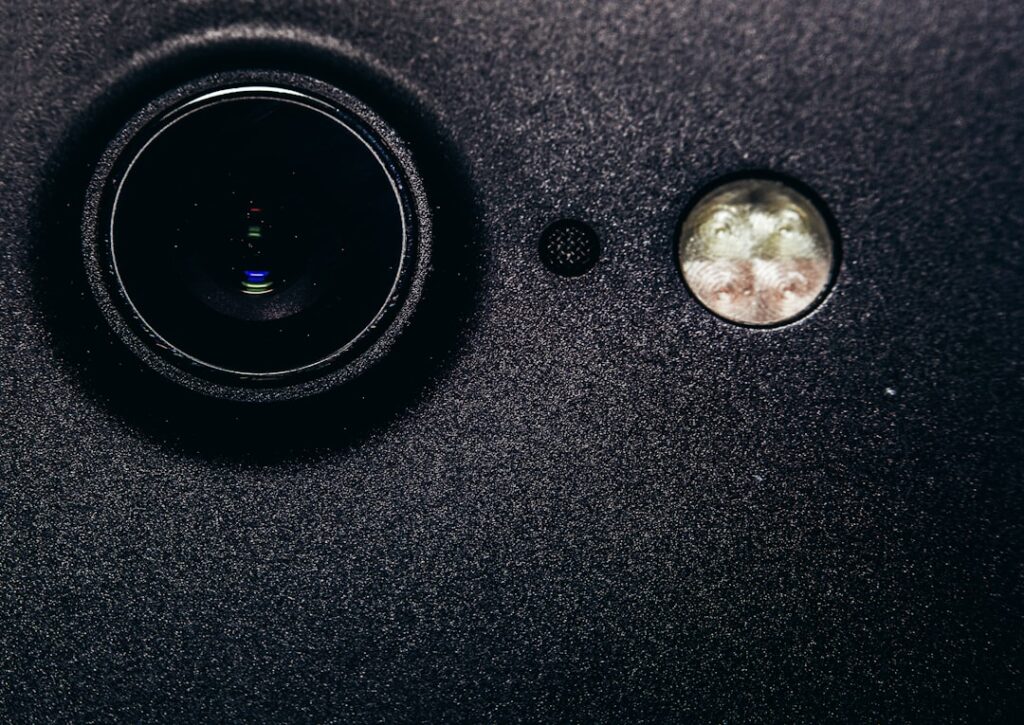
A cell phone thermal camera, in the older terminology homeowners still use, refers to the same product category as a smartphone thermal camera or thermal camera for phone — a small infrared attachment that plugs into a phone’s data port. The “cell phone” framing tends to come from users with older devices wondering whether their existing phone will still work with current thermal attachments. The honest answer is: sometimes yes, sometimes no, and the connector type is usually the deciding factor. This guide covers backward compatibility, micro-USB legacy options, and what to expect when running thermal hardware on phones that are several generations behind current models.
Part of our Thermal Imaging for Homes guide — start there for the full picture →
What “cell phone thermal camera” usually means today
In current usage, “cell phone thermal camera” and “smartphone thermal camera” describe the same product class. The terminology shift happened gradually as smartphones became the dominant phone format — older articles and product listings sometimes still use “cell phone,” and search-engine queries from older users still default to that phrasing. The product itself is a small IR imager that attaches to the phone via the charging port, sized for a phone’s data and power capabilities.
For homeowners and inspectors with older phones, the practical question is whether the attachment they want will work with the phone they own. This depends on the connector type, the OS version, and (less commonly) the phone’s processor power. Most modern attachments target current iPhones and current USB-C Android phones; older phones may or may not be supported.
Connector types and what they mean for compatibility
Four connector types have dominated the phone-attachment market over the past decade. Lightning (Apple, 2012-2023) is found on iPhones from the iPhone 5 through iPhone 14. USB-C (Android since the late 2010s, Apple iPhone 15 and later) is now the universal standard. Micro-USB (Android, mostly pre-2017) is the older Android connector that has been phased out. 30-pin Dock Connector (Apple, pre-2012) is no longer supported by any current thermal attachment.
Each connector requires its own SKU. A FLIR One Pro for iPhone with Lightning will not work on a USB-C iPhone 15. A Seek attachment with USB-C will not work on an older Lightning iPhone. Cross-compatible attachments do exist but are rare. The practical rule is: check the attachment’s spec sheet for the exact connector and OS version your phone requires.
Micro-USB legacy support
Several older Android phones with micro-USB connectors still have working thermal attachments, but the support window is narrowing. FLIR ended production of its micro-USB attachments several years ago, though existing inventory still circulates. Seek similarly discontinued micro-USB versions. Hti and Topdon may still offer micro-USB SKUs at the entry tier for users who want to pair an older Android phone with a cheap thermal camera.
The catch is software support. The companion app must support the phone’s Android version. Many older phones running Android 7 or earlier no longer receive app updates from the major thermal-camera manufacturers, meaning the attachment may work mechanically but lack current features (improved color palettes, report templates, cloud upload). For occasional homeowner use, this may be acceptable; for working inspectors, it usually is not.
Lightning connector iPhones
iPhones from the iPhone 5 through iPhone 14 use the Lightning connector. Thermal attachments for these phones — primarily FLIR One Gen 3, FLIR One Pro, and Seek CompactPRO Lightning versions — are still produced and supported. The companion apps run on iOS 14 or later, which means iPhones from iPhone 6s and newer (the cutoff for iOS 14 support) can run current versions. Older iPhones may be stuck on legacy app versions.
For Lightning iPhone users who want to keep their existing phone rather than upgrade, the current FLIR One Pro for iOS Lightning is the most common choice. Pricing typically runs $400 to $600 depending on inventory. Our guide to the FLIR One iPhone lineup covers the connector versions in detail.
USB-C iPhones
Apple shifted to USB-C with iPhone 15 in late 2023. iPhones 15 and later use a USB-C version of the same thermal attachments — FLIR One Pro USB-C, Seek USB-C versions, and Topdon TC001 work across iOS USB-C and Android USB-C with appropriate app support. The transition has reduced the number of platform-specific SKUs over time; many newer thermal cameras ship with a single connector that works on both iOS USB-C and Android USB-C devices.
For Lightning-iPhone users moving to USB-C iPhones, the existing Lightning thermal camera does not work on the new phone. A new USB-C attachment is required. This is one of the largest practical pain points in upgrading phones — the thermal camera does not carry over.
USB-C Android phones
Most Android phones from 2017 forward use USB-C. The thermal-attachment ecosystem here is mature: FLIR, Seek, Hti, and Topdon all offer USB-C Android versions, often as the lower-priced tier compared to iOS. Working inspectors who do not need an iPhone for fieldwork often choose Android specifically because the thermal-camera ecosystem is cheaper and more flexible. A used USB-C Android phone dedicated to thermal work costs much less than an iPhone equivalent.
The compatibility variable on Android is the phone’s USB-C implementation. Some lower-end Android phones do not provide enough power through the USB-C port to drive an attached thermal camera reliably. Others have USB-C ports that do not support the required data modes (USB-C with USB 2.0 or USB 3.0, depending on the camera). Manufacturer compatibility lists are the best reference; the Android side has more variability than the iPhone side. For more on the Android landscape, see our Android infrared camera USB-C buyer guide.
OS version requirements
The companion app’s minimum OS version is sometimes a stricter constraint than the hardware compatibility. Current FLIR and Seek apps typically require iOS 14 or later and Android 8 or later. Older phones still running iOS 12 or Android 6 may not be able to install the current app version, even if the hardware connector matches.
Users with older phones can sometimes install legacy versions of the companion app from archived APK or IPA sources, but this approach is unsupported and often misses critical features. For working use, current OS support is the practical baseline; for occasional homeowner use, legacy app versions may be acceptable.
Processor and memory requirements
Less commonly, phone processor and RAM constraints affect performance. Thermal-imaging apps render real-time false-color overlays at 8 to 30 frames per second, which is a moderate but non-trivial processing load. Older phones with 2 GB of RAM or earlier-generation Snapdragon or Apple chips may show frame-rate lag or app crashes during sustained use.
For phones from 2019 onward (most iPhones from the XS forward, most flagship Android phones from 2019 forward), processor performance is rarely the limiting factor. For phones from 2016 or earlier, it can be. Field-testing the app and camera together for ten to twenty minutes before committing to a particular phone-camera pairing is the most reliable check.
When to upgrade the phone versus the camera
For a working inspector whose primary tool is the thermal camera, upgrading the phone is usually the more cost-effective choice. A used recent-generation USB-C Android phone runs $200 to $400; a current-generation thermal camera runs $400 to $1,500. Keeping the camera current and rotating the phone every three to five years preserves the larger investment.
For a homeowner whose thermal camera is occasional-use only, sticking with an older phone is reasonable as long as the app still works. The lower-cost Hti or Topdon units that often still support micro-USB or older USB-C versions are appropriate at this tier. For broader phone-as-platform context, see our thermal camera smartphone guide.
Compatibility checklist before purchase
Before buying any cell phone thermal camera, verify five things. First, the connector matches your phone (Lightning, USB-C, micro-USB, or other). Second, the companion app supports your phone’s current OS version. Third, your phone has enough RAM and processor capability for sustained imaging. Fourth, the manufacturer’s compatibility list includes your specific phone model. Fifth, returns are possible if the hardware works but the app does not behave as expected on your phone.
The manufacturer’s official compatibility list is the single best reference. User-forum reports and third-party review sites are useful supplements but can contain outdated information. For the broader inspection-tools landscape, see our home inspection tools 2026 buyer’s guide. Energy.gov’s home-energy-assessment overview discusses thermal imaging as a diagnostic tool for residential audits.
Using a dedicated old phone as a thermal-only device
One useful pattern that has emerged among working inspectors is dedicating a used older smartphone as a thermal-camera-only device. The user buys a used phone in the $100 to $300 range (often a Pixel, Galaxy, or older iPhone), installs the companion app, attaches the thermal camera, and keeps the device exclusively for inspection work. The personal phone stays at home or stays free of inspection apps and storage.
The advantages are substantial. The inspection phone never runs out of storage because it has nothing else on it. Battery life lasts longer because there are no background apps. The device can be dropped or damaged without losing personal data. And the device can be left in a tool bag or work vehicle without privacy concerns. The cost overhead is modest — a $150 used Android phone plus a $400 thermal attachment is well under $600 total for a complete dedicated thermal-imaging system.
Selling or upgrading an older cell phone with a thermal camera
When an older phone is being sold or recycled, the thermal-camera ecosystem creates a planning question. The attachment usually does not carry to the new phone (different connector or different OS support). The companion app’s image library lives on the old phone unless explicitly backed up. Cloud-synced report libraries (FLIR Ignite, Seek Cloud, manufacturer-specific services) may need account migration.
Before retiring the older phone, export the thermal-image library and any pending reports to a permanent backup location. Deauthorize the companion app from cloud services. Consider whether the thermal attachment still has resale value to someone with a compatible phone — used FLIR One and Seek attachments retain $100 to $200 of resale value, depending on condition and connector type. Donation to a vocational program or community college’s inspector-training course is another option for older units that are no longer worth selling.
References
- ENERGY STAR: Seal and Insulate — U.S. Environmental Protection Agency (ENERGY STAR)
- InterNACHI Infrared Thermography Certification — International Association of Certified Home Inspectors
- ASHRAE Standards and Guidelines — American Society of Heating, Refrigerating and Air-Conditioning Engineers
- ASHI Home Inspector Resources — American Society of Home Inspectors
Frequently asked questions
Will a cell phone thermal camera work with my older phone?
It depends on three factors: connector type (Lightning, USB-C, micro-USB), OS version supported by the companion app, and your phone's processor and RAM. The manufacturer's compatibility list for your specific phone model is the single best reference.
Are micro-USB thermal cameras still available?
FLIR and Seek have largely discontinued micro-USB SKUs. Hti and Topdon may still offer micro-USB versions at the entry tier. App support for older Android versions is the bigger constraint than the hardware itself — many newer apps require Android 8 or later.
Does upgrading my phone from Lightning to USB-C break my thermal camera?
Yes. A Lightning thermal attachment will not work on a USB-C iPhone 15 or later. Upgrading the phone requires upgrading the attachment to the matching USB-C SKU. This is one of the most common pain points when upgrading iPhones.
Can I use a cell phone thermal camera for home inspections?
Yes, with appropriate resolution and software. For working inspector use, 320x240 resolution with FLIR One Pro or Seek ShotPRO is the practical baseline. Lower-resolution units are fine for homeowner DIY but produce less detailed report imagery.
Thermal imaging cameras
Infrared cameras reveal hidden moisture, missing insulation, and air leaks. Phone-attachment models are the budget entry point; standalone units have higher resolution.
| Product | Why | Buy |
|---|---|---|
 FLIR ONE Pro (phone) FLIR ONE Pro (phone) | Plugs into iPhone/Android; inspector favorite. | Amazon — $349.00 |
 Topdon TC001 Topdon TC001 | High-res phone module at a low price. | Amazon — $199.99 |
 FLIR C5 Compact FLIR C5 Compact | Standalone pocket camera with Wi-Fi. | Amazon — $611.50 |