Thermal Imaging That Finds Real Building Defects
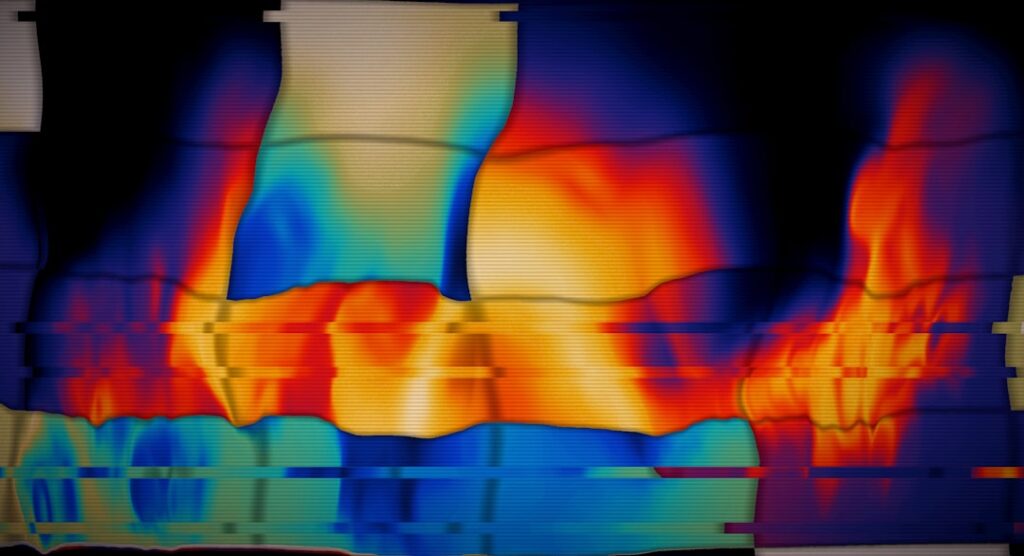
The best thermal imaging setup for a home depends less on brand than on which capability tier matches the job. A pocket attachment for a phone covers drafts and wet ceilings for occasional use; a standalone handheld adds a screen, buttons and battery for longer sessions; an upper-tier handheld adds a sharper sensor, a visible camera and documentation tools for whole-house audits. This guide sorts current thermal imaging listings into those three tiers so buyers can see what each step up actually adds, then explains the scanning technique that matters more than any camera. Below are six picks, two per tier, followed by a buying guide.
Part of our Thermal Imaging for Homes guide — start there for the full picture →
As an Amazon Associate we earn from qualifying purchases.
How we compared: we compared 20 current Amazon listings for home thermal imaging, phone attachments and standalone handhelds, on what each listing states: native infrared resolution, thermal sensitivity, temperature range, screen, storage, battery, durability ratings and software. A 21st listing in the search results was a hunting monocular and was set aside. We did not lab-test any of these units or handle them. Two models appear in two listings each, so the 20 listings cover 18 distinct models. Tiers here reflect stated capability, not price; prices and availability change, so check the current listing before buying.
Quick picks: the best thermal imaging options by tier
| Pick | Best for | Key spec | Key detail |
|---|---|---|---|
| Thermal Master P1 | Entry tier: phone attachment | 160×120 native, 40 mK | 17 g; highest stated temperature ceiling on the shelf |
| AMPBANK H128 | Entry tier: standalone handheld | 128×128 native, 40 mK | Up to 24 hours stated; only IP65 listing |
| TOPDON TC002C Duo | Mid tier: sharper phone attachment | 256×192 native, 40 mK | Full 256×192 sensor in a 30 g USB-C body |
| FOXWELL RT280 | Mid tier: handheld with PC reports | 120×90 native, 240×180 enhanced | Windows report software, laser pointer and LED light |
| TOPDON TC004 | Upper tier: big-screen handheld | 256×192 native, 3.5-inch display | 64 GB storage and Wi-Fi transfer |
| Thermal Master Thor002 | Upper tier: audit-grade handheld | 256×192 native, 40 mK | 2 MP visible camera, voice notes, 10.5 hours |
Entry tier: occasional use, drafts and wet spots
Entry-tier tools suit homeowners who scan a few times a year: chasing a cold bedroom, checking where a ceiling stain extends or confirming radiant floor loops. The sensor matters most, and a stated 160×120 native resolution is a sensible floor.
1. Thermal Master P1 — Best Entry-Level Thermal Imaging for a Phone
17 g USB-C phone attachment, 160×120 native shown at 320×240, 40 mK, readings to 1112 °F.
Check price on Amazon| Specification | Details |
|---|---|
| Infrared sensor | 160×120 native; X³ processing to 320×240 |
| Sensitivity / frame rate | Differences as small as 0.04 °C (40 mK); 25 Hz |
| Measurement | -4 °F to 1112 °F, ±3.6 °F; adjustable emissivity, ambient and distance |
| Tools | 15× digital zoom, high/low alarms, isotherm mode |
| Compatibility | USB-C phones and computers (iOS, Android, Windows); Lightning needs a separate adapter |
| Size / runtime | 59 × 27 × 17.2 mm, 17 g; 5–8 hours drawing about 0.32 W from the host |
Thermal Master P1 — 160×120 native (320×240 X³), 40 mK, -4–1112 °F, 15× zoom, isotherm, USB-C, 17 g
The Lightest Listing and the Highest Stated Temperature Ceiling on the Shelf
Nine of the 20 listings are phone attachments. Most state a weight around 30 g; the two Thermal Master P1 listings state 17 g, the lightest on the shelf. The P1 listings also state the highest upper measurement limit, 1112 °F, against 1022 °F or lower for every other listing that states a range. That ceiling is more than a home scan needs, but it signals headroom for checking a wood-stove flue collar or a furnace exhaust connection.
For entry-tier buyers, the more important figure is the native 160×120 sensor. Seven of the 20 listings state a native resolution below that, and five do not state a native figure at all. The P1 is the starting point where a missing insulation bay or a wet ceiling patch resolves into a recognizable shape rather than a colored blur.
The listing is clear that older Lightning iPhones need a separately sold adapter, and it does not state an IP or drop rating. The sister P1 listing, sold with a carrying case, does state IP54 and a 1-meter drop.
Pros
- 160×120 native sensor with 40 mK stated
- Lightest attachment on the shelf
- Isotherm and 15× zoom for finding patterns
- No battery to charge
Cons
- Lightning iPhones need an extra adapter
- No IP or drop rating stated on this listing
- No built-in visible camera
2. AMPBANK H128 — Best Entry-Level Standalone Handheld
Phone-free handheld with 128×128 sensor, 40 mK, up to 24 hours per charge and an IP65 rating.
Check price on Amazon| Specification | Details |
|---|---|
| Infrared sensor | 128×128 native; TISR to 240×240 |
| Sensitivity / frame rate | 40 mK; 25 Hz |
| Measurement | -4 °F to 842 °F; readings within ±3%; 0.1 °C resolution; adjustable emissivity and distance |
| Battery | Built-in rechargeable, up to 24 hours; auto shutdown |
| Durability | IP65; 6.56 ft drop; standard tripod mount |
| Alarms | High/low alarms; tracks max, min and center temperatures |
AMPBANK H128 — 128×128 native (240×240 TISR), 40 mK, -4–842 °F, ±3%, 24 h battery, IP65, tripod mount
The Longest Stated Battery Life and the Only IP65 Rating Here
Eight of the 11 handheld listings on the shelf state a run time. The H128’s 24 hours is the longest, ahead of 15 hours for the TOPDON TC004 Mini and 14 hours for the AccuMEMS GT14S. It is also the only listing that states IP65; the others that give an ingress rating state IP54. IP65 indicates tighter dust protection and resistance to water jets, a reasonable comfort when crawling through a dusty crawlspace or scanning a wet exterior wall.
The sensor is the entry-tier compromise. At 128×128 native, the H128 is one of 7 listings below 160×120, so it shows patterns well up close but loses detail across a large wall. Its stated ±3% accuracy is a little looser than the ±2% many listings give.
For a homeowner who does not want to tie up a phone in a cold attic, the H128 gives a dedicated device with a long charge. The listing does not state screen size, field of view or storage capacity.
Pros
- Up to 24 hours stated per charge
- Only IP65 listing on the shelf
- 40 mK sensitivity stated
- Tripod mount for repeat scans
Cons
- 128×128 native sensor
- Screen size and field of view not stated
- ±3% accuracy is looser than many rivals
Mid tier: sharper images and reporting
The mid tier is where a buyer either gets the sharpest sensor in a small package or gets standalone reporting tools. Both suit homeowners who scan every season, landlords and handymen.
3. TOPDON TC002C Duo — Best Mid-Tier Phone Attachment
USB-C attachment for iPhone, iPad and Android with a native 256×192 sensor and 40 mK sensitivity.
Check price on Amazon| Specification | Details |
|---|---|
| Infrared sensor | 256×192 native; TISR to 512×384 |
| Sensitivity / frame rate | 40 mK; 25 Hz |
| Measurement | -4 °F to 1022 °F; ±2 °C or 2%; waveform view of changing temperatures |
| Compatibility | USB-C phones and tablets on iOS, Android and Windows; not Mac or Android 16 for now |
| Working distance | Measures from up to 16.4 ft (5 m) |
| Size / weight | 71 × 42 × 14 mm; 30 g |
TOPDON TC002C Duo — 256×192 native (512×384 TISR), 40 mK, -4–1022 °F, ±2 °C/2%, USB-C iOS/Android/Windows, 30 g
One of Only Two Phone Attachments Here With a 256×192 Sensor
Four of the 20 listings state a native 256×192 sensor, the highest native resolution on the shelf. Two are handhelds and two are phone attachments: the TC002C Duo and the TOPDON TC001 Max. That puts the TC002C Duo in the top resolution class while staying pocket-sized.
Going from 160×120 to 256×192 means about 2.6 times as many detector pixels. In practice, that is the difference between seeing that a wall bay is cold and seeing the shape of the void, the sagging batt or the wet halo around a drip point.
The listing carries a caveat: it is not compatible with Mac or, temporarily, Android 16 devices. It does not mention a Lightning adapter, so it suits USB-C iPhones. No IP or drop rating is stated.
Pros
- Native 256×192 sensor with 40 mK
- Works with USB-C iOS, Android and Windows
- ±2 °C or 2% stated accuracy
- Pocket-sized at 30 g
Cons
- Not compatible with Mac or Android 16 for now
- No Lightning support mentioned
- No IP or drop rating stated
4. FOXWELL RT280 — Best Mid-Tier Handheld With PC Reporting
Handheld with 2.8-inch screen, Windows report software, laser pointer and LED, 8 GB for 20,000+ images.
Check price on Amazon| Specification | Details |
|---|---|
| Infrared sensor | 120×90 native; TISR to 240×180 effective |
| Screen / optics | 2.8-inch 320×240 LCD; 50° × 38° field of view; 25 Hz |
| Measurement | -4 °F to 1022 °F; ±3.6 °F or ±2%; high/low alarms |
| Software | Windows PC analysis (point, line, area, 2D/3D) with automatic reports; not Mac |
| Storage / aiming | 8 GB for more than 20,000 images and video; laser pointer and LED light |
| Durability | IP54; 6.6 ft drop |
FOXWELL RT280 — 120×90 native (240×180 TISR), 2.8″ LCD, 50°×38°, Windows reports, laser + LED, 8 GB, IP54
The Only Handheld Listing Combining PC Report Software, a Laser and an LED Light
Several handhelds on the shelf offer one or two of these features. The FOXWELL HT280 has Windows report software but no laser; the TOPDON TC004 has a laser and LED but reports through a phone app. The RT280 is the one handheld listing that states all three: Windows software that produces reports, a laser pointer for aiming and an LED light for dark crawlspaces and attics.
That makes it a practical mid-tier choice for a landlord or handyman who needs to hand someone a printed record. The software’s point, line and area tools let a user show the temperature drop across a wall section, which is more persuasive than a single color image.
The sensor is the honest weak point. At 120×90 native it sits below the 160×120 entry-tier floor, so this pick buys workflow rather than image detail. The listing does not state thermal sensitivity or battery life, and the software runs only on Windows.
Pros
- Windows report software included
- Laser pointer and LED light
- Large stated image storage
- IP54 and 6.6 ft drop rating
Cons
- 120×90 native sensor
- NETD and battery life not stated
- Software not compatible with Mac
Upper tier: whole-house audits and documentation
Upper-tier handhelds combine the top native resolution on the shelf with a large screen and serious storage. They suit frequent users, investors evaluating several properties and anyone who wants records that hold up when a contractor or seller asks for proof.
5. TOPDON TC004 — Best Upper-Tier Big-Screen Handheld
Handheld with 256×192 sensor, 3.5-inch display, laser, LED, 64 GB storage and Wi-Fi transfer to the app.
Check price on Amazon| Specification | Details |
|---|---|
| Infrared sensor | 256×192 native; TISR to 512×384 |
| Display | 3.5-inch screen |
| Measurement range | -4 °F to 1022 °F |
| Storage / transfer | 64 GB built in; Wi-Fi transfer to the TopInfrared app for reports |
| Aiming and light | Red laser pointer; integrated LED light |
| Durability | IP54 dust and splash protection; 2 m drop resistance |
TOPDON TC004 — 256×192 native (512×384 TISR), 3.5″ display, -4–1022 °F, laser, LED, 64 GB, Wi-Fi, IP54
The Largest Stated Storage on the Shelf, With a Top-Class Sensor
The TC004 is one of two handhelds on the shelf with a native 256×192 sensor, and its 64 GB of internal storage is the largest any listing here states, double the Thor002’s 32 GB. A season of room-by-room images and video fits with room to spare.
The 3.5-inch display matches the largest screen size stated by any listing here. Wi-Fi transfer to the TopInfrared app is how the listing describes building reports, which suits users who already document jobs on a phone.
What it leaves out matters. The listing does not state a thermal sensitivity figure, a battery run time or a field of view, and it does not describe a visible-light camera. Buyers who want those in writing should compare the Thor002 below.
Pros
- Native 256×192 sensor
- 64 GB storage, the most stated here
- 3.5-inch display, laser and LED
- IP54 and 2 m drop
Cons
- NETD not stated
- Battery life and field of view not stated
- No visible camera mentioned
6. Thermal Master Thor002 — Best Audit-Grade Handheld
256×192 handheld with 40 mK, 2 MP visible camera, 640×480 screen, voice notes and 10.5-hour battery.
Check price on Amazon| Specification | Details |
|---|---|
| Infrared sensor | 256×192 native; X³ processing to 512×384 |
| Sensitivity | 40 mK; 25 Hz |
| Screen and visible camera | 3.5-inch 640×480 IPS; 2 MP visible-light camera |
| Measurement | -4 °F to 1022 °F, ±3.6 °F; six spots at once; adjustable emissivity |
| Documentation | 32 GB storage, voice notes, QR-code file management, Wi-Fi and USB to PC |
| Power / durability | 5000 mAh, up to 10.5 hours, 18 W fast charge; IP54; 2 m drop |
Thermal Master Thor002 — 256×192 native, 40 mK, 2 MP visible, 3.5″ 640×480, 32 GB, voice notes, 10.5 h, IP54
The Only Handheld That States a 256×192 Sensor, 40 mK and a Visible Camera
Among the 11 handheld listings, the Thor002 is the only one that puts all three upper-tier essentials in writing: top native resolution, a sensitivity figure and a built-in visible-light camera. Its sibling at this tier, the TC004, states the sensor but not the other two.
The 640×480 screen is the highest-resolution display stated by any handheld here, which matters when deciding in the field whether a faint pattern is real. Voice notes and the visible camera make each image self-explanatory later.
The trade-off is bulk. The listing weight is about 3.1 lb, and it does not state a field of view in degrees. It also does not describe report-generation software, only real-time PC viewing over USB and phone pairing over Wi-Fi.
Pros
- 256×192 native with 40 mK stated
- 2 MP visible camera and voice notes
- Highest-resolution handheld screen here
- Long battery with fast charging
Cons
- Heaviest listed weight among the picks
- Field of view not stated
- Report software not described
Which tier fits which home job
| Job | Tier that usually fits | Why |
|---|---|---|
| Finding a draft or cold room | Entry | Large, obvious patterns; 160×120 native is enough |
| Tracing a ceiling or wall leak | Entry to mid | Higher resolution shows the edge of a wet halo more clearly |
| Checking radiant floor or hydronic lines | Entry | Strong temperature differences, simple patterns |
| Whole-house insulation survey | Mid to upper | Subtle differences across many walls favor 256×192 and stated NETD |
| Records for a landlord, contractor or sale | Mid to upper | Reports, storage and visible reference images |
For a broader look at what each class of camera costs, see our guide to how much a thermal camera costs.
How thermal imaging works, and the conditions that make a scan useful
A thermal camera measures surface temperature across its view and turns it into a false-color image. It does not see moisture, mold or air. Wet drywall reads cooler because evaporation pulls heat off the surface; a missing insulation bay reads colder in winter because heat escapes through it. The image shows the symptom, and the user infers the cause. Our explainer on how thermography works covers the physics in more depth.
Emissivity is the main correction. Painted drywall, wood and most finishes radiate infrared efficiently and image well. Bare metal, foil facings, glass and glossy tile reflect heat from elsewhere in the room, so a reading on a stainless appliance or a shower door is often a reflection. Several listings on this shelf allow emissivity adjustment for this reason.
Conditions matter more than the camera:
- Temperature difference. The larger the gap between indoor and outdoor temperatures, the clearer the patterns. Heating season delivers this on the Front Range.
- Sun and wind. A sun-warmed wall takes hours to settle, and wind smooths exterior patterns. Early, calm mornings are the strongest scan window.
- HVAC state. Let the system run long enough to stabilize, and avoid scanning just after it cycles.
- Recently disturbed surfaces. A wall behind a television, a spot of sun from an hour earlier or a radiator can all create misleading warm areas.
ENERGY STAR’s DIY checklist for air leaks relies on the same principle, using fans to pull outside air through gaps; running bath and kitchen exhaust fans during a thermal scan makes drafts much easier to see.
Confirm before concluding: limits of DIY thermal imaging
A cold patch is a lead, not a diagnosis. It could be moisture, a missing batt, a thermal bridge through framing or a draft from a window above. The disciplined workflow is to scan each room systematically, photograph each anomaly with a visible reference, confirm it with the appropriate measurement and record both. For suspected wet walls, that means a moisture meter on the exact spot; our wall moisture meter guide covers pin and pinless options, and our guide to detecting mold in walls covers the next steps.
EPA’s mold guidance stresses that moisture control is the key to mold control and that water-damaged areas should be dried within 24 to 48 hours, so speed matters once a leak is found. A camera cannot confirm mold, and dried-out leaks or dry rot leave no thermal signal at all.
Electrical scans call for extra caution. Thermal cameras can reveal a warm breaker or connection, but OSHA notes that electrical hazards include shock, electrocution, fires and explosions. Homeowners should scan panels only with covers on and leave any opening or tightening to a licensed electrician.
ENERGY STAR also recommends considering a home energy professional for a comprehensive audit to find hidden leaks and identify safety issues, and notes that tightening a home can trap pollutants such as radon and carbon monoxide or cause combustion appliances to backdraft. Professional inspectors combine thermal imaging with moisture meters, attic access and testing that a camera alone cannot replace.
Colorado notes for Front Range homes
Most Front Range homes sit in the colder climate zones on ENERGY STAR’s insulation map, where its recommended retrofit level for an uninsulated attic is R60. Thermal imaging is a fast way to see whether existing attic insulation is uneven, especially along eaves where it often thins out. Basement and crawlspace walls, which ENERGY STAR addresses separately, are another common gap in older Front Range homes.
Dry air helps and hurts. Evaporation makes wet materials read noticeably cool, but walls also dry quickly, so scan soon after a storm or a suspected plumbing event. Foothills homes in towns such as Lyons and plains communities like Niwot see deep winter cold that gives strong morning scan conditions.
For help reading results, or for a scan as part of a purchase inspection, contact us. Our home inspection tools hub covers the meters that pair with a camera.
References
- What to Look For: DIY Checks and Inspections — ENERGY STAR
- Identify the Problems You Want to Fix — ENERGY STAR
- Recommended Home Insulation R-Values — ENERGY STAR
- A Brief Guide to Mold, Moisture and Your Home — U.S. Environmental Protection Agency
- Electrical Overview — Occupational Safety and Health Administration
Frequently asked questions
What is the best thermal imaging option for a homeowner on a budget?
An entry-tier phone attachment with a native 160×120 sensor and a stated sensitivity of around 40 mK covers drafts, wet ceilings and radiant floors. If tying up a phone is a problem, an entry handheld with long battery life is the alternative, though many use smaller sensors.
Is 256×192 thermal resolution worth it for home use?
It is worth it for whole-house insulation surveys and documentation, because 256×192 has about 2.6 times as many detector pixels as 160×120 and shows the shape of voids and wet areas more clearly. For occasional draft hunting, 160×120 is usually enough.
Can thermal imaging see through walls?
No. Thermal imaging only shows surface temperature. It reveals hidden problems when they change the wall's surface temperature, such as a wet area or missing insulation, but dried leaks, dry rot and dormant mold produce no thermal signal.
When is the best time to do a thermal imaging scan of a house?
Scan when indoor and outdoor temperatures differ widely, usually on a cold, calm morning in heating season before the sun warms exterior walls. Running bath and kitchen exhaust fans during the scan pulls outside air through leaks and makes drafts easier to see.
Does thermal imaging detect mold?
Not directly. A thermal camera can point to moisture, which mold needs, but it cannot identify mold. Confirm suspect spots with a moisture meter, and follow EPA guidance to dry water-damaged areas within 24 to 48 hours and fix the water source.
Want a professional thermal scan during a Front Range home purchase? Reach out through our contact page to connect with a vetted local inspector.
Thermal imaging cameras
Infrared cameras reveal hidden moisture, missing insulation, and air leaks. Phone-attachment models are the budget entry point; standalone units have higher resolution.
| Product | Why | Buy |
|---|---|---|
 FLIR ONE Pro (phone) FLIR ONE Pro (phone) | Plugs into iPhone/Android; inspector favorite. | Amazon — $349.00 |
 Topdon TC001 Topdon TC001 | High-res phone module at a low price. | Amazon — $199.99 |
 FLIR C5 Compact FLIR C5 Compact | Standalone pocket camera with Wi-Fi. | Amazon — $611.50 |