Doorbell Cameras: Wired vs Battery and Transformer Basics
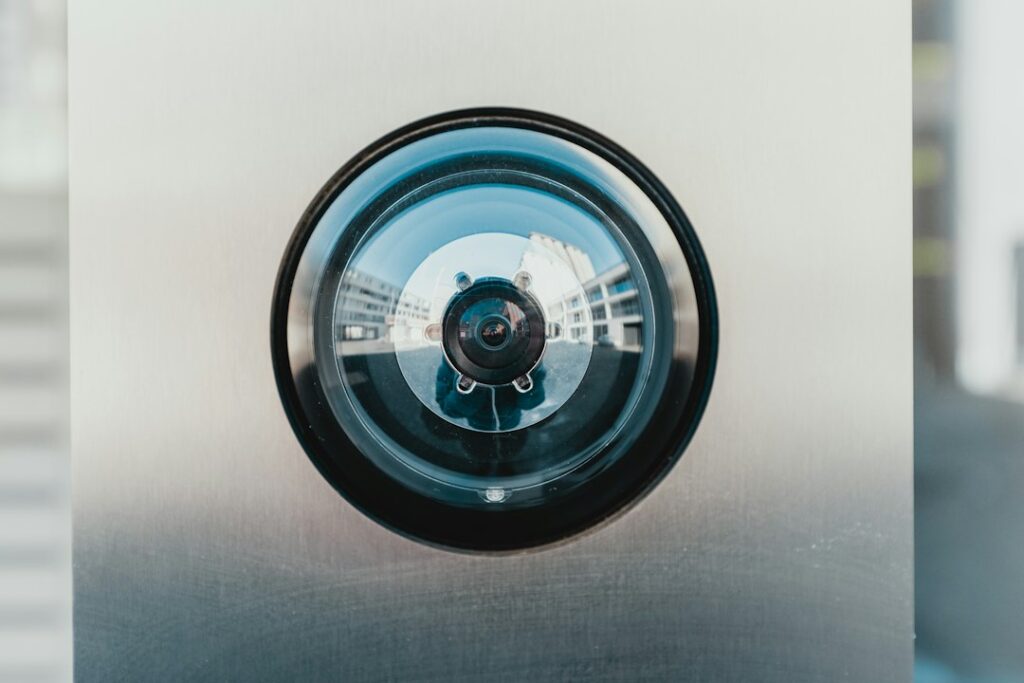
A video doorbell is one of the most common upgrades buyers find on a house, and one of the most common devices sellers leave behind. It looks simple: a small camera with a button, mounted beside the front door. Behind it, though, is a low-voltage circuit that was originally designed to ring a mechanical chime, a home Wi-Fi network that has to reach the porch, a cloud account that stores video of everyone who walks up to the house, and in many cases a battery that has to survive a Front Range winter. A doorbell camera that was installed without attention to any of those pieces can work poorly, drain batteries, buzz the chime, drop its connection or expose video to people who should not see it. This guide covers wired versus battery models, transformer and chime compatibility in general terms, Wi-Fi and placement, cold-weather battery performance, privacy and account security, low-voltage versus line-voltage safety, what a home inspector does and does not check, and rough costs.
Part of our Home Electrical guide — start there for the full picture →
How a Video Doorbell Differs From a Traditional Doorbell
A traditional doorbell is a very simple circuit. A small transformer, usually mounted near the electrical panel, on a junction box in the basement or attic, or sometimes inside the chime housing, steps household line voltage down to a low voltage. That low-voltage power runs through thin wire to the push button at the door and to the chime inside. Pressing the button closes the circuit, and the chime sounds. Most of the time it draws almost no power.
A video doorbell changes that arrangement. It contains a camera, a radio, a motion sensor, a speaker, a microphone and often infrared lights for night vision, and many models run all of those continuously. A wired model draws power from the old doorbell wires all the time, not just when someone presses the button, and it still has to signal the chime when a visitor rings. That continuous demand is why a doorbell camera can expose weaknesses in an older doorbell circuit that went unnoticed for decades. Our guide to doorbell wiring explains the transformer, button and chime circuit in more detail.
Wired vs Battery Doorbell Cameras
Most video doorbells fall into one of three groups. Each has trade-offs that matter for a house in Colorado.
- Hardwired models. These connect to the existing doorbell wires and run on that low-voltage power full time. They never need recharging, they can usually support continuous features such as pre-roll video or always-on recording where the manufacturer offers them, and they typically ring the existing mechanical or electronic chime. They depend on a compatible transformer and chime, which is the most common source of trouble.
- Battery models. These run on a rechargeable battery pack and connect to Wi-Fi, so they can go on a house that has no doorbell wiring at all, on a rental where the owner does not want wiring touched, or on a side gate. They need periodic charging, they often limit some features to save battery, and they usually rely on a plug-in chime or phone notifications rather than the existing chime.
- Hybrid models. Many battery doorbells can also be connected to existing doorbell wires, which trickle-charges the battery. This can be a practical answer where the transformer is marginal, though trickle charging does not always keep up with heavy use or cold weather.
Which type makes sense
Where working doorbell wiring and a suitable transformer already exist, a hardwired camera is usually the lower-maintenance choice. Where there is no wiring, the wiring is damaged, or the door is a long way from the router, a battery model avoids opening walls. Buyers who inherit a battery doorbell should expect to charge it, and those who inherit a wired one should confirm that the chime still works and that the camera does not report low power or reboot repeatedly.
Transformer Voltage, VA and Chime Compatibility
Doorbell transformers are labeled with an output voltage and a power rating in volt-amperes, or VA. Older homes commonly have small transformers with a low output voltage and a low VA rating that were sized only for a mechanical chime. Many video doorbells list a minimum voltage and a minimum VA, and some list a maximum as well. The manufacturer’s specifications are the only reliable source for those numbers, because they vary from model to model and between product generations.
When a transformer cannot supply what the camera needs, the symptoms tend to be consistent:
- The camera reboots, goes offline or reports low power, often when the chime rings or night vision turns on.
- The chime buzzes, hums or rings weakly, or does not ring at all.
- The camera works in mild weather and struggles in cold weather.
The usual fix is replacing the transformer with one whose output matches the camera’s stated requirements. Because the transformer’s primary side connects to household line voltage, that replacement is line-voltage electrical work, which is the point where many homeowners bring in an electrician.
Chime kits, power kits and digital chimes
Mechanical chimes use a small plunger and coil, while some older electronic chimes contain their own circuitry. A video doorbell has to feed constant power through the chime circuit without making the chime ring, which is why many manufacturers include a small adapter, often called a power kit, chime kit or pro power kit, that is installed at the chime. Skipping that adapter where the manufacturer calls for one is a common cause of buzzing and of chimes that fail early.
Some electronic and musical chimes are not compatible with certain video doorbells at all. In those cases the options are typically replacing the chime with a compatible mechanical chime, bypassing the chime with a jumper the manufacturer supplies and using a plug-in wireless chime instead, or switching to a battery model. Any of these choices should follow the specific camera’s instructions.
Wi-Fi Strength and Camera Placement
A video doorbell is only as reliable as its connection. The front door is often one of the farthest points from the router, with brick, stone veneer, metal framing, a steel entry door or foil-faced insulation in the way. Weak Wi-Fi at the door shows up as delayed notifications, slow live view, choppy video and missed events.
Before mounting a camera, it helps to check signal strength at the door with a phone or with the doorbell’s setup app if it reports signal quality. Common remedies include moving the router to a more central spot, adding a mesh node or extender near the entry, and choosing a doorbell that supports the network band available at the door. Many doorbells work best on a 2.4 GHz band because it travels farther through walls, though support varies.
Mounting height and angle
Placement also determines what the camera actually records. A doorbell mounted too high looks down at the tops of heads, while one mounted too low may miss faces entirely. Many manufacturers suggest a mounting height around the height of the old button, with the specific number in the instructions. Wedge and corner kits angle the camera toward the walkway or away from a busy street, which can reduce false motion alerts from passing cars. Direct sunlight on the lens late in the day, glare off a storm door and a camera recessed behind trim can all wash out video. Exterior lighting helps night video considerably; our guides to motion sensor lights and flood lights cover options that pair well with a doorbell camera.
Mounting screws should go into solid backing, and holes through siding or stucco should be sealed so water cannot follow the screws or wires into the wall. Gaps around a doorbell on a weather-exposed wall are a small but real path for water, especially on stucco homes.
Cold-Weather Battery Performance on the Front Range
Lithium-ion batteries generally deliver less capacity in cold temperatures and many charge poorly or not at all below freezing. Doorbell makers commonly publish an operating temperature range, and some note that battery models may charge slowly or stop charging in the cold. On a north-facing or shaded porch during a Front Range cold snap, a battery doorbell can drain noticeably faster than it does in summer, and some owners find they need to bring the battery pack inside to charge more often during winter.
Exactly how much faster a battery drains in cold weather depends on the model, the number of motion events, the settings and the temperature, so it is reasonable to plan for more frequent charging in winter rather than relying on a specific number of days. Practical steps include reducing motion sensitivity, narrowing motion zones, turning off features that keep the radio active, and connecting a hybrid model to doorbell wiring for trickle charging. Wired models avoid most battery concerns, though the camera electronics still have a rated temperature range.
Privacy, Data Security and Account Settings
A doorbell camera records the front of the house, visitors, delivery drivers, and often the sidewalk, street and neighbors’ property. That video usually travels through the home network to a cloud service, and the owner watches it through an app. Each link in that chain is a potential privacy issue.
The Federal Trade Commission’s consumer guidance on securing home security cameras notes that cameras that stream live video, including doorbell smart cameras, can be hacked. It suggests researching built-in security features before buying, such as encryption of account information, livestreams and archived video. It also recommends securing the home router, keeping camera software and apps updated, avoiding default and reused passwords, turning on two-factor authentication for the cloud account where available, and considering putting cameras on a separate network from computers and other devices. The FTC’s broader guidance on internet-connected devices at home adds changing default usernames and passwords, enabling encryption, disabling features that will not be used, disconnecting old devices, and, for IP cameras, checking access logs for unfamiliar IP addresses or unusual access times.
The FTC’s guidance on home Wi-Fi networks recommends encrypting the network with WPA3 Personal or WPA2 Personal, changing both the Wi-Fi password and the router’s separate admin password, and treating routers that offer only the outdated WPA or WEP options as candidates for a software update or replacement.
When a house changes hands
Buying a home with an existing video doorbell raises a specific issue: the device may still be registered to the seller’s account. Sellers should remove the device from their account, cancel or transfer any subscription and, where the manufacturer allows it, reset the device before closing. Buyers should confirm that the doorbell has been removed from the previous owner’s account, reset it to factory settings if it was not, set it up on their own account with a new password and two-factor authentication, and review shared users. The same logic applies to smart locks, garage door openers and alarm panels. Our guide to smart lock installation covers the lock side, and the guide to a home security system covers alarm panels and monitoring.
Low-Voltage vs Line-Voltage Safety
The wiring at the doorbell button is low voltage, and the shock risk at the button itself is generally considered low. That does not make the whole project low risk. The transformer connects to household line voltage, often in a junction box in an attic, basement or closet, or sometimes in the panel area. Replacing or adding a transformer means working on a 120-volt circuit, and that work requires turning off the breaker, confirming the circuit is dead with a tested voltage tester and following local permit rules.
Warning signs that call for an electrician rather than a quick swap include:
- A transformer that cannot be found, or one buried behind finished drywall.
- A transformer mounted directly in the electrical panel or attached to a panel knockout in a way that is unclear.
- Scorched, brittle or taped-over wiring at the transformer or chime.
- Doorbell wires that read line voltage rather than low voltage, which indicates a wiring error.
- Chimes or transformers that are hot to the touch, smell of burning or hum loudly.
- Plans to run new wire through finished walls or to add a receptacle for a plug-in model.
Most Colorado jurisdictions require a permit for new electrical work, and the rules for low-voltage work and transformer replacement vary by municipality, so a call to the local building department before starting is a reasonable step.
What a Home Inspector Checks and What They Do Not
Home inspection standards generally focus on the primary electrical system. The ASHI Standard of Practice lists the service equipment, panels, conductors, overcurrent devices, a representative number of fixtures, switches and receptacles, and GFCI and AFCI protection among the items an inspector inspects. The same standard says the inspector is not required to inspect remote control devices, security systems and other signaling and warning devices, low-voltage wiring systems and components, or ancillary wiring systems that are not part of the primary electrical distribution system.
In practice, many inspectors will ring a doorbell, note whether the chime sounds and comment on visible problems such as loose mounting, damaged housings, open holes in siding or exposed splices. Few will evaluate camera function, app settings or cloud accounts, and those items are typically outside the scope of a standard inspection. Buyers who care about a doorbell camera should test it themselves during the final walkthrough and plan to set it up on their own account after closing. Our electrical inspections section covers the rest of the electrical portion of an inspection, and the main guide to hiring a home inspector explains what to ask before booking.
Doorbell Camera Costs
Prices vary with the brand, features, subscription plan and how much wiring work is needed. As a rough 2026 guide:
- The device itself: basic battery and wired models commonly cost from well under one hundred dollars to a couple of hundred dollars, while premium models with better video, radar motion detection or local storage can cost more.
- Subscriptions: many brands charge a monthly or annual fee for recorded video history, smart alerts or professional monitoring integration. Some models store video locally and work with fewer features without a plan.
- Self-installation on compatible existing wiring: often just the device and any included chime adapter.
- Transformer replacement by an electrician: commonly a modest service call, more if the transformer is hard to reach.
- New wiring to a door with none: typically more, depending on access through attics, basements and finished walls, and whether a permit and patching are included.
- Plug-in or wireless chime: usually a small added cost when the existing chime is incompatible.
Getting written quotes that spell out the transformer, chime adapter, permit and any patching helps compare offers. Subscription terms are worth reading before buying, since ongoing fees can add up over a few years.
References
- How To Secure Your Home Security Cameras — Federal Trade Commission Consumer Advice
- Securing Your Internet-Connected Devices at Home — Federal Trade Commission Consumer Advice
- How To Secure Your Home Wi-Fi Network — Federal Trade Commission Consumer Advice
- ASHI Standard of Practice for Home Inspections — American Society of Home Inspectors
Frequently asked questions
Will a video doorbell work with my existing doorbell wiring?
Often, but it depends on the transformer and chime. Many video doorbells list a minimum transformer voltage and VA rating and may need a chime adapter. If the camera reboots or the chime buzzes, the transformer may be undersized.
Is a battery or wired doorbell camera better in Colorado winters?
Wired models avoid most battery issues. Battery models commonly drain faster and may charge poorly in cold weather, so owners on shaded porches should plan to charge more often in winter or use a hybrid model connected to doorbell wiring.
Can I replace a doorbell transformer myself?
The transformer connects to household line voltage, so replacement is line-voltage electrical work that requires shutting off the breaker and verifying the circuit is dead. Many homeowners hire an electrician, and local permit rules vary.
What should I do with a video doorbell left by the previous owner?
Confirm it has been removed from the seller's account, reset it to factory settings if needed, then set it up on your own account with a new strong password and two-factor authentication where available.
Does a home inspector test the doorbell camera?
Usually not in detail. Standards such as ASHI's do not require inspecting low-voltage wiring, security systems or remote control devices. Many inspectors ring the bell and note visible damage, but app and camera function are typically outside the scope.
Buying a Front Range home full of cameras, smart locks and older doorbell wiring? Reach out to us to connect with an inspector who will flag the electrical issues worth a closer look.