Fluke IR Camera for iPhone: iOS Workflow Guide
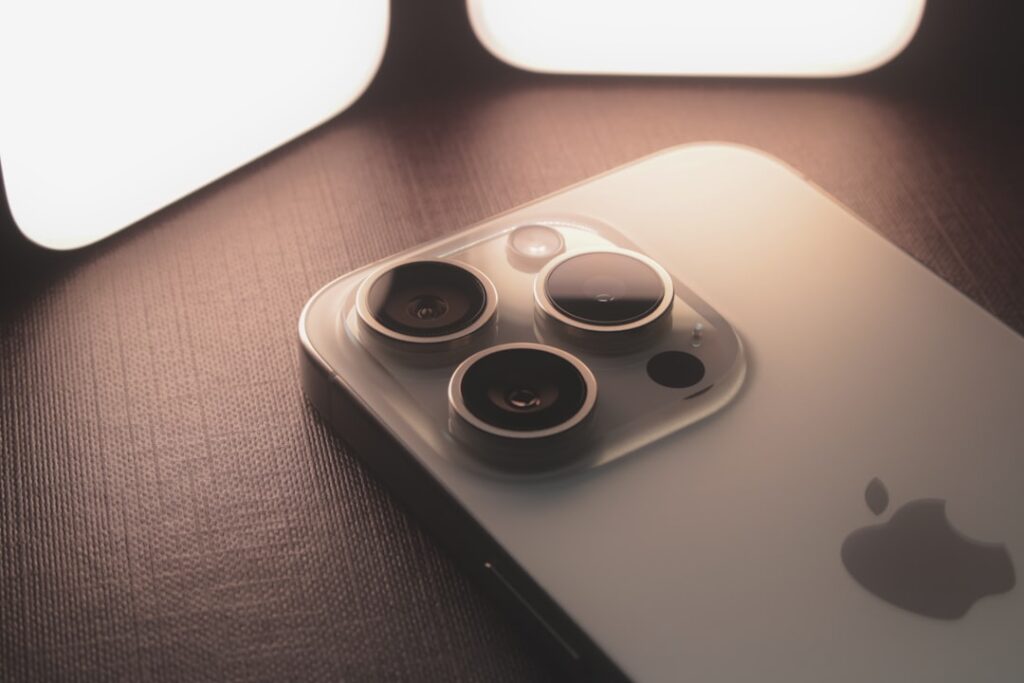
Fluke IR cameras for iPhone follow a different design philosophy than the more common FLIR ONE Pro Lightning-attached approach. Fluke’s iSee thermal camera series is a self-contained handheld unit that pairs with iPhones over Bluetooth rather than physically attaching to the Lightning or USB-C port. The iOS workflow integration runs through Fluke Connect, the brand’s app and cloud-storage platform that targets working trade professionals more than homeowner casual use. This guide covers the pairing approach, the iPhone 15 USB-C transition (no impact for the Fluke iSee because it doesn’t use the iPhone port), the Fluke Connect workflow on iOS, and how the Fluke approach compares with the FLIR ONE Pro Lightning-attached design.
Part of our Home Inspection Tools guide — start there for the full picture →
The Bluetooth-Pairing Design Choice
Fluke’s iSee thermal cameras (TC450, TC550, TC600) are standalone handheld devices with their own thermal sensor, display, battery, and storage. The iPhone integration happens through Bluetooth pairing rather than physical attachment. This design choice has practical implications:
The standalone design means the camera works without an iPhone connected at all — useful for situations where bringing a phone into the work area is impractical (dirty environments, electrical hazard zones, ladder work). The on-camera display and controls support most operations natively. The Bluetooth pairing adds capability for documentation, cloud upload, and report generation but is not required for basic image capture.
The connector-independence means iPhone connector changes (Lightning to USB-C with iPhone 15) do not affect Fluke iSee compatibility. Users upgrading from Lightning iPhones to USB-C iPhone 15+ continue using the same camera and the same Fluke Connect app workflow without buying new hardware. This stability contrasts with the Lightning-attached approach used by older FLIR ONE Pro models, where the connector change required hardware updates.
For the broader walkthrough on smartphone-attached thermal camera options across iOS and Android, the home inspection tools hub covers the buyer-framework decisions for residential and inspector use cases.
iPhone 15 USB-C Compatibility Notes
The iPhone 15 series transitioned Apple’s mobile connector from Lightning to USB-C in 2023. For thermal camera accessories that physically attach to the phone port, the transition required either new USB-C hardware or adapter solutions. For the Fluke iSee approach, no transition was needed because the camera pairs over Bluetooth and never connects to the phone port at all.
Practical implications for iPhone users:
- Lightning iPhone users (iPhone 14 and earlier): Fluke iSee pairs over Bluetooth — no Lightning hardware involvement.
- USB-C iPhone users (iPhone 15+): Fluke iSee pairs over Bluetooth — no USB-C hardware involvement.
- Mixed-device households: A single Fluke iSee camera works with both Lightning and USB-C iPhones, plus iPads, plus Android phones running the Fluke Connect app.
The Lightning-to-USB-C transition was disruptive for users of the original FLIR ONE Pro Lightning model, which required either an adapter, a software workaround, or a hardware upgrade to the newer FLIR ONE Pro USB-C model. Fluke users avoided the disruption entirely because of the Bluetooth-pairing design.
The Fluke Connect iOS Workflow
Fluke Connect is the brand’s app ecosystem for documentation, reporting, and cloud storage of thermal images and measurement data. On iOS, the workflow runs through the Fluke Connect app available on the App Store. The capabilities cover several practical needs:
Image Capture and Tagging
Thermal images captured on the iSee camera transfer to the iPhone over Bluetooth either in real-time (live image preview) or on-demand (download saved images from the camera). Each image gets metadata tagged: location, equipment ID, work order reference, and inspector notes. The metadata structure supports later report generation and asset-management integration.
Report Generation
The app generates inspection reports combining thermal images, visible-light reference photos (taken with the iPhone camera), measurement annotations, and narrative text. Templates support various report formats common in HVAC service, electrical inspection, and building diagnostics work. Reports export as PDF for client delivery or direct upload to client portals.
Cloud Storage
Captured images and reports sync to Fluke Connect cloud storage, which is shareable with team members and clients. The cloud sync supports trend tracking — comparing thermal images of the same equipment across multiple service visits to identify gradual changes.
Asset Management
For commercial and industrial users, the Fluke Connect platform supports asset-based organization — equipment lists, maintenance schedules, and historical thermal images keyed to specific assets rather than just dates. Residential inspectors use less of this capability; commercial maintenance teams use it heavily.
The workflow rewards setup time investment. Users who spend an hour configuring asset lists, report templates, and team-sharing settings get substantial workflow value from the platform across many subsequent inspections. Users who treat the camera as a simple image-capture device without setting up Fluke Connect get less workflow value relative to other smartphone-attached options. For the comparison with the closely-related Fluke phone-paired camera discussion, Fluke thermal camera iPhone covers the iOS workflow in additional detail.
The Fluke iSee Camera Lineup
Three main models comprise the Fluke iSee thermal camera family that pairs with iPhones over Bluetooth:
TC450
Entry-level in the iSee line. 256×192 native IR resolution, NETD around 50 mK, basic Fluke Connect integration. Priced in the mid range of smartphone-attached thermal cameras when accounting for the standalone-device capability. Use cases include HVAC service troubleshooting, residential energy assessment, and entry-level inspection work.
TC550
Mid-tier iSee model. Higher native resolution and improved NETD compared to TC450, with additional features like enhanced visual overlay and longer battery life. Targets working pros doing daily commercial-residential mix work.
TC600
Top-tier iSee model. Highest native resolution in the lineup, lowest NETD, full Fluke Connect feature set, and durability ratings appropriate for daily field use. Targets working commercial inspectors and industrial maintenance teams.
All three pair with iPhones over Bluetooth and run through the same Fluke Connect iOS app. The model choice depends on resolution and feature requirements rather than iPhone compatibility — every iSee model works with every supported iPhone.
Comparison With FLIR ONE Pro for iPhone
The FLIR ONE Pro family takes a different approach. Original FLIR ONE Pro models physically attached to the iPhone Lightning port and used the phone as the display and processor. The current FLIR ONE Pro USB-C model attaches to USB-C devices including iPhone 15+. The attached-camera approach has different tradeoffs:
- Cost: FLIR ONE Pro models typically run lower than equivalent-resolution Fluke iSee models because the FLIR ONE Pro doesn’t include its own display, battery, or storage — those come from the phone.
- Standalone use: FLIR ONE Pro requires the phone to be present and operational; iSee works without a phone for basic image capture.
- Connector dependency: FLIR ONE Pro requires the right connector (Lightning or USB-C); iSee is connector-independent.
- Image quality: Native IR resolution and NETD specs are comparable at similar price points across the two product families.
- Ecosystem maturity: Both FLIR (via the FLIR Tools app and ecosystem) and Fluke (via Fluke Connect) have mature iOS app integration. The platform choice often depends on which trade ecosystem the user is already in.
For homeowners and entry-level inspectors who already have a current iPhone and want the simplest setup, FLIR ONE Pro is often the more economical choice. For working pros who want connector-independence and standalone capability, the Fluke iSee approach offers practical advantages.
Practical iOS Setup Considerations
A few practical considerations for iPhone-based Fluke iSee workflow setup. First, the Fluke Connect app requires iOS account permissions for Bluetooth, photo library access (for storing captured images), location access (for inspection-site metadata), and notifications (for camera-state updates). Granting these permissions during initial setup avoids workflow interruptions later.
Second, the Bluetooth pairing benefits from keeping iOS Bluetooth always-on rather than toggling between paired devices. iOS Bluetooth implementation handles multiple paired devices well, so leaving the Fluke iSee paired alongside earbuds, smartwatch, and other accessories is the standard approach.
Third, the Fluke Connect cloud sync uses cellular data when connected, which can produce notable data usage during periods of heavy image capture. Users on limited cellular plans benefit from the wifi-only-sync setting that defers uploads until wifi is available.
When the Fluke iPhone Workflow Earns the Price
The Fluke iPhone workflow earns its price premium when the use case matches the platform’s strengths. Working trade professionals (HVAC service, electrical inspection, building commissioning) who already use Fluke meters and other instruments benefit from the integrated ecosystem. Commercial inspectors who need defensible documentation and asset-based reporting workflows benefit from Fluke Connect’s structured platform. Industrial maintenance teams that track equipment trends over time benefit from the historical comparison capability.
For occasional homeowner use, the platform sophistication can exceed actual need. A homeowner doing one thermal scan per month does not benefit much from asset management, team sharing, or trend tracking. The simpler FLIR ONE Pro app workflow often serves homeowner use cases at lower cost.
References
- ENERGY STAR: Seal and Insulate — U.S. Environmental Protection Agency (ENERGY STAR)
- InterNACHI Infrared Thermography Resources — International Association of Certified Home Inspectors
- ASHRAE Standards and Guidelines — American Society of Heating, Refrigerating and Air-Conditioning Engineers
- NFPA 70B Standard for Electrical Equipment Maintenance — National Fire Protection Association
Frequently asked questions
Does the Fluke iSee camera plug into the iPhone Lightning or USB-C port?
Neither. The Fluke iSee is a standalone handheld device that pairs with iPhones over Bluetooth rather than attaching to any iPhone port. This design makes the camera connector-independent — it works with both Lightning iPhones (14 and earlier) and USB-C iPhones (15 and later).
How does the Fluke iSee compare with FLIR ONE Pro for iPhone?
Different design philosophies. FLIR ONE Pro physically attaches to the iPhone port and uses the phone as the display and processor. Fluke iSee is standalone and pairs over Bluetooth. FLIR ONE Pro typically costs less; Fluke iSee offers connector-independence and standalone capability.
What's Fluke Connect on iOS?
Fluke Connect is Fluke's app and cloud-storage platform that supports image capture and tagging, report generation, cloud storage, and asset management. It targets working trade professionals more than homeowner casual use, rewarding setup time investment with substantial workflow value across many inspections.
Do I need a new Fluke camera for iPhone 15 with USB-C?
No. Fluke iSee cameras pair over Bluetooth and never use the iPhone port. The Lightning-to-USB-C transition with iPhone 15 has no impact on Fluke iSee compatibility — the same camera works with both connector types.