Home Inspector App: 2026 Workflow Software Guide
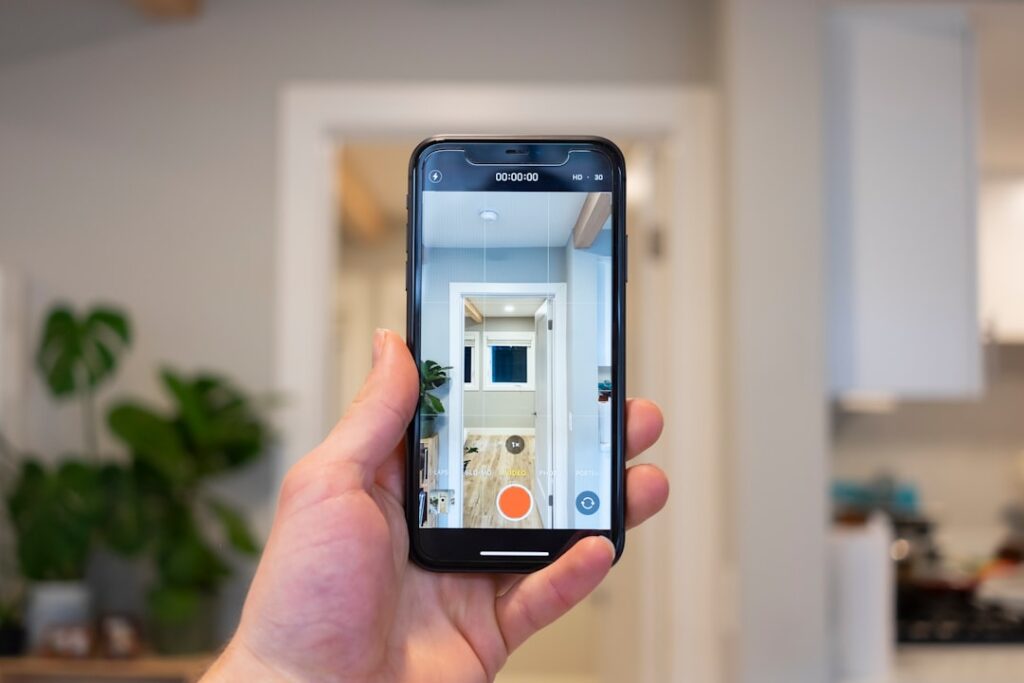
A modern home inspector app has replaced the old clipboard-and-camera workflow for most working inspectors in 2026. These tools turn a four-hour walk-through into a polished PDF report the buyer receives before they leave the driveway. The category is dominated by four names — Spectora, HomeGauge, ISN (Inspection Support Network), and Tap Inspect — and each one solves a slightly different piece of the inspector’s daily job. This guide covers what the apps actually do, what the subscriptions cost, and which features matter when you are choosing one as a working inspector or evaluating an inspector who uses one.
Part of our Home Inspections Explained guide — start there for the full picture →
What does a home inspector app do?
The short answer is reporting. A home inspector spends roughly half the job on-site collecting findings, and the other half turning those findings into a deliverable. Apps collapse that second half by letting the inspector tap pre-built comment libraries, attach photos directly from the tablet camera, and generate a branded PDF on the spot. The Spectora platform, for example, advertises that most inspectors finish their report within an hour of finishing the inspection rather than the three-to-five hours typical of word-processor workflows from a decade ago.
The second job is business operations. Apps like ISN focus less on the inspection itself and more on scheduling, agreement signing, payment collection, and review requests. A solo inspector can run an entire one-person operation from a tablet because the software handles the back-office work that used to require a part-time assistant. The third job, increasingly, is integration: most apps now connect to MLS data, agent CRMs, and the inspector’s own website so a buyer’s online request becomes a calendar entry without any rekeying.
The four market leaders in 2026
Spectora
Spectora is the category leader by user count and the platform new inspectors typically adopt first. Its strengths are the on-site report editor — drag-and-drop photo annotation, voice-to-text comments, and a finished report that looks more like a glossy magazine page than a checklist. The subscription runs $79 to $129 per month depending on the tier, with the higher tier adding business-management features like agent dashboards and team accounts. Spectora’s template library is large enough that an inspector can be writing reports by their second site visit.
HomeGauge
HomeGauge has the longest history in the category and remains popular with inspectors who came up before mobile-first reporting. Its Create platform is the cloud-native successor to the desktop tool many veteran inspectors still know. The pricing sits in a similar band, roughly $69 to $109 per month, and the differentiator is the “Create Request List” feature that lets buyers select which findings they want to negotiate with the seller. That feature alone has kept HomeGauge sticky with real-estate agents who like the workflow.
Inspection Support Network (ISN)
ISN is not really a reporting app — it is an operations platform that pairs with whichever reporting tool the inspector uses. Scheduling, recurring billing, agent referral tracking, email automation, and review-request flows all live inside ISN. Pricing is volume-based rather than flat, typically $60 to $200 per month depending on inspection count. Multi-inspector firms with two to ten field staff usually settle on ISN because the back-office volume justifies the spend.
Tap Inspect
Tap Inspect is the iOS-only option that tends to attract inspectors who want a lighter footprint. The subscription tiers run $35 to $99 per month and the app intentionally limits feature creep — the report builder is fast and templated rather than infinitely customizable. Solo inspectors doing fewer than 15 inspections per month often find Tap Inspect cheaper to run and easier to learn than the platform alternatives.
What features actually matter day to day?
Photo workflow is the single most important feature. An inspector takes 150 to 400 photos on a typical 2,000-square-foot home. The app needs to let the inspector tag, annotate, and attach each photo to the relevant finding without context-switching. Apps that force the inspector to upload photos from a separate camera-roll dialog slow the on-site workflow by 20 to 30 minutes.
Comment libraries are the second feature that separates pro-grade apps from generic note-taking. A working inspector builds up a library of 500 to 2,000 reusable comments — descriptions of common defects with recommended action language — and the app should let the inspector tap a comment and edit the specifics rather than retyping the boilerplate every time. The American Society of Home Inspectors maintains a standards-of-practice document that drives what those comments need to cover, and the apps typically ship pre-built templates that match.
Offline mode matters for rural inspections. Front Range inspectors working in Elbert County, Park County, or the foothills above Boulder regularly lose cellular coverage. An app that requires constant connectivity stops working at the worst moment. All four leaders advertise offline capture with background sync, but the implementation quality varies. Inspectors should test offline mode during the trial period before committing.
How much does a home inspector app cost?
The subscription range is $30 to $200 per month across the category. A solo inspector new to the business should budget $75 to $100 monthly for the reporting platform plus an additional $50 to $100 if they layer in operations software like ISN. Multi-inspector firms running three or more field staff often spend $300 to $600 monthly across the stack, which is a real expense but small compared to the labor it replaces. A part-time scheduler at $25 per hour for 20 hours weekly costs $2,000 monthly — the app spend covers itself.
One-time setup fees are mostly extinct in 2026. The legacy platforms used to charge $500 to $1,500 for onboarding; current pricing is month-to-month with no commitment, and most providers run a 14- or 30-day free trial. Inspectors evaluating options should run two trials in parallel during a slow week and complete a real report in each before subscribing.
How does the buyer see the app?
Buyers experience the app primarily through the final PDF report and the online portal where they sign the inspection agreement and pay. A well-configured app sends the buyer an automatic email with the agreement immediately after booking, a reminder 24 hours before the inspection, and the finished report within hours of the walk-through. The agent receives the same report and often a separate summary tailored to the negotiation.
This buyer-facing polish is part of why agents recommend specific inspectors — they trust that the report will land on time, look professional, and not require chasing. Buyers who are evaluating inspector candidates in their area can reasonably ask which platform an inspector uses, because the platform shapes how the final deliverable arrives. Inspectors who are still emailing Word documents in 2026 are working at a meaningful disadvantage in the agent-referral economy.
How do the apps integrate with the rest of the inspection stack?
A modern inspector runs four to six software tools across a typical week. The reporting app is one. The operations platform (often ISN, sometimes baked into the reporting tool) is the second. The accounting tool (QuickBooks, Xero, or Wave) is the third. The marketing CRM that captures leads from the website is the fourth. Many inspectors also run a separate review-request automation (Birdeye, Podium, or similar) and a scheduling-link service (Calendly or built-in).
The reporting app sits at the center because it produces the deliverable. The other tools feed into it (lead generation, scheduling) and consume from it (accounting reconciliation, review requests after report delivery). The strongest 2026 platforms expose APIs and Zapier-style integrations that let an inspector connect the stack without manual rekeying. Spectora and HomeGauge both publish integration directories. ISN has the deepest set of operational integrations because operations is its primary purpose.
Tablet hardware is the often-overlooked piece. Most working inspectors use a Microsoft Surface or iPad Pro running the reporting app natively. The tablet needs a fast processor, at least 256GB of storage (photos accumulate quickly), all-day battery life, and a rugged case rated for site work. Total tablet cost runs $1,200 to $2,000 for a working setup. Inexpensive consumer tablets sometimes work as starter kits but tend to fail in the field within a year because of dust, drops, and storage limits.
Many inspectors also carry a backup phone or older tablet specifically for offline contingencies — when the primary tablet fails mid-inspection (it happens), the inspector can finish the report on the backup rather than scheduling a return trip. The backup hardware is often last year’s primary tablet, which is the cheapest form of redundancy.
What about specialty add-on tools?
Working inspectors often layer specialty tools onto the base reporting app. Thermal imaging cameras (FLIR, Seek Thermal, and others) capture images that import into the reporting app as evidence for moisture intrusion or insulation defects. Sewer-scope cameras produce video clips that can be embedded in the report. Moisture meters with Bluetooth connectivity can log readings directly into the app without manual data entry.
These specialty integrations are where the inspector’s deliverable starts to look like an engineering report rather than a checklist. A 2026 buyer who receives a report with thermal images, embedded sewer-scope video, and time-stamped moisture readings has substantially more information than a buyer who receives a text-only checklist. The competitive bar in inspection-software-enabled markets continues to rise, and inspectors who do not keep up with the deliverable quality tend to lose agent referrals over time.
Who should and should not buy a home inspector app?
Any inspector running more than 10 inspections per month should be on a paid platform. The time savings on each report compound across the year. The exception is a brand-new inspector still finishing required ride-alongs — there is no reason to pay $1,000 per year for a subscription before the first paid inspection. Most platforms offer a free or low-cost tier specifically for trainees, and a working inspector mentoring a new entrant can share a comment library to accelerate onboarding.
For homeowners and buyers, the practical takeaway is that the choice of platform is the inspector’s decision, not the customer’s. If the inspector is producing a clear, photographed, well-organized report within 24 hours of the walk-through, the platform is doing its job. Buyers researching how to hire a home inspector should focus on the inspector’s credentials, references, and sample reports rather than which app sits on the inspector’s tablet.
How do app subscriptions evolve as a firm grows?
A solo inspector running 50 to 150 inspections per year typically operates on a single reporting platform with optional ISN-style operations layer. Annual software spend runs $1,200 to $3,000. A two-inspector firm at 200 to 400 inspections per year typically adds shared accounts, agent dashboards, and tighter scheduling automation. Annual software spend rises to $3,000 to $6,000 across the stack.
A multi-inspector firm at 500+ inspections per year often consolidates onto a single integrated platform that combines reporting, operations, agent management, and billing. The annual spend at this scale runs $6,000 to $15,000 but replaces what would otherwise be a part-time administrative employee at $30,000 to $50,000 annual cost. The software economics consistently favor consolidation as the firm scales.
Larger franchise operations (Pillar To Post, HomeTeam Inspection Service, AmeriSpec) typically run proprietary internal platforms that combine reporting and operations with brand standards enforcement. Independent franchisees benefit from the integrated stack at lower per-inspection software cost than independent operators, though franchise fees offset some of that benefit.
References
- American Society of Home Inspectors Standards of Practice — ASHI
- InterNACHI Inspector Resources — International Association of Certified Home Inspectors
- International Code Council Building Codes — ICC
Frequently asked questions
How much does a home inspector app cost in 2026?
Subscriptions run $30 to $200 per month depending on the platform and tier. Solo inspectors typically spend $75 to $100 monthly; multi-inspector firms often spend $300 to $600 across reporting and operations software.
Which home inspector app is the most popular?
Spectora leads the category by user count in 2026, with HomeGauge as the long-standing alternative. ISN dominates the operations-software layer that pairs with either reporting tool, and Tap Inspect remains popular with iOS-only solo inspectors.
Do home inspector apps work without cell service?
All four major platforms support offline data capture with background sync once connectivity returns. Inspectors working rural Front Range counties should test offline mode during the free trial because implementation quality varies between platforms.
Does the app affect my inspection report quality?
The app shapes how the report looks and how fast it arrives, not what the inspector finds. A skilled inspector using a basic app will produce a more useful report than an inexperienced one using the best platform on the market.