Turn Your Phone Into a Thermal Camera: FLIR, Seek, Hti
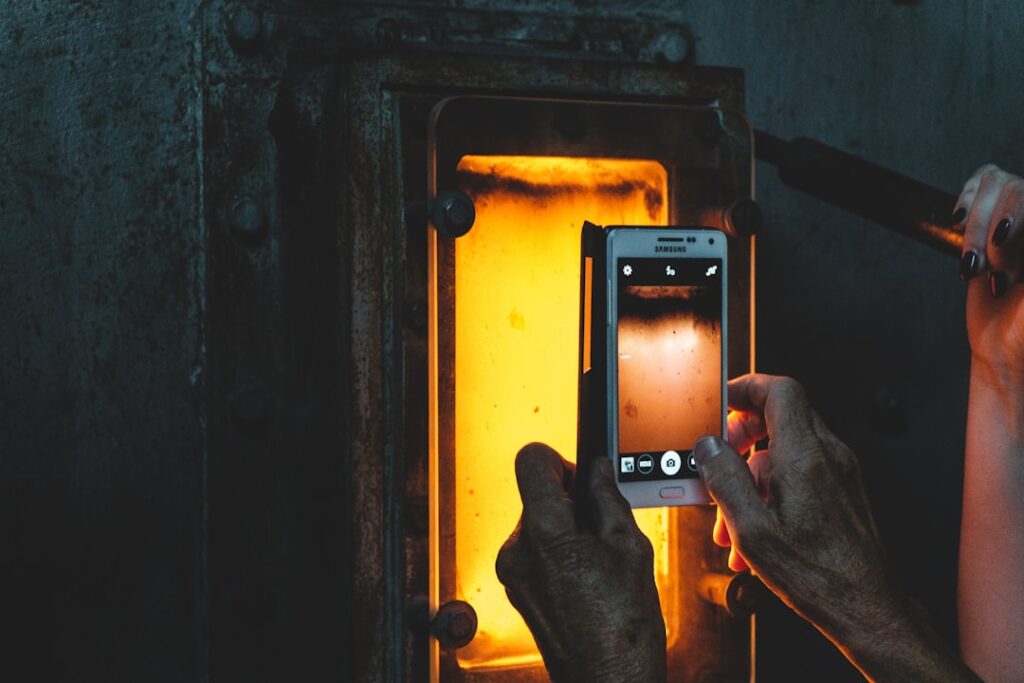
A thermal camera attachment turns a smartphone you already own into a working infrared imager: a small sensor plugs into the charging port, borrows the phone’s battery, processor, and screen, and renders a false-color heat map in a companion app. For a few hundred dollars it does most of what a standalone unit costing three times as much does. Three brands own this category in 2026 — FLIR One, Seek Thermal, and Hti — and the right pick comes down to your phone’s connector, the sensor resolution you actually need, and how the app handles your images. Here is how to choose without guessing.
How a plug-in thermal sensor actually works
The attachment is a microbolometer — a grid of tiny detectors that each read infrared radiation and convert it to a temperature value. The module has no battery, screen, or storage of its own. It draws power over USB-C or Lightning, streams raw sensor data to the phone, and the phone does the rest: coloring the image, saving the file, and pushing it to the cloud. Because the phone supplies everything expensive, the attachment can hit similar resolution to a dedicated camera at a fraction of the cost. That trade is the whole appeal, and also the source of every limitation later in this guide.
Phone thermal is the most accessible entry point into the broader category of home inspection tools, precisely because it leverages hardware buyers already carry. If you are still deciding whether infrared belongs in your kit at all, start with what a thermal imaging camera does before committing to a model.
The three brands worth your money
FLIR One, Seek, and Hti make up almost the entire plug-in market. Each sells multiple tiers, and the resolution gap between the cheapest and most expensive is roughly 16x.
| Model | Sensor resolution | Standout feature | Rough 2026 price |
|---|---|---|---|
| FLIR One Gen 3 | 80 x 60 | MSX edge overlay from a visible camera | $150–$250 |
| FLIR One Pro | 160 x 120 | Wider temperature range, radiometric JPEGs | $300–$450 |
| Seek Compact | 206 x 156 | Higher base resolution than FLIR at similar price | $200–$300 |
| Seek CompactPRO | 320 x 240 | Highest resolution in the phone-attachment class | $400–$500 |
| Hti (USB-C, Android) | 256 x 192 | Best price-per-pixel; build quality is the trade | $150–$200 |
FLIR’s differentiator is MSX, which traces edges from a built-in visible-light camera onto the thermal image so text, outlet covers, and stud lines stay readable inside the blurry heat map. Seek wins on raw pixels — the CompactPRO’s 320×240 is the sharpest sensor you can get in this class. Hti undercuts both on price for occasional Android users who can live with a plainer app and a less rugged shell. FLIR’s desktop tools also carry the most weight in the report-template ecosystem, which matters if you deliver images to clients.
Match the connector before you match the brand
The single most common buying mistake is ordering the wrong connector. Apple’s move from Lightning to USB-C across the iPhone 15 and 16 lines means a Lightning module will not work in a current iPhone without a powered adapter. FLIR and Seek both sell distinct SKUs — iPhone Lightning, iPhone USB-C, and Android USB-C — that are otherwise identical. Confirm the SKU matches your exact phone before checkout; the sensor is the same, the plug is not.
On Android, compatibility rides on USB On-The-Go (OTG) support, which nearly every modern phone has. The exception is a handful of Samsung models that throttle accessory power and occasionally prevent the module from booting. Seek and Hti publish phone-by-phone compatibility lists; FLIR’s app detects a mismatch and refuses to start rather than misbehave. If you specifically want the Android route, the dedicated write-up on thermal camera attachments for Android walks through OTG and power quirks in more depth, and the FLIR camera for iPhone guide covers the Lightning-to-USB-C transition for Apple users.
How much resolution you actually need
Resolution is the spec that matters most because each pixel is one temperature reading, and pixel count sets how small a defect the camera can resolve at a working distance. An 80×60 sensor finds a missing insulation batt across a room but cannot resolve a single loose fastener at ten feet. A 320×240 sensor picks out individual breakers in a panel and fine stud spacing. For the residential jobs most buyers care about — air leaks, missing insulation, plumbing penetrations, HVAC delivery — the practical floor is 160×120, and 160×120 to 256×192 is the sweet spot. The U.S. Department of Energy’s thermographic inspection guidance frames infrared as an air-leak, insulation, and thermal-bridge tool, and below roughly 160×120 the image gets too pixelated to interpret reliably for that work. Spending up to 320×240 improves the experience but rarely changes the conclusion at normal room distances.
Reading the image without fooling yourself
A thermal camera shows temperature differences, not problems. Two habits separate a useful scan from a wall of false positives.
Think in delta-T, not absolute degrees. A wall reading 64°F means nothing on its own; the same spot reading 4°F cooler than the surrounding surface is a signal. Comparing an anomaly against nearby reference area also cancels out most emissivity error, because both surfaces sit under the same conditions. For building envelopes, a differential of about 3–5°F against the surrounding surface is the threshold worth investigating — smaller swings are usually normal variation.
Respect emissivity on shiny surfaces. Emissivity is how efficiently a material radiates infrared. Most building materials fall between 0.85 and 0.95, and phone apps default to 0.95 — fine for matte drywall, wood, and brick. Bare metal, polished surfaces, and glass at angles read badly (metal emissivity often sits at 0.05–0.20), reflecting their surroundings instead of their own heat. Working inspectors stick high-emissivity tape on a metal spot before taking a reading so the surface behaves predictably.
Several patterns look alarming but are benign: sun-loaded exterior walls stay warm for hours after sunset, a recently run appliance leaves a warm halo on nearby surfaces, and supply registers throw conditioned air onto adjacent walls. InterNACHI’s infrared thermography materials stress that above the 160×120 threshold, operator training in heat transfer and building behavior matters more than sensor resolution — the camera is a tool, not a diagnosis.
Where phone attachments fall short of a standalone
The phone-as-body model has hard limits. Powering the module drains the phone fast — expect 60 to 90 minutes of continuous scanning before you need a charge, so carry a battery pack. The form factor is clumsy one-handed in a tight crawlspace, and dropping the phone kills both the screen and the module, unlike a purpose-built field camera. Calibration is automatic: the sensor runs a non-uniformity correction (a brief shutter “click” that freezes the image for a second) roughly every 30–60 seconds, and cheaper detectors do it more often because they drift faster. None of these are dealbreakers for occasional use; they are exactly why frequent inspectors keep a rugged standalone unit as the primary and a phone attachment as the fast-sharing backup.
A plug-in makes sense if you own a compatible phone, scan occasionally, and value cost over ruggedness. A standalone earns its price for daily field use where dependable one-handed operation beats saving a few hundred dollars. If budget is the deciding factor, the breakdown of what a thermal camera costs maps the full ladder from phone attachments up to dedicated bodies. The American Society of Home Inspectors’ Standards of Practice treats thermal imaging as an ancillary service rather than a required part of a general inspection, which is worth remembering whichever tier you buy.
Thermal imaging cameras
Infrared cameras reveal hidden moisture, missing insulation, and air leaks. Phone-attachment models are the budget entry point; standalone units have higher resolution.
| Product | Why | Buy |
|---|---|---|
 FLIR ONE Pro (phone) FLIR ONE Pro (phone) | Plugs into iPhone/Android; inspector favorite. | Amazon — $349.00 |
 Topdon TC001 Topdon TC001 | High-res phone module at a low price. | Amazon — $199.99 |
 FLIR C5 Compact FLIR C5 Compact | Standalone pocket camera with Wi-Fi. | Amazon — $449.00 |