FLIR ONE Pro Android USB-C: Setup and Compatibility Guide
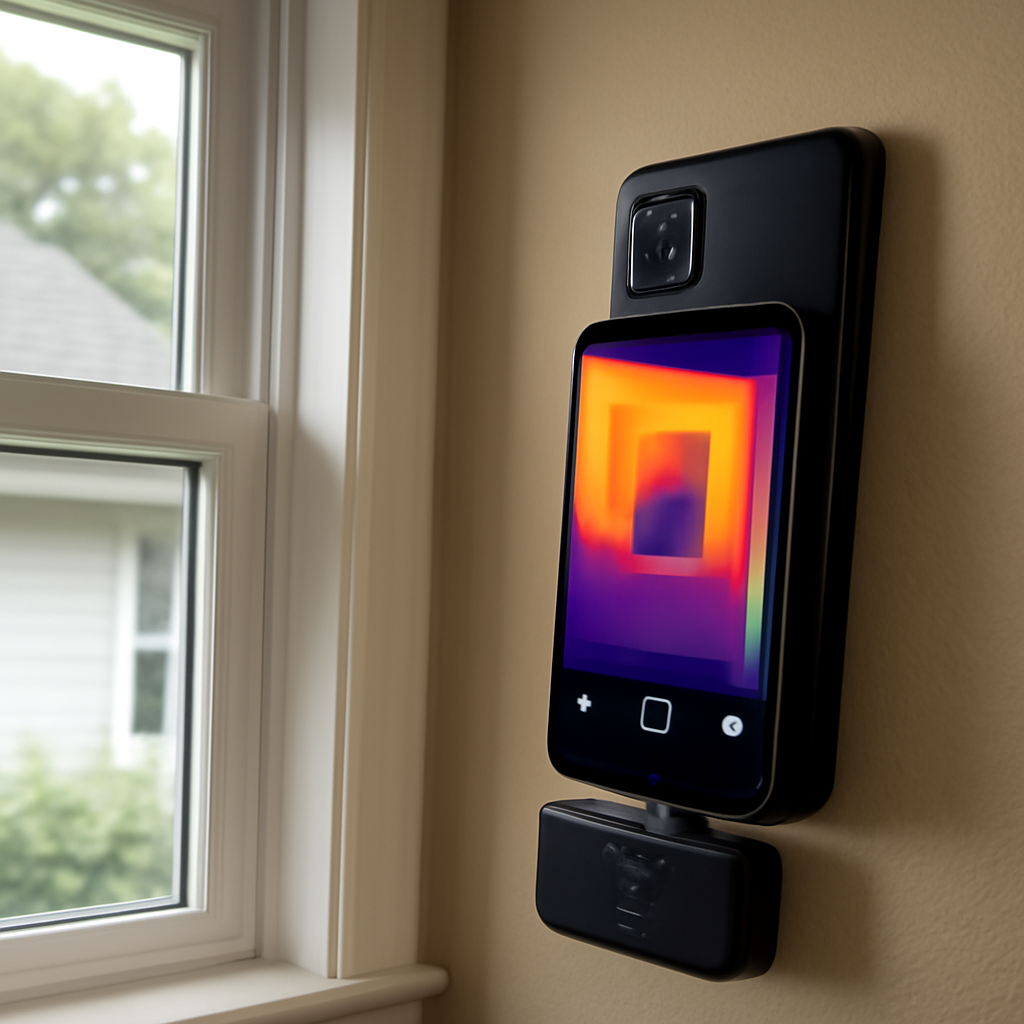
The FLIR ONE Pro Android USB-C variant is the version of FLIR’s phone-attached thermal camera that mates with the USB-C port on most modern Android phones. While the spec sheet is identical to the Lightning variant in terms of detector resolution and imaging features, the Android USB-C side has several technical requirements that buyers must verify before purchase. USB Power Delivery support, USB On-The-Go (OTG) capability, Google Play store access for the FLIR ONE app, and physical USB-C orientation flexibility all matter. This guide walks through each requirement so a buyer can confirm compatibility before the module ships.
USB Power Delivery: the requirement most buyers miss
The FLIR ONE Pro draws power for its internal battery from the host phone’s USB-C port during operation, and the module requires the phone’s port to support USB Power Delivery (USB-PD) at standard 5V output. Most flagship Android phones from 2018 onward support USB-PD natively. Budget Android phones, older models, and some non-Google-certified Android devices may lack USB-PD on the data port even when the phone charges via USB-C, which causes the FLIR ONE app to throw a “no module detected” error despite a visible physical connection.
Verifying USB-PD support before buying is straightforward. The phone manufacturer’s spec sheet lists USB charging protocols supported on the USB-C port. Samsung Galaxy S-series, Google Pixel, OnePlus, Xiaomi flagship, and Sony Xperia models from the last six years generally support USB-PD. Budget brands and tablets sometimes do not. The FLIR support page maintains a current compatible-devices list, and buyers should cross-reference their specific phone model before placing the order.
OTG support: the second non-negotiable requirement
USB On-The-Go (OTG) is the standard that lets a phone act as a USB host rather than a USB peripheral. Without OTG, the phone cannot detect the FLIR ONE Pro module at all. OTG support is standard on virtually every Android phone made in the last decade, but some manufacturers disable OTG in the phone’s settings menu by default, requiring the user to manually enable it before the module works.
On Samsung phones, OTG appears in Settings > Connected devices > Connection preferences. On Pixel and stock Android, OTG is usually always-on with no toggle. On Xiaomi and Oppo phones, OTG is typically off by default and must be enabled before each use (the phone auto-disables OTG after a period of idle to save battery). A homeowner whose phone disables OTG after sleep must re-enable it through Settings each time they pull out the FLIR ONE Pro — annoying but not blocking.
Installing the FLIR ONE app from Google Play
The FLIR ONE app is distributed through Google Play for Android. The app is free, supports Android 9 and newer through the current build, and downloads in under a minute on a typical home Wi-Fi connection. After installation, the app requests camera, storage, and USB device permissions — all three are required for the module to work. The first time a user plugs in the FLIR ONE Pro after installing the app, Android prompts the user to choose whether the app should always open when the module is connected. Selecting “always” makes the workflow seamless on future inspections.
Phones without Google Play access — some China-region Huawei devices, custom AOSP builds, GrapheneOS, CalyxOS, and similar — cannot install the FLIR ONE app through the standard channel. Sideloading the APK is technically possible but FLIR does not officially support it, and updates do not propagate. For a buyer running a non-Google-Play Android, sticking with the FLIR ONE Pro is risky; a standalone thermal camera like the FLIR C3-X or an E-series unit removes the phone dependency entirely. The home inspection tools pillar covers the standalone alternatives.
USB-C orientation flexibility
USB-C is a reversible connector — it works in either orientation when plugged in. The FLIR ONE Pro module is built to mate in either orientation, but the physical placement of the module’s IR lens depends on which way the connector is inserted. Inserting the module in one orientation places the lens above the phone’s screen; inserting it the other way places the lens below the screen. Most users prefer the lens-above orientation because it puts the IR sensor at a natural eye-level angle relative to the phone’s display.
For phones with cases, the case cutout for the USB-C port may favor one orientation. Heavy cases sometimes block one of the two orientations entirely, forcing the user to either remove the case during thermal imaging or use a small extender block (sometimes included with the module, sometimes available separately). Checking case compatibility before buying is worth a minute of effort — a buyer with a thick rugged case may discover the module physically does not seat fully without case removal.
Foldable phone compatibility: Galaxy Z Fold and Z Flip
Foldable phones present a unique USB-C placement question. The Samsung Galaxy Z Fold places the USB-C port on the lower edge of the device when folded. The Z Flip places it on the bottom of the device in flip-phone orientation. The FLIR ONE Pro physically mates with both, but the form factor changes — on a Z Fold, the module hangs off the bottom of the closed device and the user holds the camera like a thermal-imaging telephone receiver. On a Z Flip, the module extends downward like a normal phone-attached module.
Both work. Neither is ergonomically perfect. For homeowners with foldable phones who do occasional thermal imaging, the FLIR ONE Pro is a reasonable choice but not the optimal one — a standalone thermal camera lets the foldable phone stay folded for normal use while the user images thermally with a dedicated tool. For frequent thermal users with foldable phones, a standalone unit is the better path.
Samsung DeX and large-screen thermal workflow
Samsung DeX is Samsung’s desktop-mode software that lets a Galaxy phone or tablet drive an external monitor as a large-screen workspace. With the FLIR ONE Pro plugged into a DeX-enabled phone connected to a 27-inch monitor via USB-C dock, the FLIR ONE app can run in a large windowed view on the external display. This setup is useful for an inspector running through thermal images after a job to mark up findings, annotate temperature spots, and prepare client-facing report exports on a big screen.
DeX is a Samsung-specific feature, not universal Android. On non-Samsung phones, similar functionality requires third-party software or a different workflow entirely. The FLIR ONE app’s compatibility with DeX is best-effort rather than officially certified, but in practice the workflow runs cleanly on Galaxy S22 and newer paired with a powered USB-C hub and any standard HDMI monitor. ASHRAE guidance on thermal imaging report deliverables describes the value of large-screen review for accurate temperature differential measurement.
What to do if the module is not detected
The most common Android USB-C compatibility issue is “module not detected” despite a visible physical connection. The troubleshooting sequence runs in this order: confirm OTG is enabled in phone settings, confirm USB-PD is supported on the phone’s port via the manufacturer spec, confirm the FLIR ONE app has all granted permissions including USB device access, restart the phone with the module disconnected and reconnect after boot, and finally test the module on a different known-compatible Android phone to confirm the module itself works.
If the module works on a different Android phone but not on the buyer’s primary phone, the issue is phone-side — likely an OTG or USB-PD limitation that cannot be worked around in software. If the module fails on multiple phones, the module hardware is the issue and warranty service is the next step. InterNACHI Standards of Practice describe the importance of having a verified working tool before an inspection — a quick pre-inspection compatibility check prevents arriving at a client site with a non-functional camera. The sibling FLIR ONE Pro for Android setup and workflow guide covers the broader Android workflow once the connection is confirmed.
Android version compatibility and FLIR ONE app updates
The FLIR ONE app on Google Play targets Android 9 and newer as of 2026. Older Android builds (Android 7 and 8) may still install legacy app versions but lose access to cloud sync features and current palette options. As Android evolves, FLIR has updated the app to support newer permission models, scoped storage (Android 11+), and modern USB device APIs. Buyers on older phones should expect a degraded experience and consider phone upgrade before module purchase if thermal imaging is a serious priority.
App updates roll out through Google Play automatically when enabled. Most users see one or two FLIR ONE app updates per year. The updates rarely break compatibility with existing hardware, but they sometimes add features (new palettes, improved spot-meter accuracy, cloud sync improvements) that require app re-permissions on first launch. A homeowner who hits an unexpected permission prompt after an update should grant the requested access — denying it typically means the module stops working until permissions are re-granted manually.
USB-C cable extenders and physical clearance
Some Android phones with chunky cases or unusual port placement cannot accommodate the FLIR ONE Pro’s stub-style plug directly. For these situations, a USB-C extender cable (a short male-to-female USB-C cable, six inches or less, that supports both USB Power Delivery and data) bridges the gap. The cable must support full USB-C functionality — cheap charging-only cables block the data lines and prevent the module from being detected. Belkin, Anker, and Cable Matters make USB-PD-rated extenders that work reliably.
Using an extender adds a small mechanical link between the phone and the module, which is both a benefit and a tradeoff. The benefit is physical flexibility — the user can hold the phone at one angle and aim the module at a different angle without straining the connector. The tradeoff is extra weight pulling on the connector pin, which adds wear over time. For occasional homeowner use, extender cables work well. For working tradespeople running daily inspections, removing the case is often cleaner than relying on a cable bridge.
Battery management and continuous inspection workflow
The FLIR ONE Pro Android USB-C variant has its own internal battery, but during operation the phone supplies some operational power through the USB-PD link. This means a thermal inspection drains the phone battery faster than normal phone use. A homeowner planning a multi-hour inspection should start with a fully charged phone and either keep a power bank on hand or limit the session to under 60 minutes of continuous imaging.
The FLIR ONE app shows the module battery level in the top status bar but does not show the phone battery dependency. Inspectors who run back-to-back jobs sometimes carry two FLIR ONE Pro modules and rotate them on charge between sessions — the module battery recharges via its own side USB-C port independently of the phone. The Department of Energy infrared thermography guide describes session-length management as a practical consideration for any energy audit work involving thermal imaging.
References
- Using Infrared Thermography for Energy Audits — U.S. Department of Energy
- ASHRAE Standards and Guidelines — ASHRAE
- InterNACHI Standards of Practice — InterNACHI
- NFPA Codes and Standards Index — National Fire Protection Association
Thermal imaging cameras
Infrared cameras reveal hidden moisture, missing insulation, and air leaks. Phone-attachment models are the budget entry point; standalone units have higher resolution.
| Product | Why | Buy |
|---|---|---|
 FLIR ONE Pro (phone) FLIR ONE Pro (phone) | Plugs into iPhone/Android; inspector favorite. | Amazon — $329.00 |
 Topdon TC001 Topdon TC001 | High-res phone module at a low price. | Amazon — $199.99 |
 FLIR C5 Compact FLIR C5 Compact | Standalone pocket camera with Wi-Fi. | Amazon — $610.06 |